
Run a decision end to end
This is the whole job: frame the question, gather what you have, let the workspace research it, judge what came back, and write the answer down so it survives the people who made it.
Before you create anything
Section titled “Before you create anything”Write the question as a decision. “Search” is a topic. “Which search provider should the documentation site use from 2027” is a decision — it has an owner, a deadline, and a set of options.
The difference matters because the purpose statement is what the AI uses to judge relevance. A topic gives it no boundary.
Know what would change your mind. If no evidence could move you, this is a justification exercise, not a decision, and a workspace will make that visible.
1. Create the workspace
Section titled “1. Create the workspace”Choose the type that matches what you are producing: Decision, Research, Policy, or Delivery.
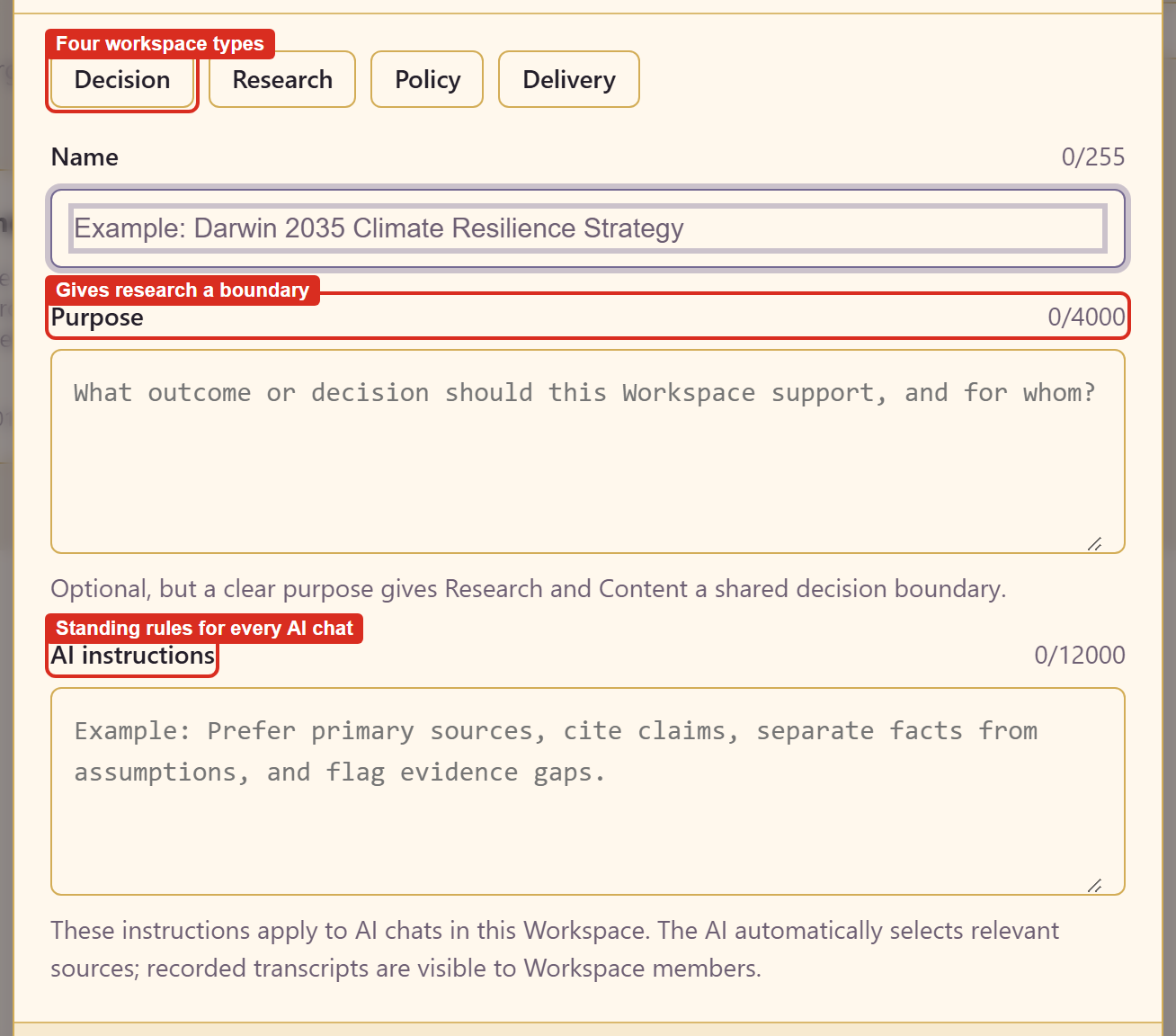
Name takes up to 255 characters. Purpose takes up to 4,000 and is where you write the outcome you need; two sentences is usually plenty. AI instructions takes up to 12,000 and applies to every chat in this workspace.
Set the instructions carefully. Useful ones constrain evidence quality, force comparable units, and demand that gaps be declared. The example workspace uses all three:
Prefer primary sources and vendor documentation over blog posts. Always state pricing in USD per month at our current page count. Flag any claim you cannot source.
2. Load the references you already have
Section titled “2. Load the references you already have”Add from Assets links in material the service already holds; Upload adds a file directly.
Do this before asking anything. Research that starts from your actual constraints — the real page count, the current contract, last year’s complaints — is worth considerably more than research from nothing.
Gather references covers the asset picker and the evidence signals on each card.
3. Ask for the end product
Section titled “3. Ask for the end product”Ask for what you want to end up with, and name the specifics.
Vague: compare search providers. Specific: compare Pagefind, Algolia DocSearch, and Typesense for a 335-page documentation site, covering cost, hosting, and setup effort.
The specific version produced a document with a costed comparison and a recommendation. The vague version would have produced a survey.
4. Let the plan run
Section titled “4. Let the plan run”The AI states its method before it starts — map the topics, research each one separately, then plan the content from what they find — and then works through it with a tick and a duration per step.
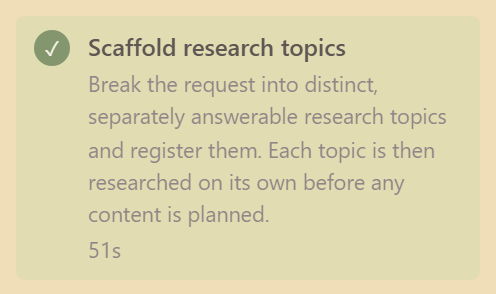
Leave it alone. The plan keeps running if you navigate away, so there is nothing to watch. Stop this run is there if the plan is clearly heading the wrong way, and it takes effect after the current request, not instantly.
If the plan itself is wrong — the topics are not the ones that matter — stop it and re-ask. The topics it registers are the earliest signal of whether it understood you.
5. Judge what came back
Section titled “5. Judge what came back”This is the step people skip, and the one that decides whether the rest was worth doing.
Read the sources, not the summaries. Open each research item and look at what is cited. Every step in the AI panel also has a Sources used disclosure.
Weigh the evidence. A finding resting on one blog post is weaker than one resting on three vendor documents, and both look equally confident in prose.
Take the gaps seriously. A topic that completed with evidence gaps is telling you something specific. A gap on a criterion that matters is a reason to go and find out, not a reason to proceed.
Look for what is missing entirely. The plan answers the topics it registered. If a criterion you care about never became a topic, ask for it explicitly — the example workspace grew from four topics to twelve that way.
6. Write the answer
Section titled “6. Write the answer”Create from research turns a research item into content and carries the provenance with it. You can also ask the AI to write from the research already in the workspace, which is how the example produced its recommendation document.
Write the decision, not just the comparison. A document that lists three options and stops leaves the next reader to redo the reasoning. State which one you chose, on which criteria, and what would make you revisit it.
Record what you rejected and why. It is the part people need a year later, and the part nobody writes down.
7. Publish
Section titled “7. Publish”Content starts as Draft and drafts are never published. Set the item readers should land on to Live, mark it as the landing page, then publish.
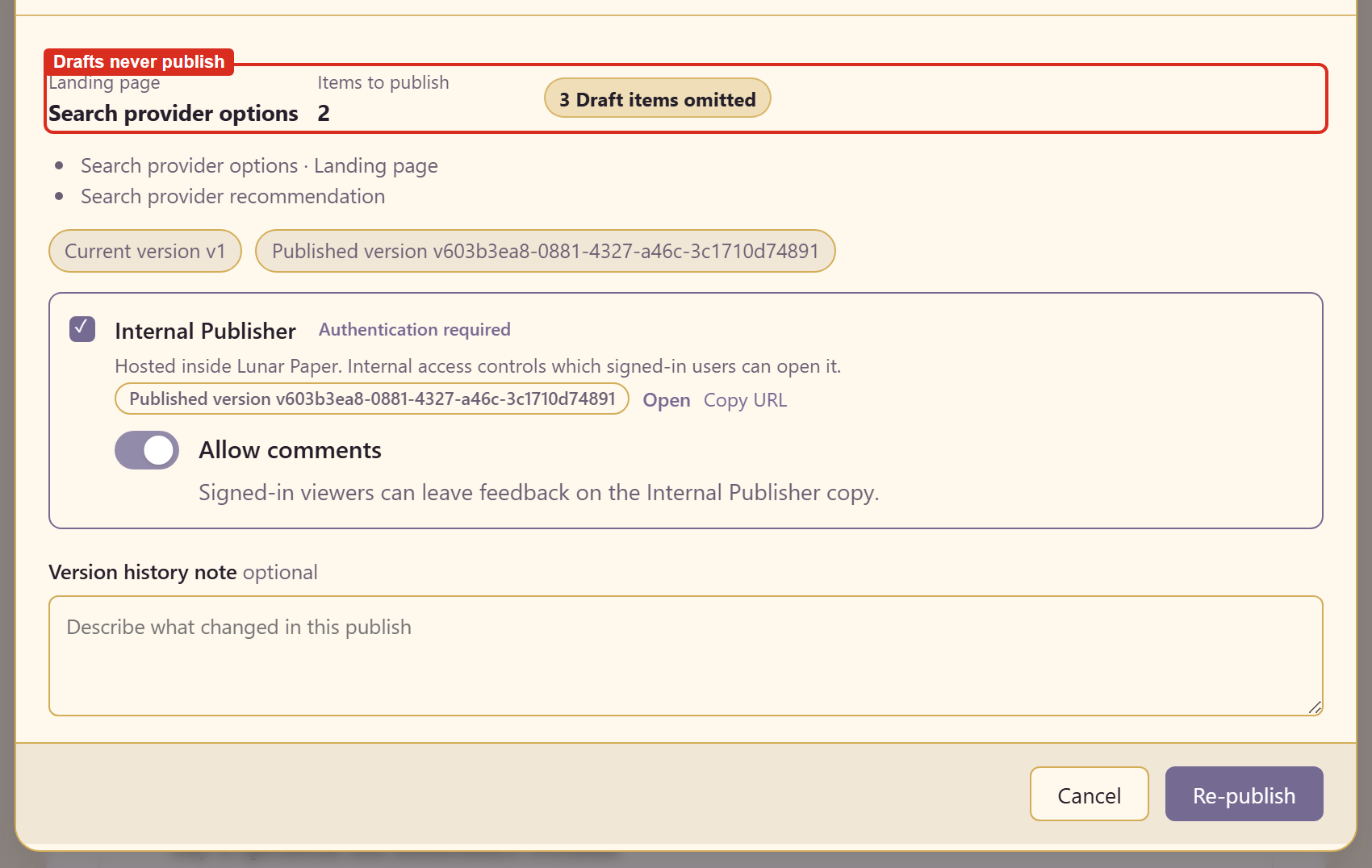
Publish a workspace covers access levels, navigation, and share links.
8. Share the workspace, not just the output
Section titled “8. Share the workspace, not just the output”Publish gives readers the content. Share Workspace gives people the workspace itself, including the research behind the content.
Share it with anyone who might challenge the decision. The evidence is the argument, and a decision whose evidence is visible survives scrutiny that a bare assertion does not.
9. Leave it findable
Section titled “9. Leave it findable”Research can be pushed into the Asset Library with Asset metadata, or downloaded as Markdown.
A decision nobody can find gets remade from scratch. Put the workspace link where the decision will next be questioned: the team page, the runbook, the architecture record.
Related
Section titled “Related”Work with research goes deeper on step 5. How a workspace is organised explains why evidence and claims are kept apart.