
Send a booking reminder and collect details
This workflow coordinates a customer reminder from a new booking. The matching draft is Docs 08 - Booking Reminder and Follow-up (workflow 590) in service 20.
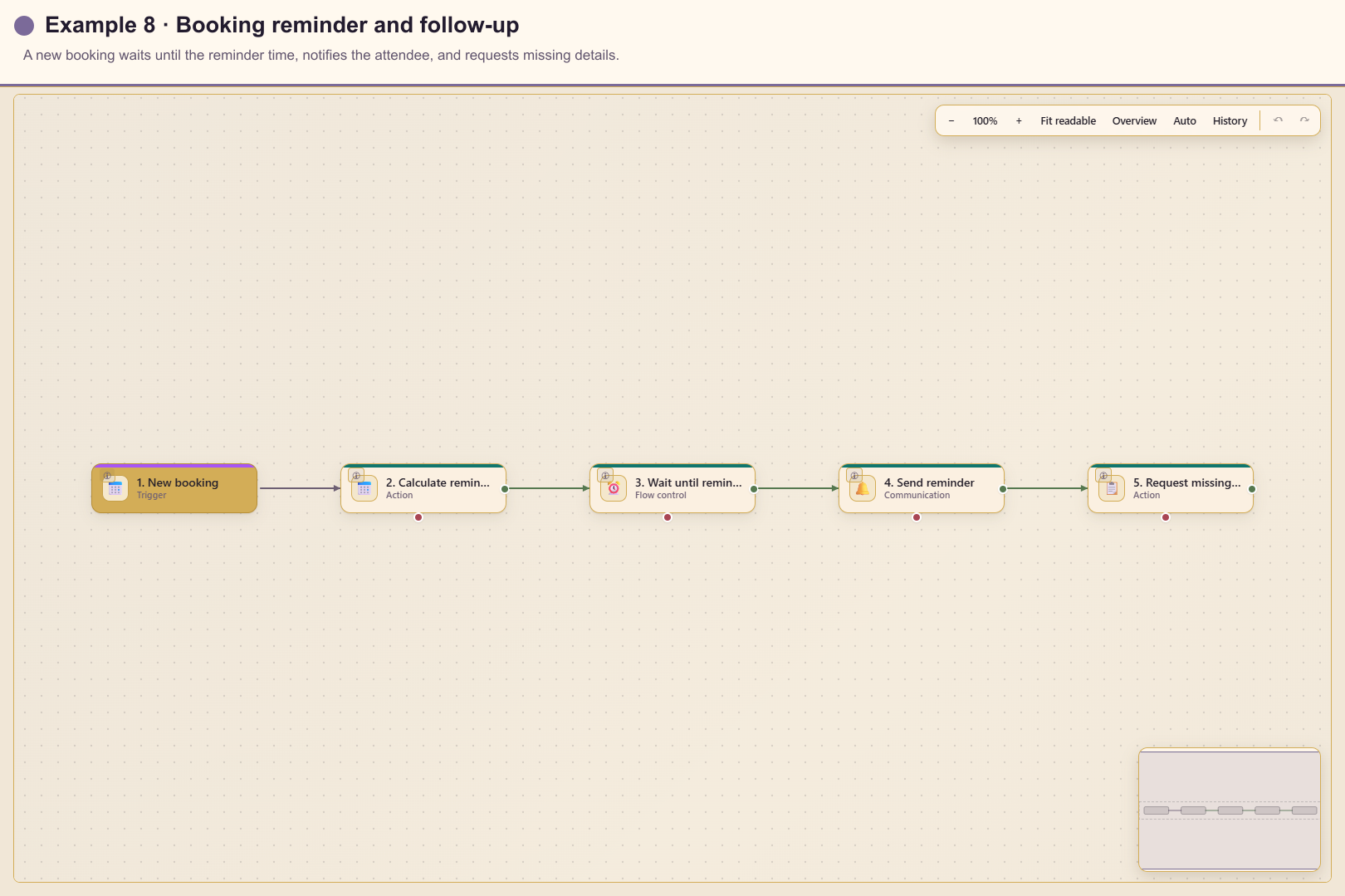
Outcome
Section titled “Outcome”A new booking calculates a reminder time 24 hours before the appointment, waits until then, sends the reminder, and creates a task asking the attendee for any missing delivery details.
Before you start
Section titled “Before you start”- Select the booking calendar or resource.
- Confirm the source timezone and the required reminder lead time.
- Decide whether in-app notification reaches every attendee; use email when it does not.
- Prepare a small form that asks only for information still required.
Build the workflow from start to finish
Section titled “Build the workflow from start to finish”Create a blank workflow in service 20. Save and connect each card before adding the next, keeping the workflow unpublished while you test its time calculations.
1. Add and configure the trigger
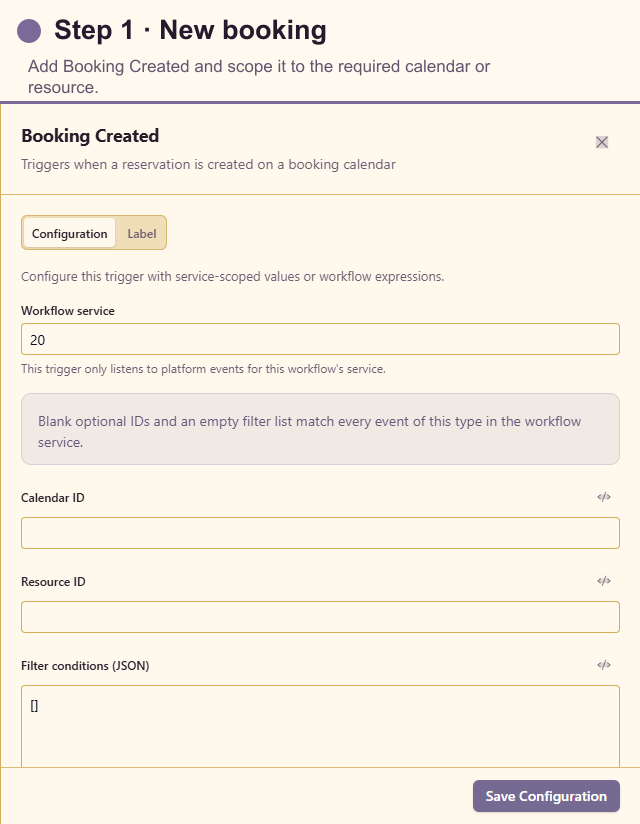
Section titled “1. Add and configure the trigger”Open Triggers and add Booking Created. Select the calendar or resource when the service has several booking journeys, and add filters that identify the bookings requiring this reminder.
2. Add Date Math
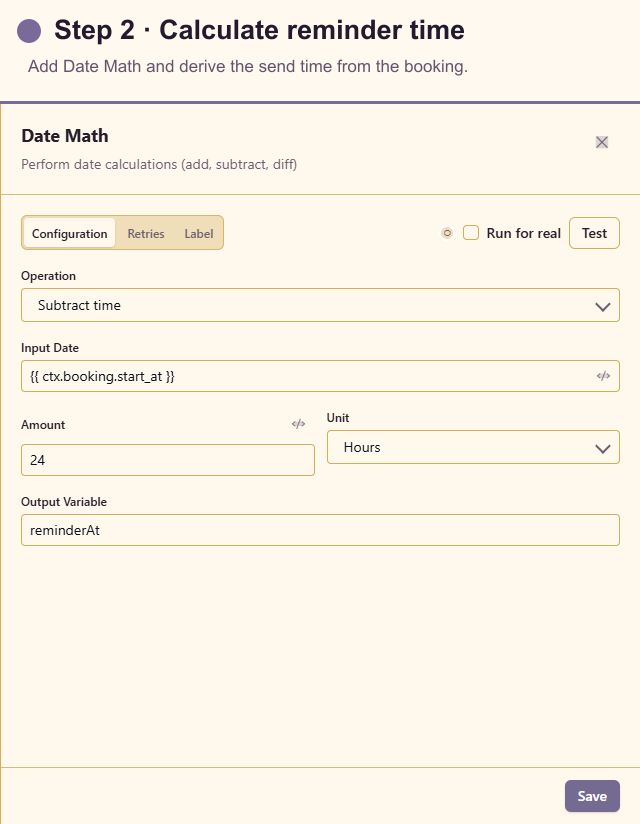
Section titled “2. Add Date Math”Open Actions and add Date Math. Use the booking start timestamp, subtract 24 hours, and store the result as reminderAt. Preserve the source timezone offset rather than rebuilding the date from display text.
3. Add Wait Until
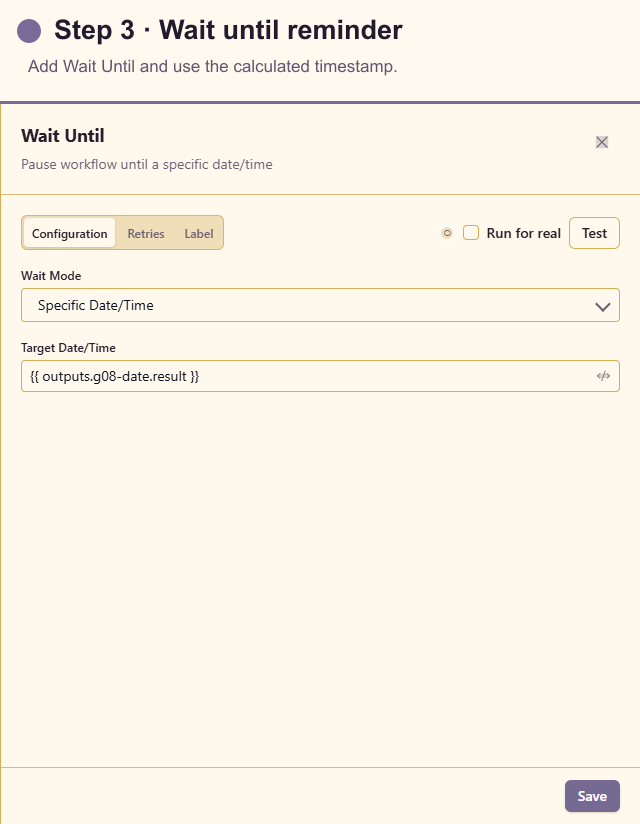
Section titled “3. Add Wait Until”Add Wait Until after Date Math. Choose date/time mode and insert the calculated timestamp. Define what happens when a booking is created inside the 24-hour window so the run never waits for a time that has already passed.
4. Add Send Notification
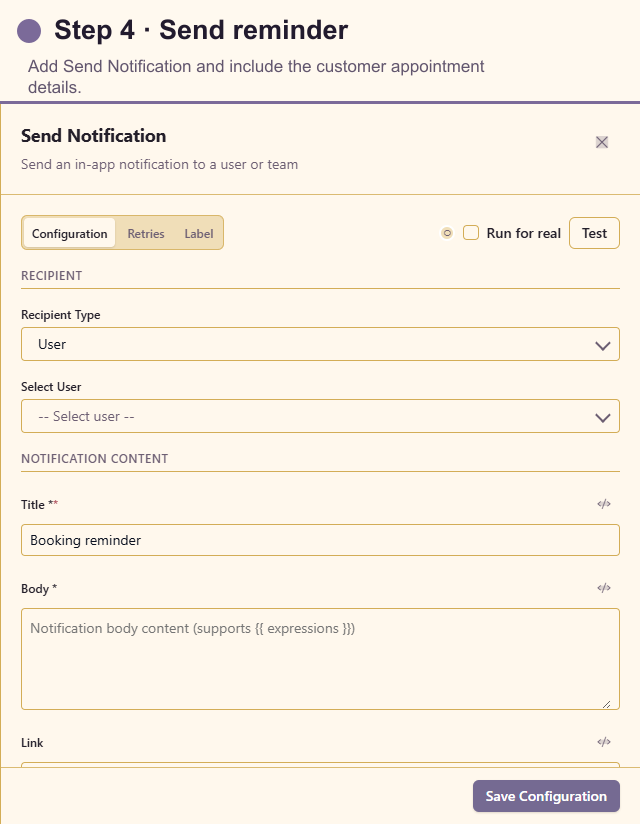
Section titled “4. Add Send Notification”Add Send Notification after the wait. Resolve the attendee or owner, include the local appointment time and preparation instructions, and link to the booking details.
5. Add Request Data
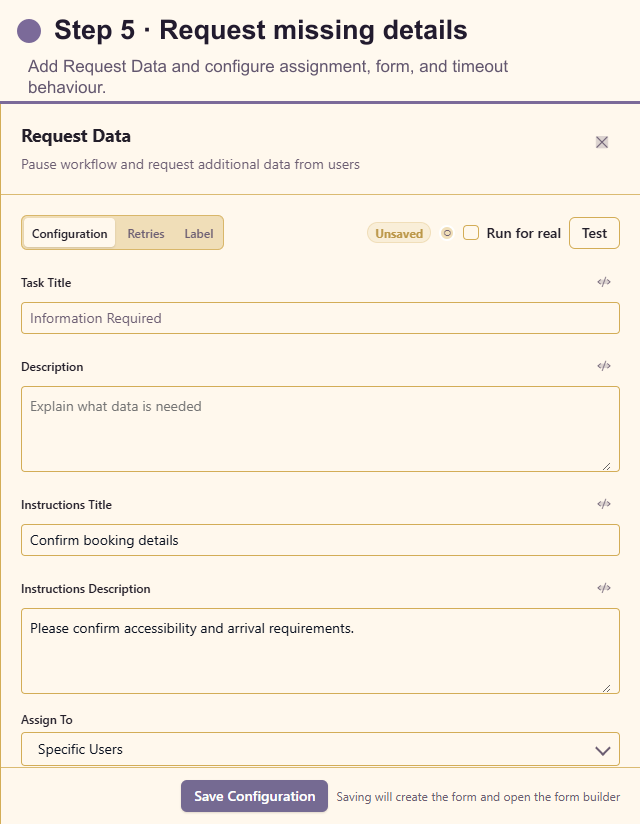
Section titled “5. Add Request Data”Add Request Data last. Assign it dynamically to the booking user, write a clear title and Markdown instructions, select or generate the smallest useful form, allow drafts only when partial progress helps, and set SLA and timeout behaviour.
In many services, Request Data should run only when information is actually missing. Add a Conditional before it and route complete bookings around the task.
Test the workflow
Section titled “Test the workflow”Use future synthetic bookings in the normal lead-time window and inside it. Verify Date Math and Wait Until resolve to the intended instant. For a short test, temporarily use a near-future time in an unpublished duplicate.
Complete and time out the Request Data task in separate tests. Confirm reminders use the customer’s expected local time.
Production checklist
Section titled “Production checklist”- Calendar, resource, and timezone are explicit.
- Late-created and rescheduled bookings have defined behaviour.
- Cancellations cannot produce a stale reminder.
- Notification reaches the actual attendee through an appropriate channel.
- The data request collects only necessary information.
- Waiting runs, SLA, and timeout paths are visible to service operators.