
Beat Patterns
Double-click empty space on the timeline to open the instrument picker, then choose 🥁 Beat Patterns.
Ready-made drum patterns you pick rather than play.
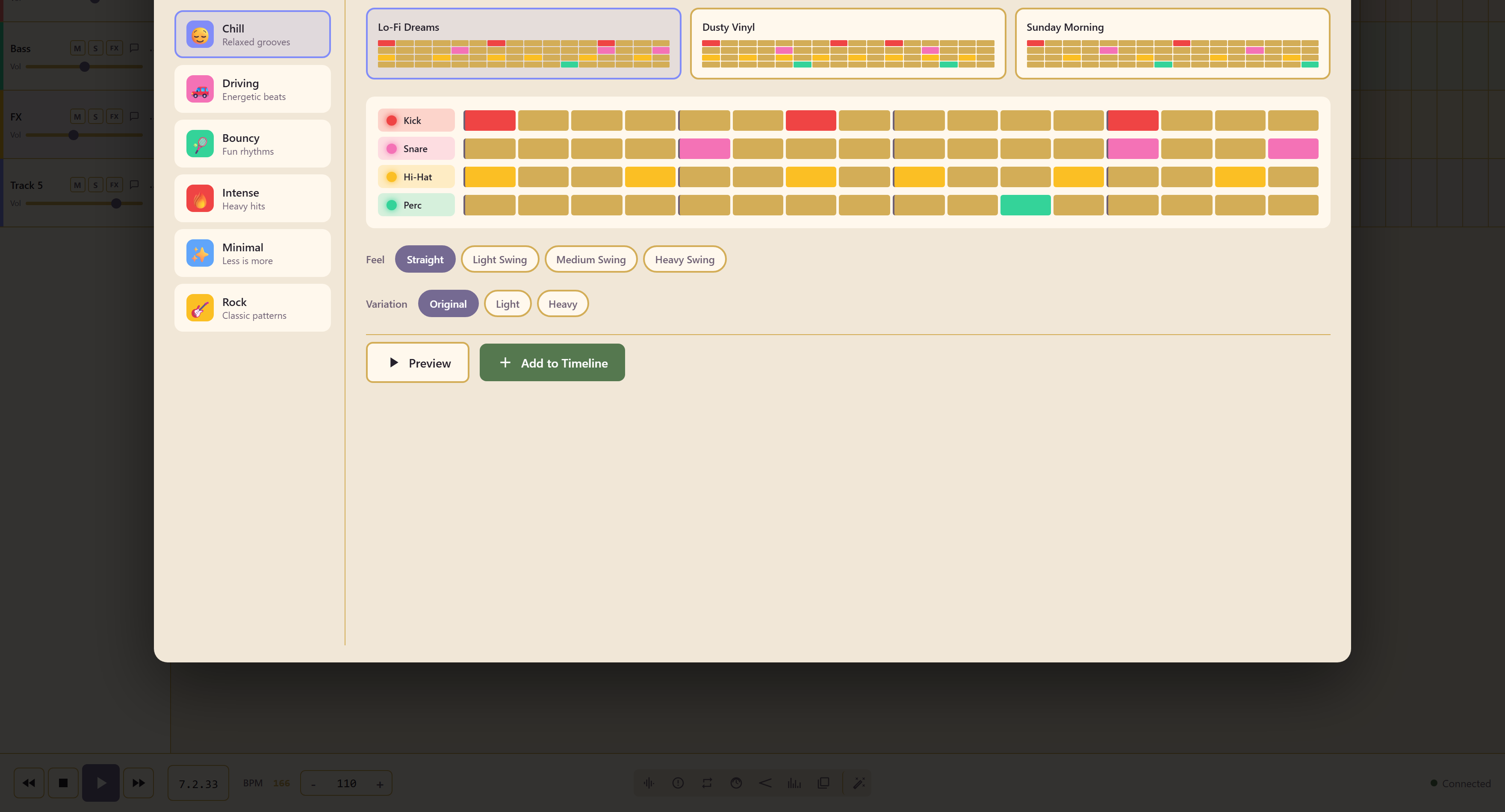
Six styles
Section titled “Six styles”| Style | Character |
|---|---|
| Chill | Relaxed grooves |
| Driving | Energetic beats |
| Bouncy | Fun rhythms |
| Intense | Heavy hits |
| Minimal | Less is more |
| Rock | Classic patterns |
Choosing a style lists its patterns by name — Chill offers Lo-Fi Dreams, Dusty Vinyl, and Sunday Morning — and the pattern appears on a four-row grid: Kick, Snare, Hi-Hat, and Perc.
Two controls change the pattern without editing it
Section titled “Two controls change the pattern without editing it”Feel sets the swing: Straight, Light Swing, Medium Swing, or Heavy Swing. Straight is machine-exact; the swing settings push the off-beats progressively later.
Variation thins or thickens the part: Original, Light, or Heavy. Light is the version to put under a voice, Heavy the one for a chorus.
Preview plays it, Add to Timeline commits it.
Beat Patterns or the Drum Kit
Section titled “Beat Patterns or the Drum Kit”Use Beat Patterns when the drums hold time and nothing more. It is faster, and a named pattern with the right feel is usually finished on the first try.
Use the Drum Kit when the drums are part of the arrangement — fills, accents, a specific kit sound, a part that follows the music rather than repeating under it.
A common middle path is to hold a groove in the Drum Kit and play only the fills over it, which gives a played part for the cost of a programmed one.
Related
Section titled “Related”Mood Chords is the same idea for harmony. Drum Kit is the played alternative.