
Link task boards
This is the step that makes a project more than a record card. Projects has no tasks of its own: progress, the timeline, time tracking, earned value, and workload are all derived from tasks on boards linked to the project. Skip it and five sections stay empty.
Link or create a board
Section titled “Link or create a board”Open Tasks in the left navigation. Two buttons sit at the top: + New Board creates a board already attached to this project, and Link Board attaches an existing one.
The dashboard offers the same two actions on its Task Boards card.
Linking is a move, not a copy. A board already attached to another project is reassigned to this one, and the picker says so.
What the link gives you
Section titled “What the link gives you”| Section | What it derives from the board |
|---|---|
| Dashboard progress | Percentage complete, from task completion |
| Timeline | Task bars beside the project’s milestones |
| Time Tracking | Logged hours aggregated across every linked board |
| Earned Value | Cost and schedule performance, from estimates and completion |
| Workload | Remaining estimated hours per assignee |
Make time tracking work
Section titled “Make time tracking work”Time Tracking is read-only and aggregates what the boards hold. Once a board is linked it reports four figures, with a date range to narrow them:
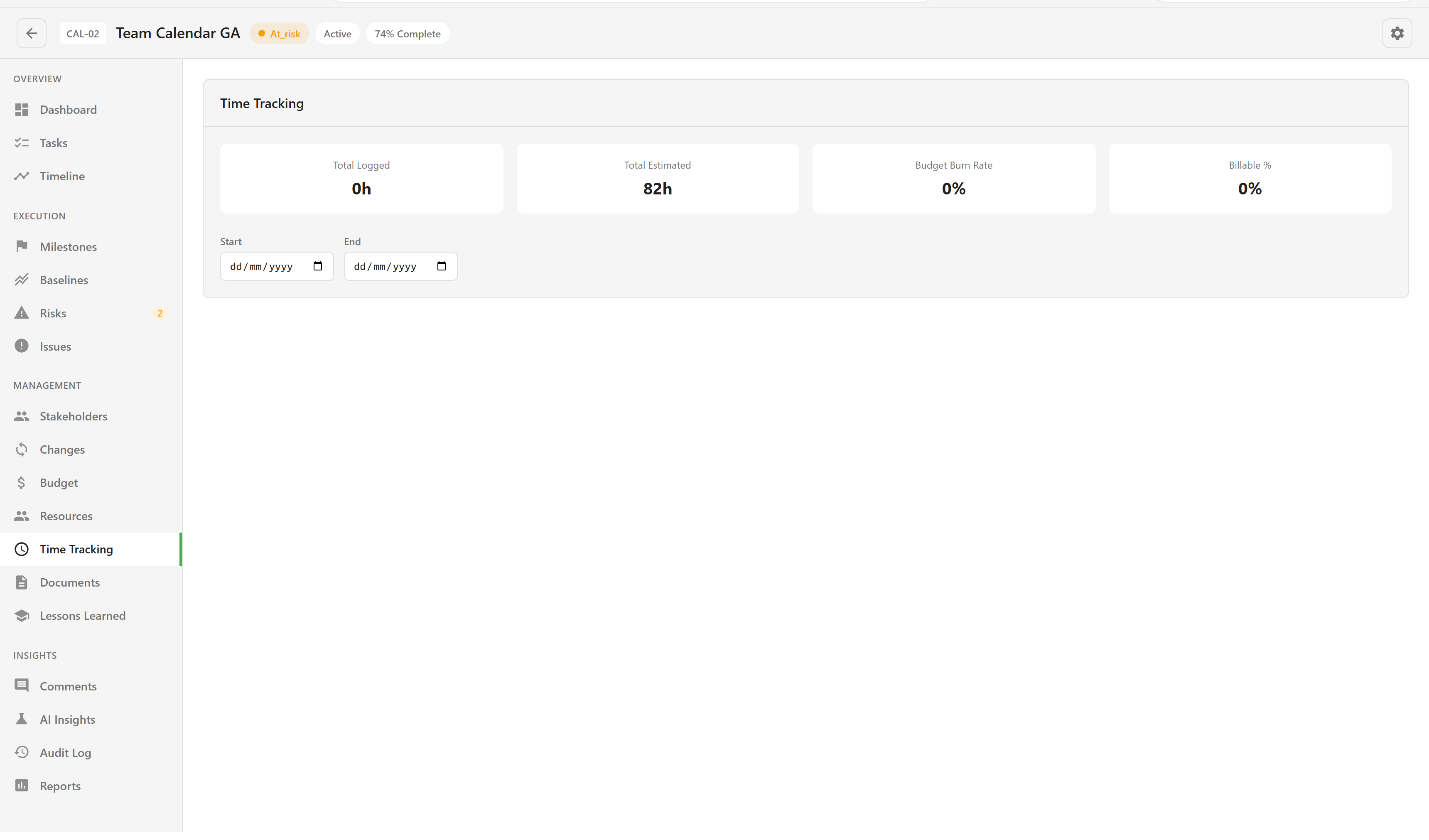
Total Estimated fills as soon as tasks carry estimates. Total Logged stays at zero until somebody actually logs time, and Budget Burn Rate and Billable % are derived from the two.
Before a board is linked, the section shows a five-step checklist instead of these figures. Every step has to be in place before hours appear:
- Link a board to the project.
- Add tasks to it.
- Turn on Advanced Mode in board settings, which is what exposes the time fields on a card.
- Set Estimated Hours on the tasks, which is what makes budget comparison possible.
- Log time on individual task cards.
Steps 3 and 4 are the ones teams miss. Without Advanced Mode the fields are not on the card at all, so nobody can log anything, and the section will keep reporting zero logged hours against a healthy estimate.
A side effect worth knowing
Section titled “A side effect worth knowing”Assigning somebody to a task on a linked board quietly adds them to the project’s team, creating a resource for them if they do not already have one, at a 50% allocation.
Nobody has to visit Projects or Resources for this to happen. It means a project’s team list and the whole service’s utilisation figures can grow through ordinary board activity. Allocation and utilisation explains what that does to the numbers.
Board mechanics themselves are documented separately in Task Boards. To put people on the project deliberately rather than by side effect, see Allocate people to a project.