
Scene Composer
Double-click empty space on the timeline to open the instrument picker, then choose 🎬 Scene Composer.
Ambience organised around places rather than elements, with more control over how the layers sit together.
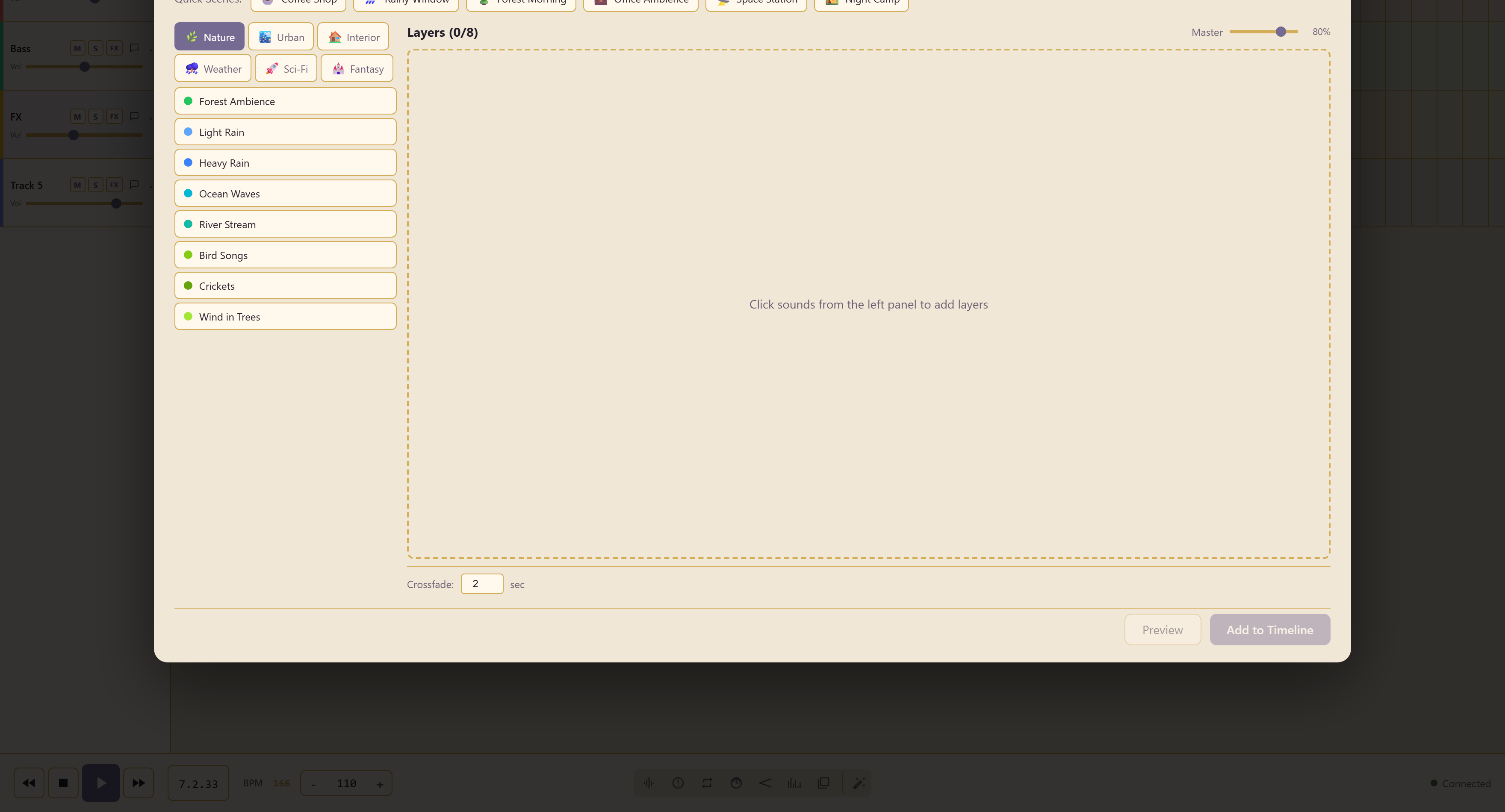
Quick scenes
Section titled “Quick scenes”Six complete environments: Coffee Shop, Rainy Window, Forest Morning, Office Ambience, Space Station, and Night Camp.
The sound library
Section titled “The sound library”Underneath, sounds are filed by category — Nature, Urban, Interior, Weather, Sci-Fi, and Fantasy.
Nature alone holds Forest Ambience, Light Rain, Heavy Rain, Ocean Waves, River Stream, Bird Songs, Crickets, and Wind in Trees.
What sets it apart
Section titled “What sets it apart”A layer limit of eight, shown as a count, which stops a scene turning into mush.
A crossfade time in seconds, which sets how gradually layers come and go. That is what makes a scene change rather than cut, and it is the reason to choose this instrument when the audio has to follow something on screen.
Preview auditions the scene and Add to Timeline commits it.
Record layer movements
Section titled “Record layer movements”Use Record controls to capture layer level and pan changes while shaping the scene, then Stop recording. Open Performance to edit layer regions and their expression points. Static scenes remain editable too.
Edit recorded performances covers control capture and saving changes to an existing clip.
Related
Section titled “Related”Soundscape Builder is the simpler layer mixer. Use 3D spatial audio places a finished scene around the listener.