
Machines
Machines draws mathematically exact curves from a handful of numbers — the spirograph idea, with real control.
Opening it
Section titled “Opening it”Click Machines in the tool rail. The panel opens beside the rail; clicking the button again closes it.
Unlike the seven canvas tools, the panels do respond to a click — the rail’s click problem affects only the tools above the divider. Troubleshooting has the detail.
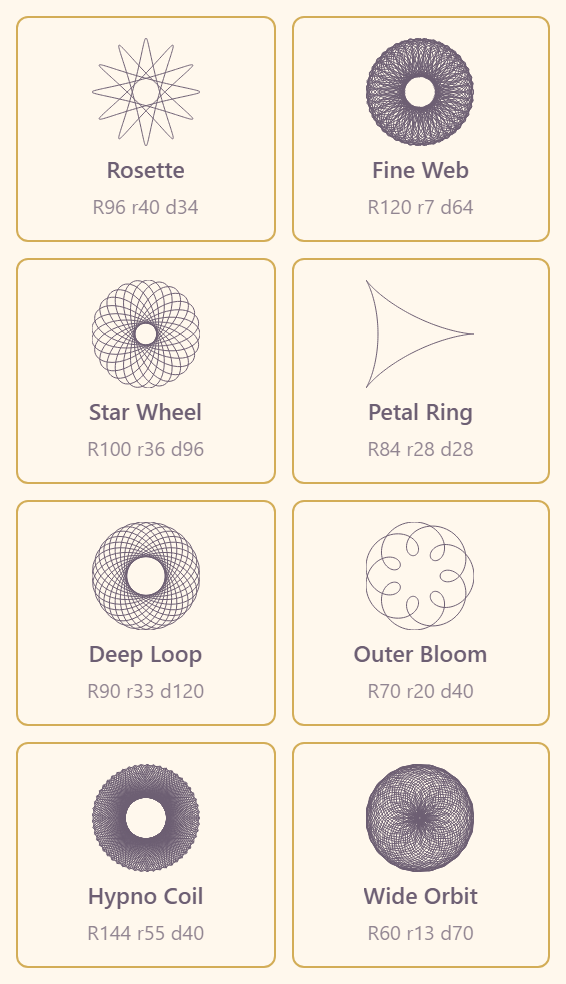
Eight presets, each labelled with its own geometry so you can see what makes it what it is:
Rosette R96 r40 d34 · Fine Web R120 r7 d64 · Star Wheel R100 r36 d96 · Petal Ring R84 r28 d28 · Deep Loop R90 r33 d120 · Outer Bloom R70 r20 d40 · Hypno Coil R144 r55 d40 · Wide Orbit R60 r13 d70
Those three numbers are the whole system: R the ring radius, r the wheel radius, d the pen offset. Reading the presets side by side teaches the parameter space faster than any explanation — a small r against a large R gives the fine web, a large d gives the deep loop.
After placing
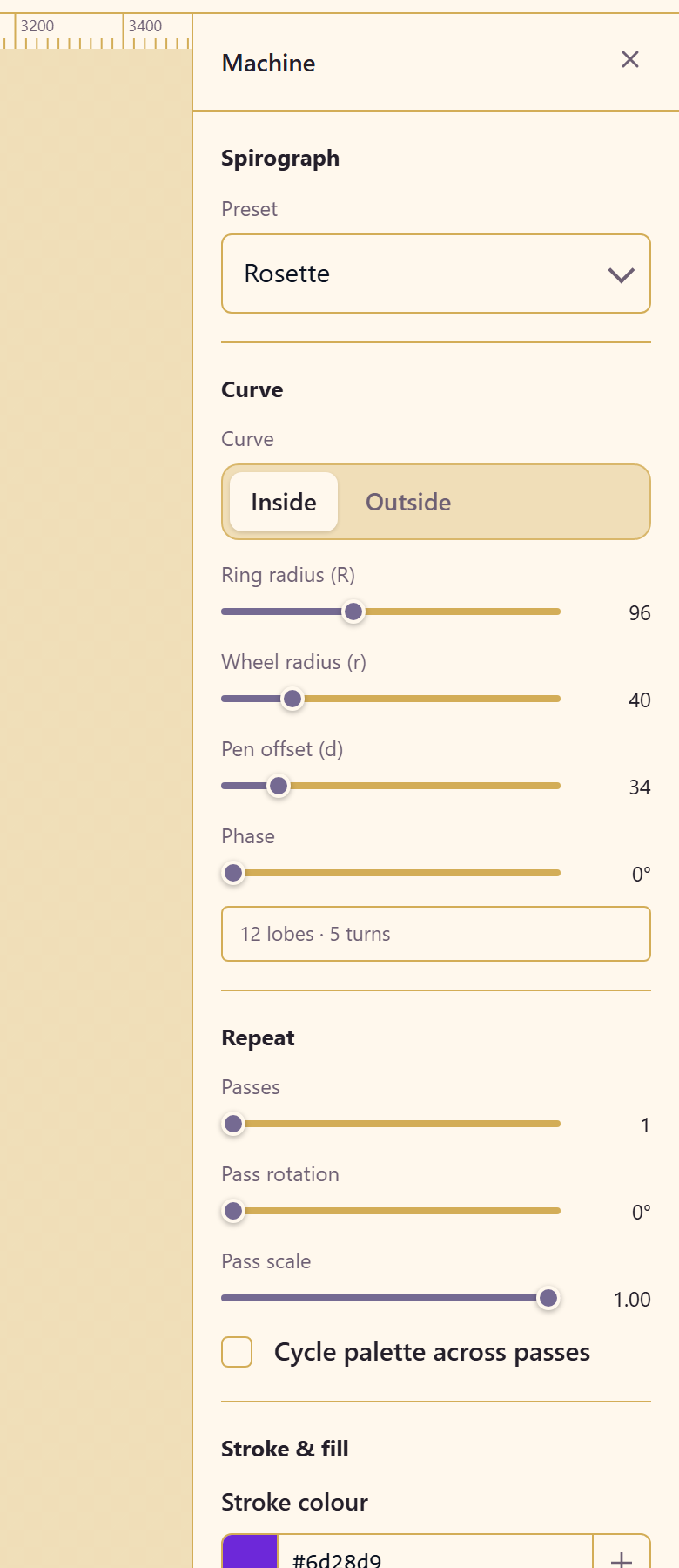
Section titled “After placing”The properties panel exposes far more: inside or outside the ring, phase, multi-pass repeat with rotation and scale, palette cycling, stroke and fill, and a Quality group with samples per turn against a live point count and worst step in pixels.
If a curve looks faceted, raise samples per turn until the worst step comes down. Convert to editable path states its cost before you commit, and the parametric controls disappear once you take it.
Properties reference lists every control.
Related
Section titled “Related”3D is the other parametric generator. Vector Tools edits a converted curve.