
Toolbar reference
The toolbar is the fastest way to switch editor mode, add content, turn the layout helpers on and off, and move into review or delivery.
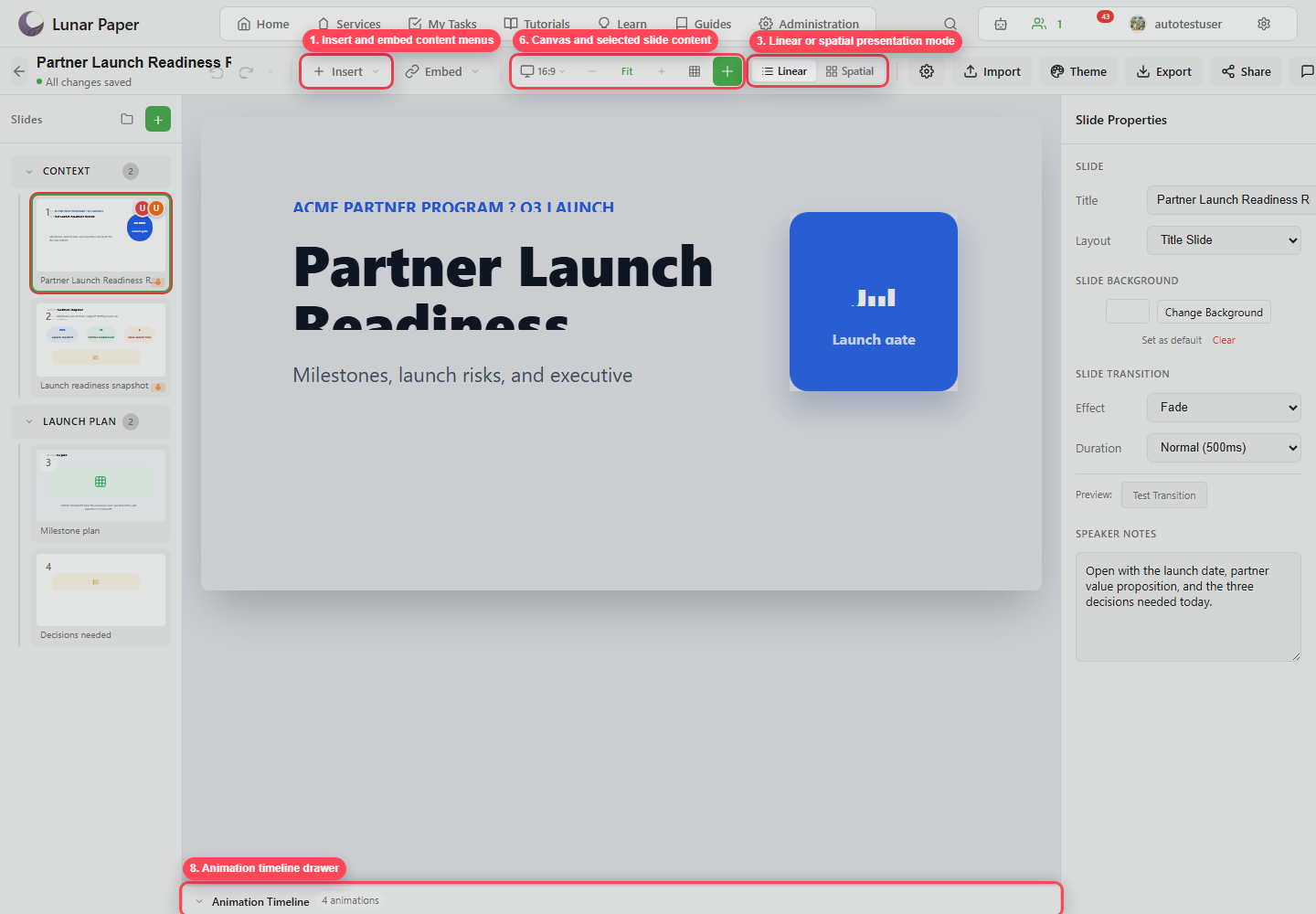
| Control | Purpose |
|---|---|
| Undo / Redo | Reverse or reapply recent edits. |
| Edit History | Open saved edit history when available. |
| Insert | Add native slide elements. |
| Embed | Add connected service content. |
| Device preview | Preview aspect ratio, desktop, tablet, and mobile layouts. |
| Zoom out / Fit / Zoom in | Control canvas zoom. |
| Grid | Show layout grid. |
| Smart Guides | Show snapping and alignment guides. |
| Add | Add slide content from the quick add button. |
| Linear | Edit the deck as an ordered slide list. |
| Spatial | Edit the deck as a spatial map. |
| Slideshow Properties | Open deck-level settings. |
| Import | Import presentation content. |
| Theme | Open theme and service branding controls. |
| Export | Open export formats and settings. |
| Share | Configure external and local sharing. |
| Comments | Open review comments. |
| Versions | Compare and restore published versions. |
| Publish | Create a version snapshot. |
| Present | Start presenter mode. |
Insert menu
Section titled “Insert menu”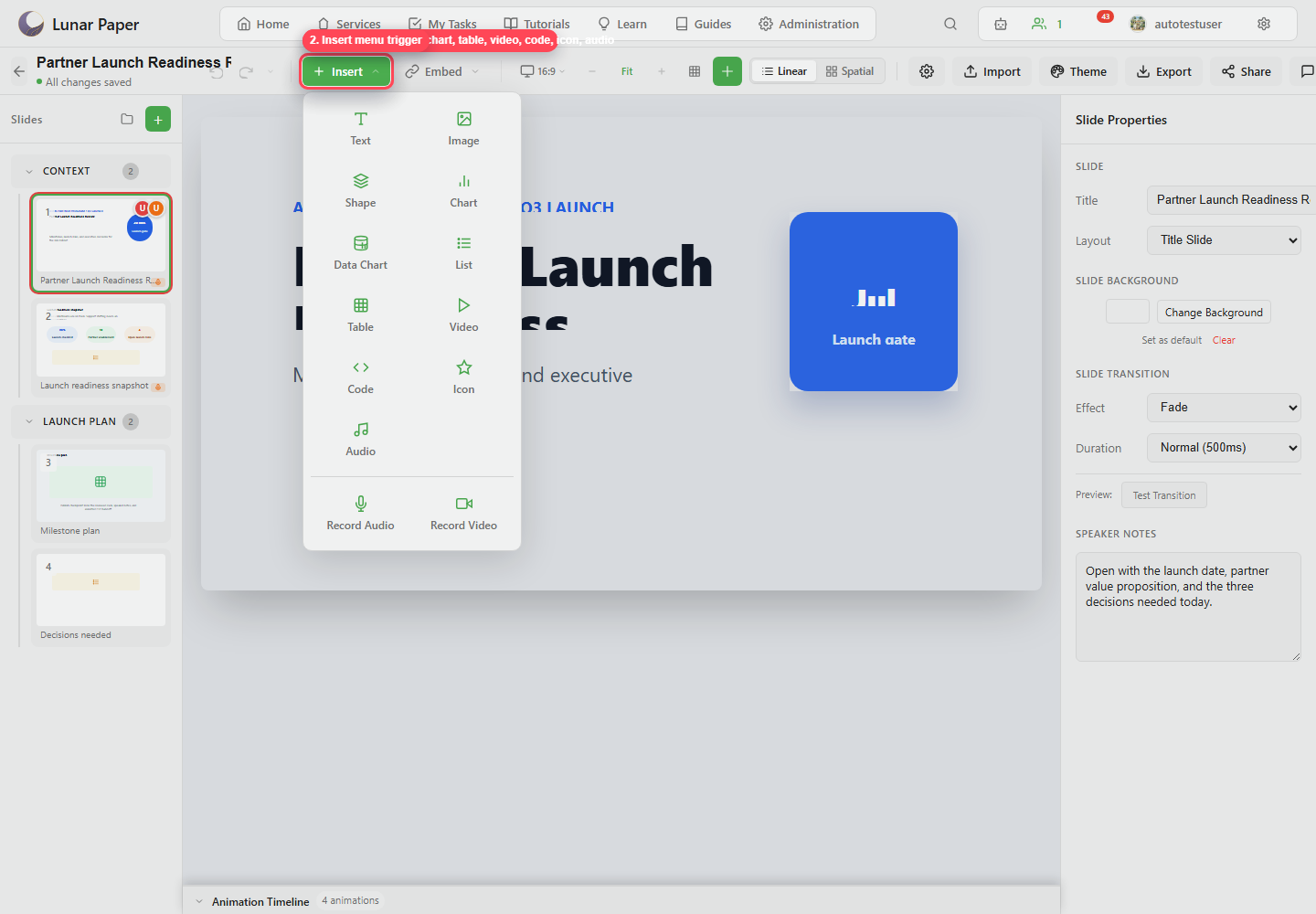
Use Insert for text, images, shapes, charts, data charts, lists, tables, video, code, icons, audio, audio recording, and video recording.
Embed menu
Section titled “Embed menu”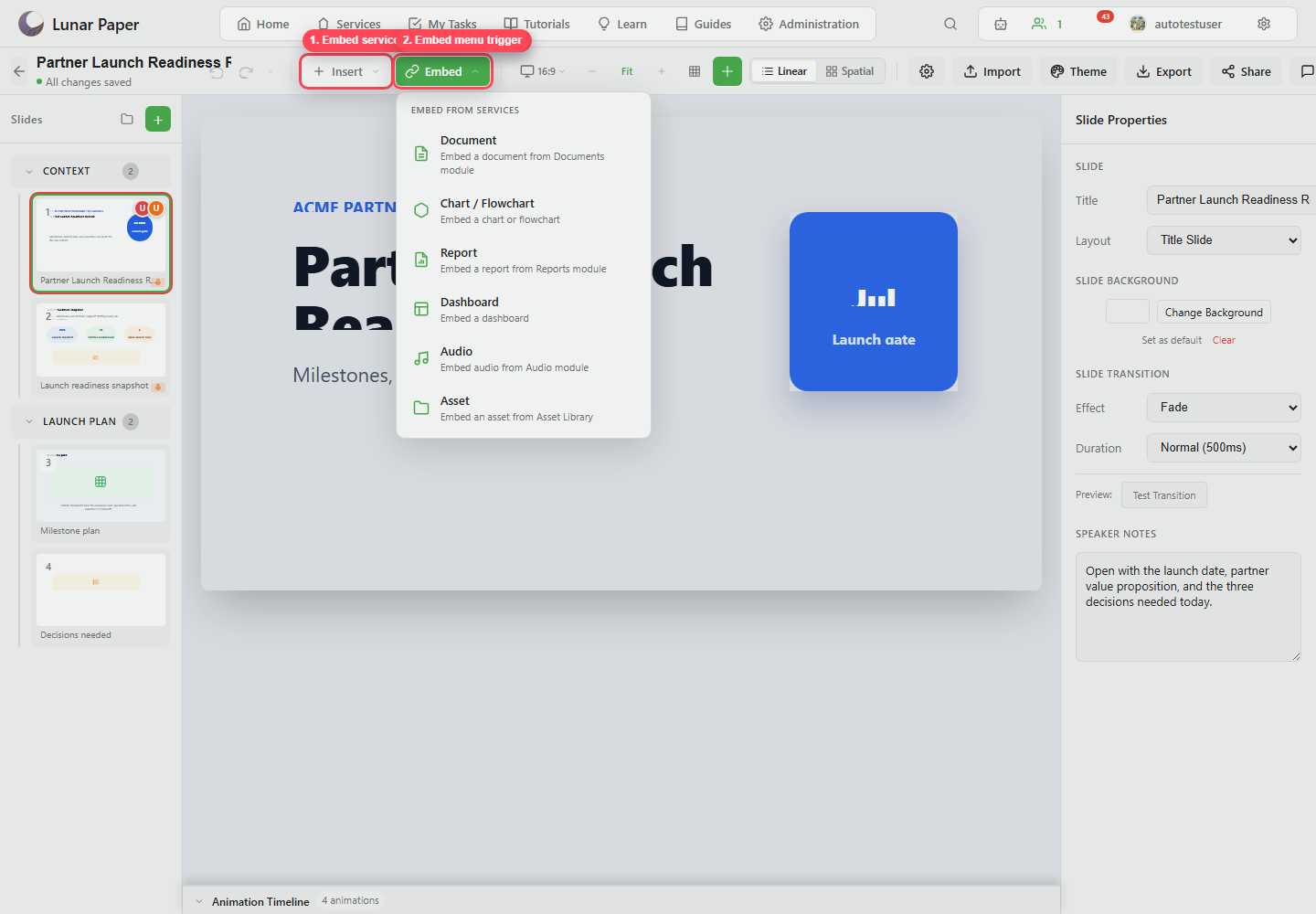
Use Embed for service content such as documents, charts, flowcharts, reports, dashboards, audio, and assets.