
Import and export reference
Use Import for source material and Export for handoff output.
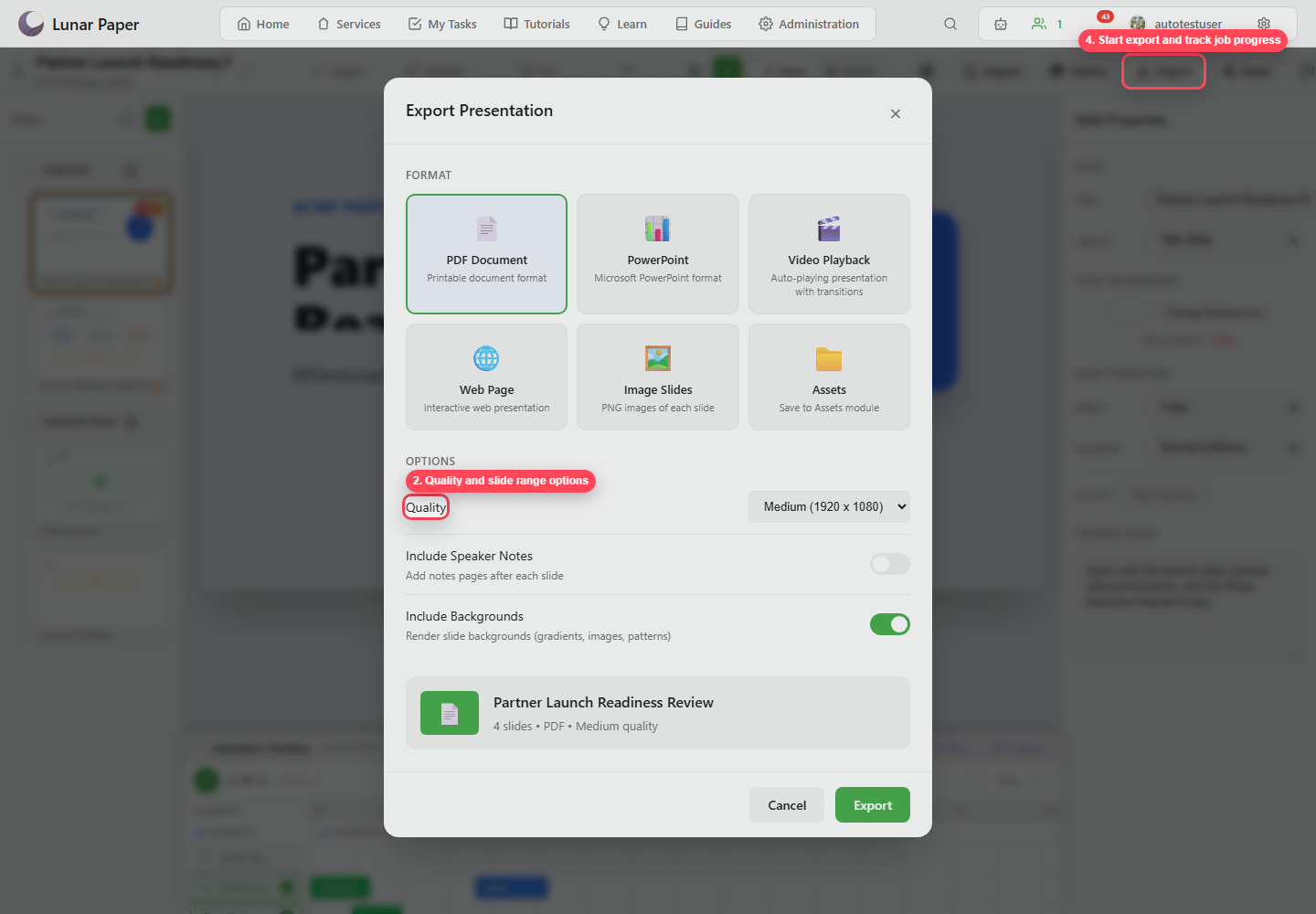
Export formats
Section titled “Export formats”| Format | Output |
|---|---|
| PDF Document | Fixed printable document. |
| PowerPoint | Microsoft PowerPoint file. |
| Video Playback | Auto-playing presentation with transitions and timing. |
| Web Page | Interactive web presentation. |
| Image Slides | PNG images of each slide. |
| Assets | Saved output in the Assets module. |
Common options
Section titled “Common options”| Option | Purpose |
|---|---|
| Quality | Sets output resolution or render quality. |
| Include speaker notes | Adds notes pages or notes data when supported. |
| Include backgrounds | Renders slide backgrounds. |
Audio options
Section titled “Audio options”Video and web outputs can include audio.
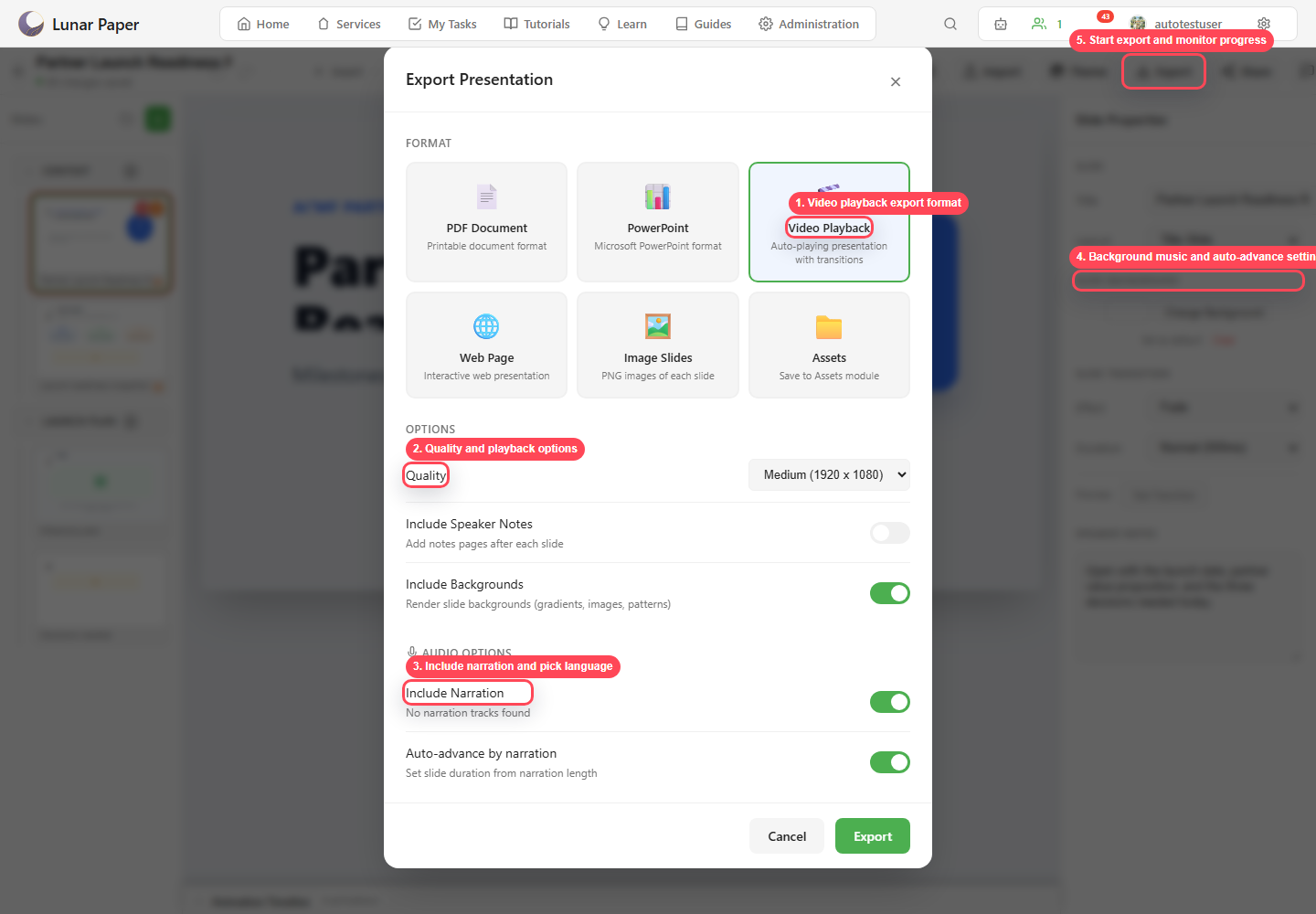
| Option | Purpose |
|---|---|
| Include narration | Exports slide narration. |
| Language | Chooses narration language. |
| Include background music | Exports presentation music. |
| Auto-advance by narration | Uses narration duration to determine slide timing. |