
SFX Generator
Double-click empty space on the timeline to open the instrument picker, then choose 🎮 SFX Generator.
A synthesiser built for effects rather than notes.
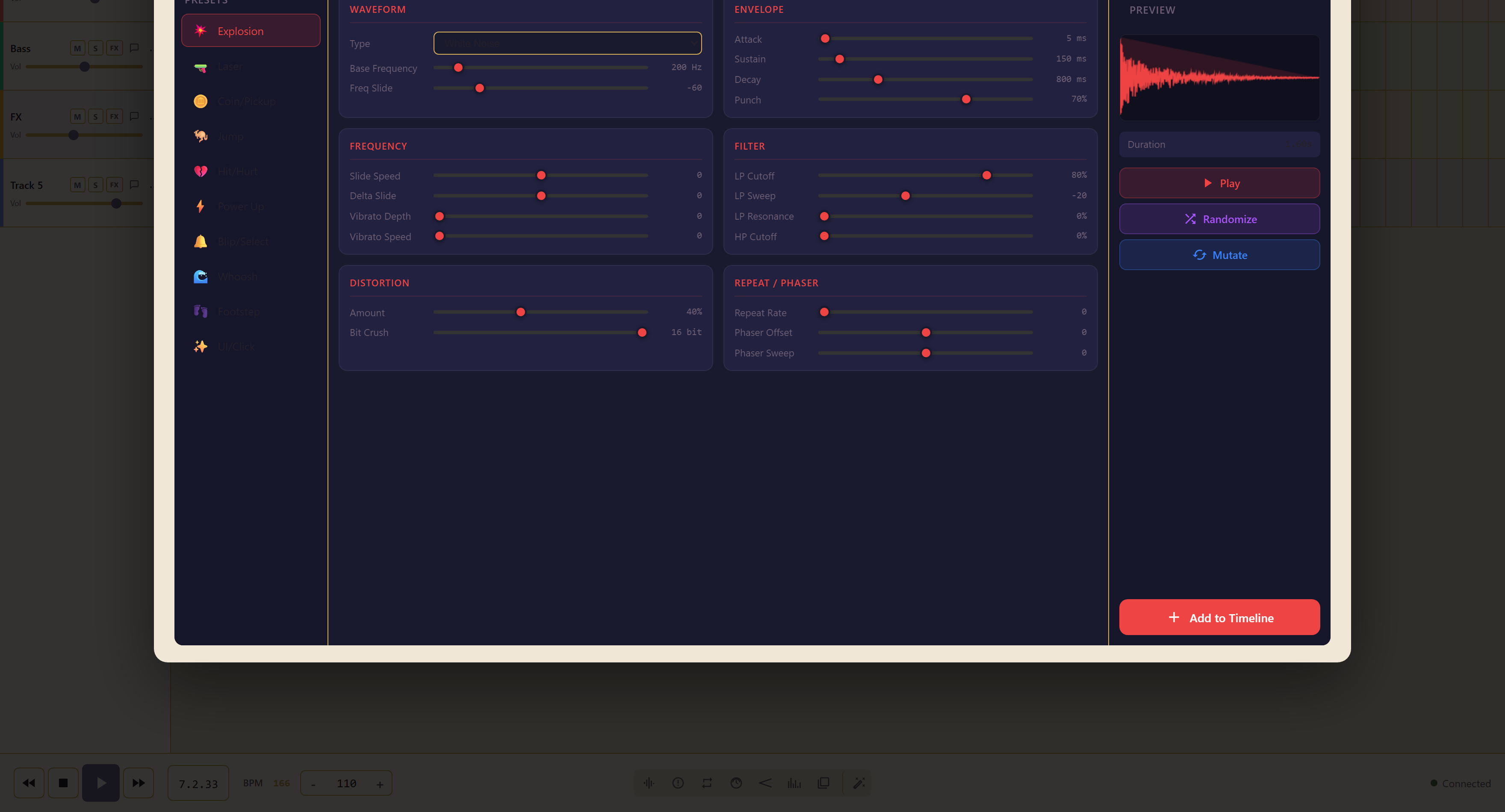
Start from a preset
Section titled “Start from a preset”Ten presets give you a starting point: Explosion, Laser, Coin/Pickup, Jump, Hit/Hurt, Power Up, Blip/Select, Whoosh, Footstep, and UI/Click.
Load the nearest one and change it. Building from silence is possible and almost never faster.
Six control groups
Section titled “Six control groups”| Section | Controls |
|---|---|
| Waveform | Type — sine, square, sawtooth, triangle, white noise, pink noise — plus base frequency and frequency slide |
| Envelope | Attack, sustain, decay, and punch |
| Frequency | Slide speed, delta slide, vibrato depth, vibrato speed |
| Filter | Low-pass cutoff, sweep and resonance, high-pass cutoff |
| Distortion | Amount, and bit crush |
| Repeat / Phaser | Repeat rate, phaser offset, phaser sweep |
The three that change most
Section titled “The three that change most”Waveform type decides the family. Noise makes impacts, wind, and whooshes; the tuned waveforms make lasers, coins, and beeps. Changing it is a bigger move than anything else on the panel.
The envelope decides whether it is a hit or a swell. Short attack with fast decay is percussive; long attack is a riser.
Frequency slide is what makes an effect sound like it is going somewhere. A falling slide is a drop or a landing, a rising one a jump or a power-up.
Randomize and Mutate
Section titled “Randomize and Mutate”Randomize throws out a completely new sound. Mutate makes a small change to the one you have.
Mutate is the one to use once a sound is nearly right. It varies the settings slightly rather than starting again, which is how you get three related footsteps instead of one repeated three times.
Play auditions, the duration is shown alongside, and Add to Timeline commits it.
Related
Section titled “Related”SFX Launcher is the ready-made library. Try it first.