
Team Calendar
Team Calendar answers two questions: what is on, and who is away. A service can hold as many calendars as it needs, such as team events, leave, and release dates. Each calendar shows the same events through five views, from a month grid to a per-person absence chart.
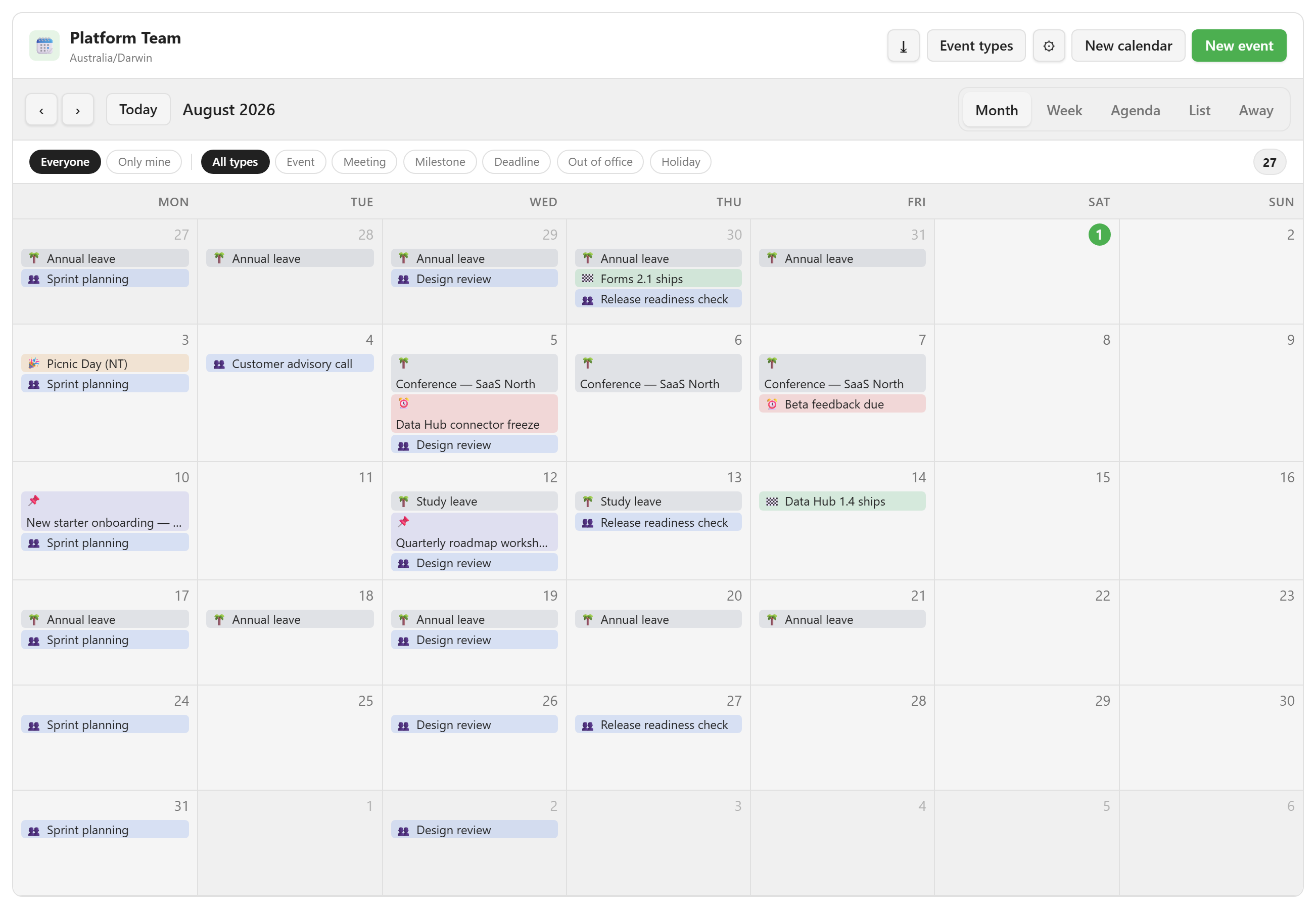
Where Team Calendar lives
Section titled “Where Team Calendar lives”Open a service and choose Team Calendar under Resources. Calendars, events, and absences all belong to that service.
The module carries a New badge. It is not a smaller version of Bookings: there are no resources, no capacity, and no approvals. It does hold the record of who is away, and the rest of the platform reads that record.
What it is for
Section titled “What it is for”Team Calendar is deliberately narrow. It covers five kinds of work:
- Recurring team meetings: a weekly sprint planning or design review, entered once as a rule.
- Dates that matter to everyone: release milestones, deadlines, public holidays.
- Leave and time off: recorded against a person, so the team can see it and the platform can act on it.
- One-off events: workshops, customer calls, onboarding.
- A shareable snapshot: the current window exported as an
.icsfile.
An out-of-office entry is the one event type that does more than appear on the grid. It is the record the platform reads to decide whether a person is available, so it has its own concept page.
Where to go
Section titled “Where to go”| If you want to | Go to |
|---|---|
| Build a working calendar in about ten minutes | Quickstart |
| Follow a specific workflow | Guides: six task walkthroughs |
| Find which page covers a capability | Team Calendar capabilities |
| Look up what each view shows | Views reference |
| Look up a field on the event form | Event fields reference |
| Look up a calendar setting | Calendar settings reference |
| Understand calendars, types, and fields | Calendars and event types |
| Understand how leave affects availability | Absence and availability |
| Fix something that is not behaving | Troubleshooting |
The examples in these screenshots
Section titled “The examples in these screenshots”Captures use Platform Team, a calendar in the Lunar Paper Project service set to the Australia/Darwin time zone. It holds a weekly sprint planning and design review, a fortnightly release readiness check, release milestones, connector and feedback deadlines, a public holiday, a roadmap workshop, and four staff absences.