
Manage versions, schema, and storage
Every form keeps two histories. One is the schema: the pages, fields, and settings you can revert to a checkpoint. The other is the storage holding the responses. That does not revert, because reverting the schema cannot undo answers people have already given. Most storage surprises come from treating the two as one thing.
Save a checkpoint
Section titled “Save a checkpoint”Save after a coherent change such as completing a page, validation pass, translation set, or release configuration. A saved checkpoint becomes the current form version.
Publishing can add an optional history note. Use it to state the respondent-visible change, for example Added accessibility support choices and completion guidance.
Review version history
Section titled “Review version history”Open Version History to see the current version, creator, timestamp, note, and actions for older versions.
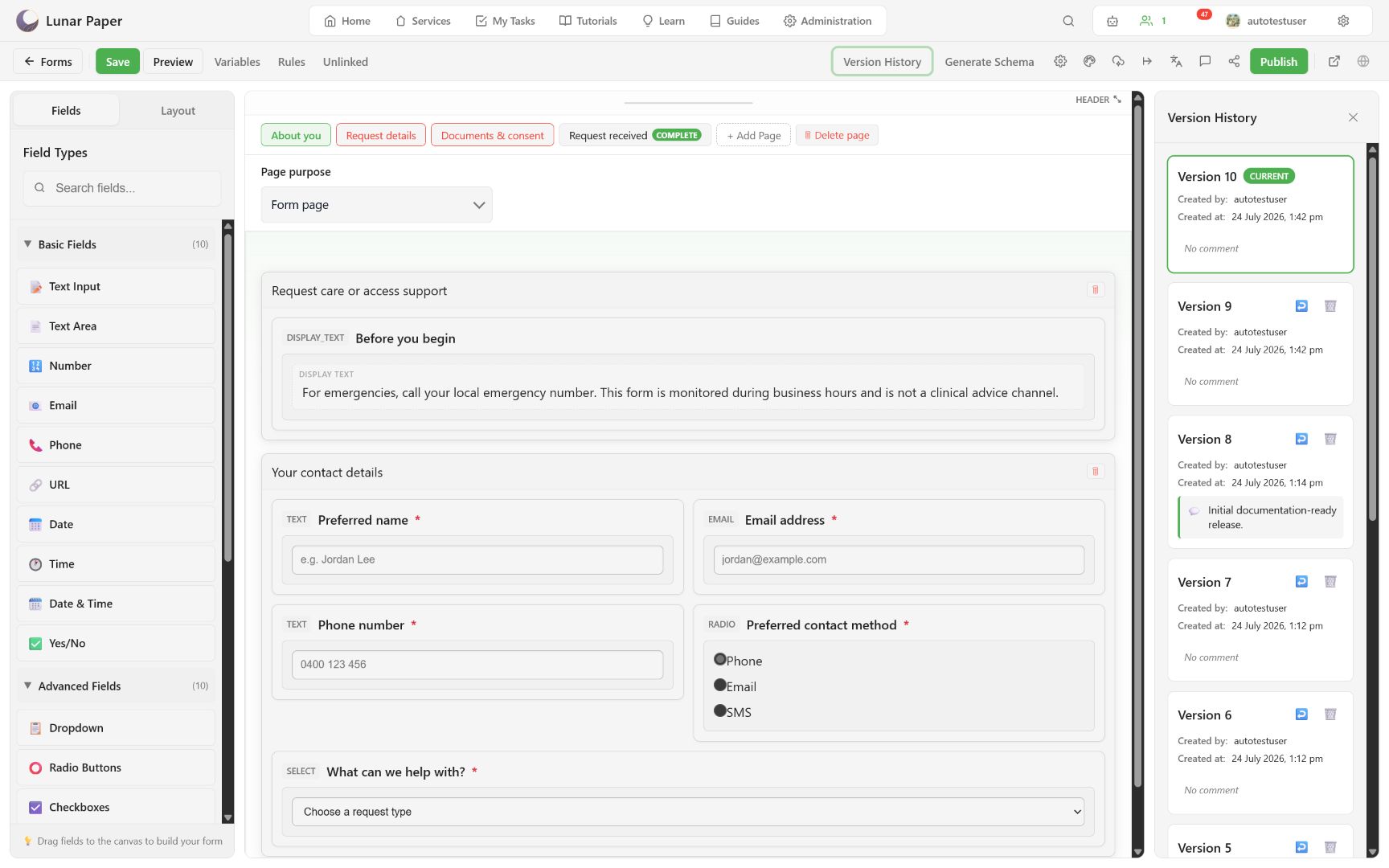
- Revert makes the selected historical schema the active draft.
- Delete removes a historical checkpoint, not the current form.
Preview after a revert before republishing. A historical schema may differ from the current storage schema or publisher configuration.
Generate or repair storage
Section titled “Generate or repair storage”Choose Generate Schema to inspect the canonical form JSON and start database schema generation.
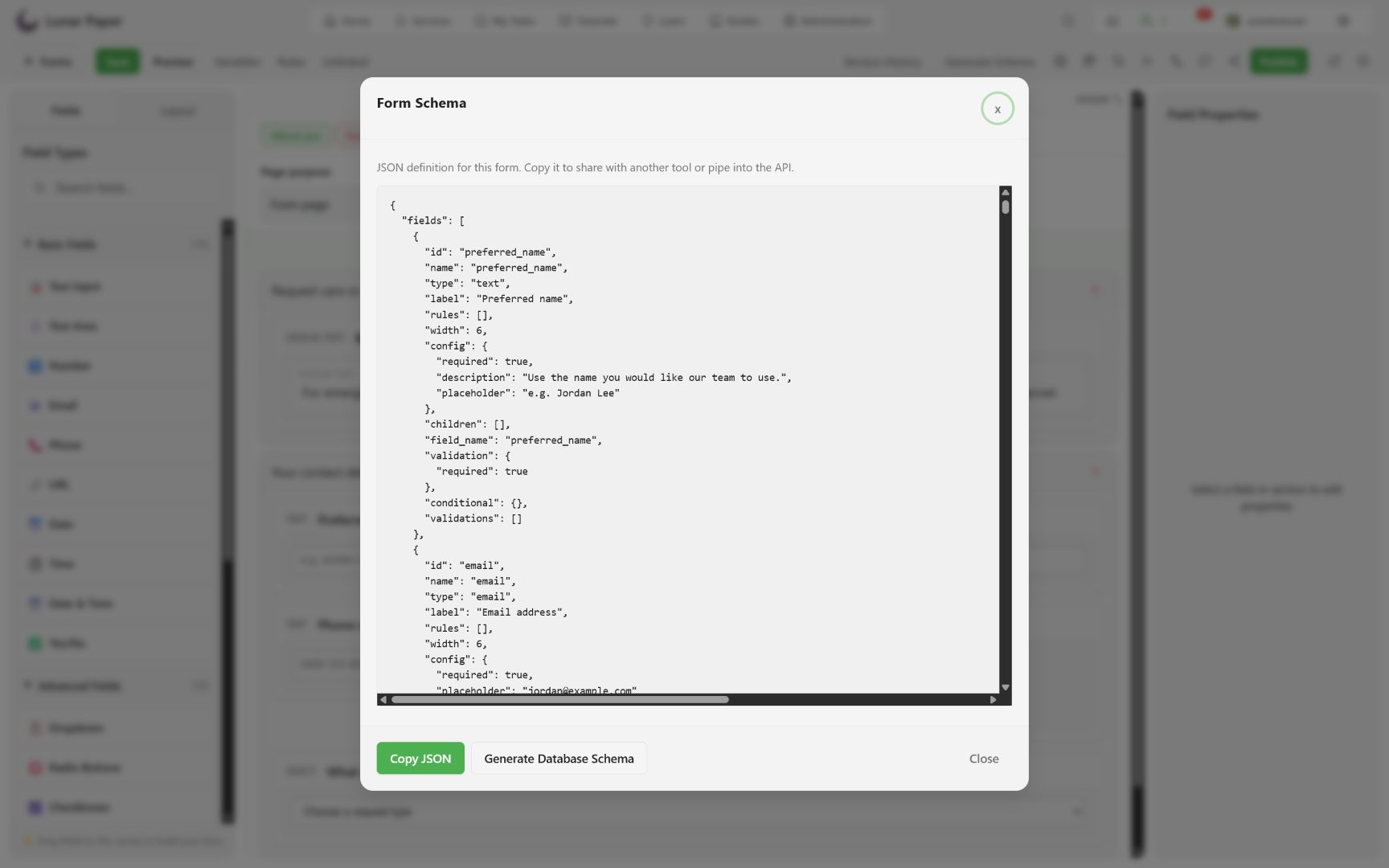
The generator derives:
- a parent response table from the form table prefix;
- response columns from supported fields;
- child tables and columns for repeaters;
- infrastructure columns such as IDs, timestamps, form version, trigger reference, and signature metadata.
Run schema generation after adding or renaming stored fields and repeaters. Review the proposed work before applying it. Display-only fields and the completion page do not create response columns.
Review unlinked columns
Section titled “Review unlinked columns”Open Unlinked after structural changes.
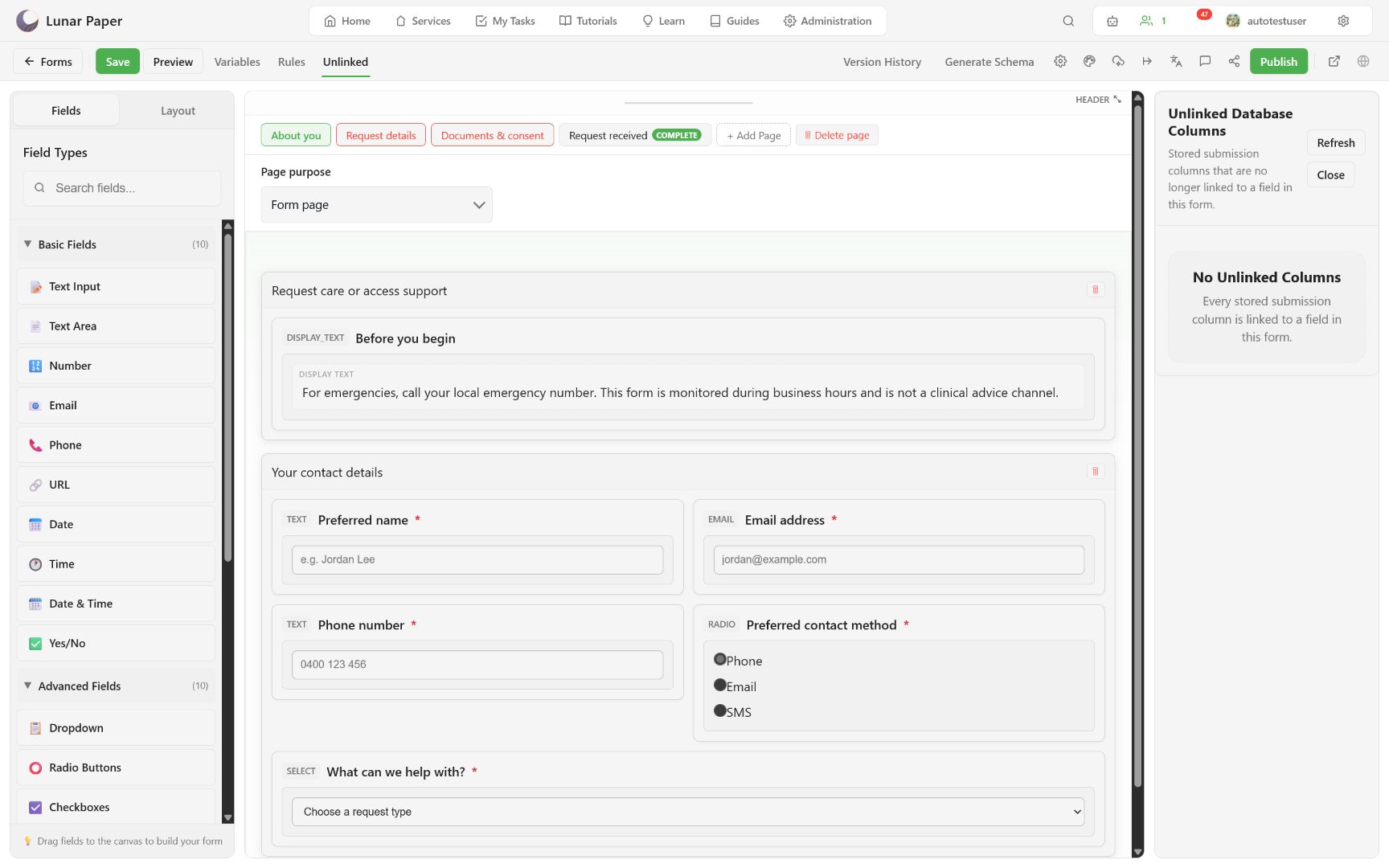
An unlinked column is stored submission data that no longer maps to a field in the active form. It may be:
- intentional historical data;
- the result of a renamed or deleted field;
- a signal that schema repair is needed.
Do not delete historical data just to clear the panel. Confirm retention, reporting, and migration requirements first.
Verify storage behavior
Section titled “Verify storage behavior”Publish and submit a fictional test response. Confirm:
- parent fields appear once;
- each repeater item appears in the child-record viewer;
- file and signature columns expose guarded download links;
- the stored form version matches the release;
- cancelled or empty optional uploads do not create files.
Form data model and storage explains the generated table shape behind these checks. When a schema change follows an AI proposal, Build with the AI assistant lists what to review before saving.