
Time tracking
Log Time records delivered effort without replacing the estimate.
Entry fields
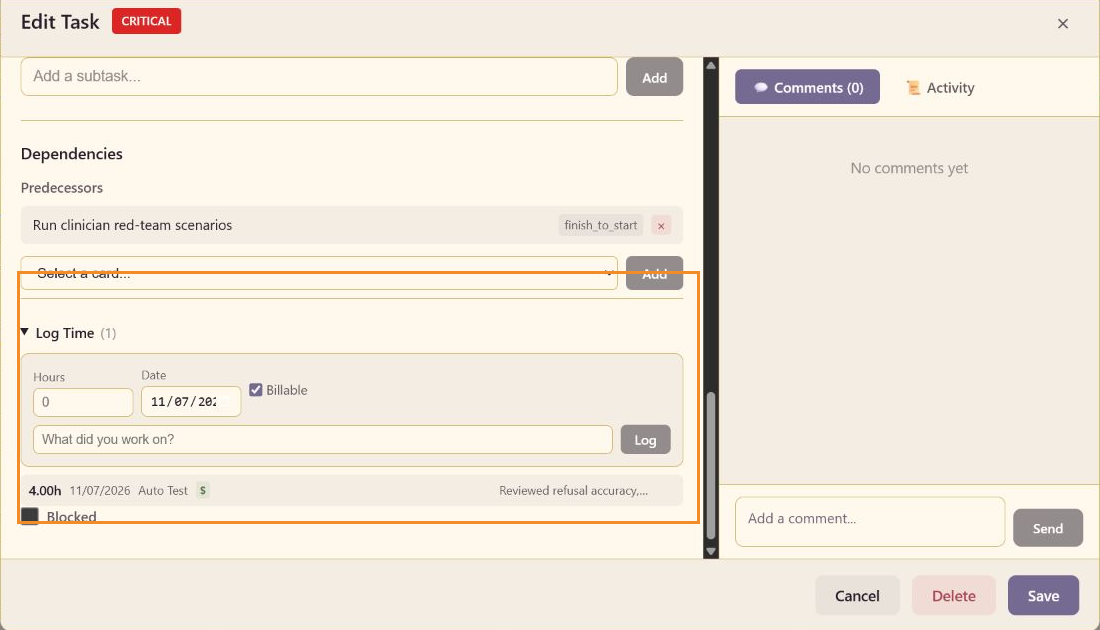
Section titled “Entry fields”Expand Log Time, then enter Hours, Date, Billable, and What did you work on?. Select Log to add the entry. Saved rows show hours, date, contributor, billing signal, and the work note.
Actual-hours rollup
Section titled “Actual-hours rollup”The task’s Actual Hours value is updated by time entries. Compare it with Estimated Hours to see how far the work is running over or under the estimate. Do not erase useful entries to force the total to match the estimate.
Billing signal
Section titled “Billing signal”Billable is selected by default in the CareArc example. Clear it for internal or non-billable work before logging the entry.