
Synchronise a DataHub customer record
This workflow is a service-local data synchronisation pattern. The matching draft is Docs 05 - DataHub Customer Sync (workflow 587) in service 20.
Outcome
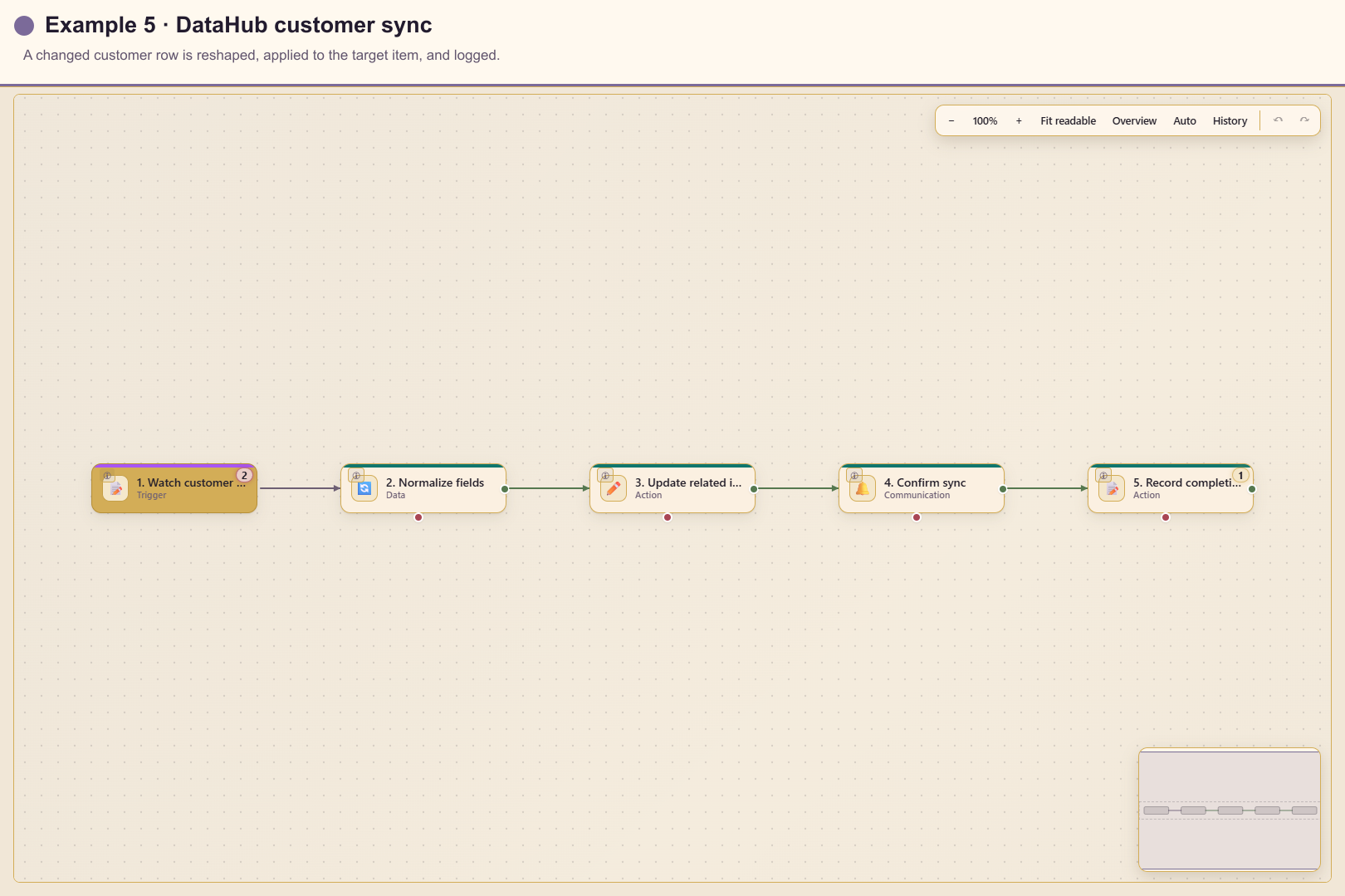
Section titled “Outcome”When selected customer columns change, Automation converts source-specific names to a stable shape, updates a related Lunar Paper item, notifies operators, and logs completion.
Before you start
Section titled “Before you start”- Connect the customer table to service 20.
- Identify a monotonic update timestamp or version column.
- Decide which columns represent meaningful customer change.
- Verify the target item module and source-to-item identifier mapping.
Build the workflow from start to finish
Section titled “Build the workflow from start to finish”Create a blank workflow in service 20. Configure the data trigger first, then add, save, and connect each action in the sequence below.
1. Add and configure the trigger
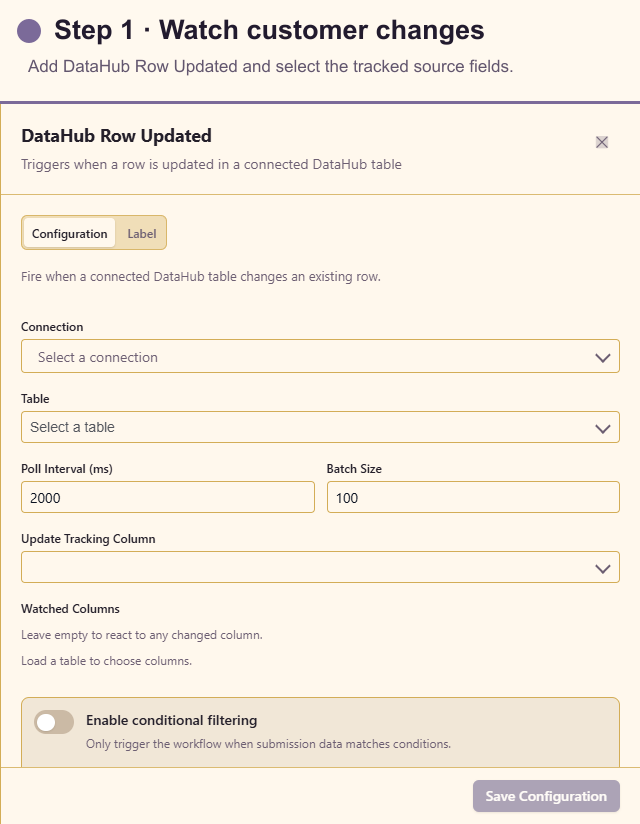
Section titled “1. Add and configure the trigger”Open Triggers and add DataHub Row Updated. Select the service 20 source and table, choose a monotonic update-tracking column, set a conservative interval and batch size, and watch only meaningful fields such as name and status.
2. Add Transform Data
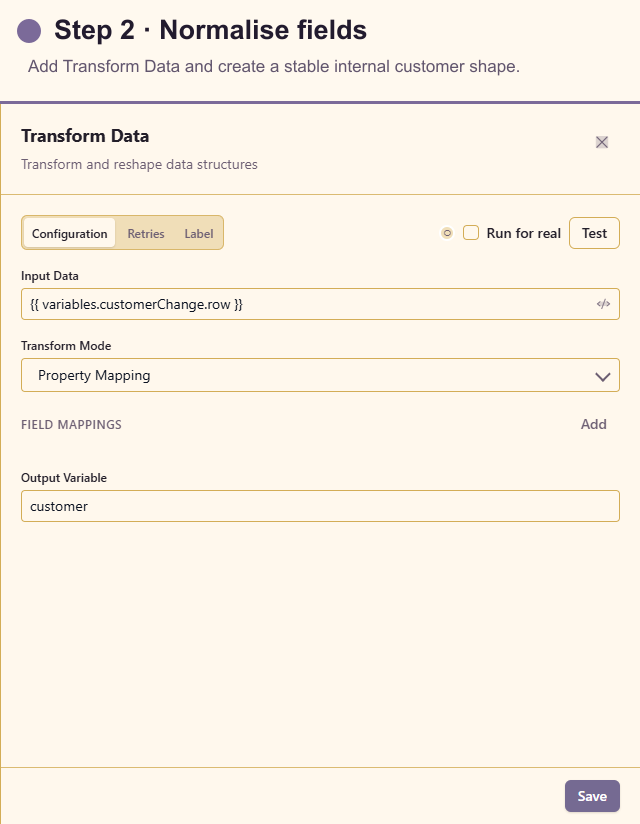
Section titled “2. Add Transform Data”Open Actions and add Transform Data. Choose Rename mode and map source name to customerName and status to customerStatus. This stable internal contract keeps later cards independent of the source column names.
3. Add Update Item
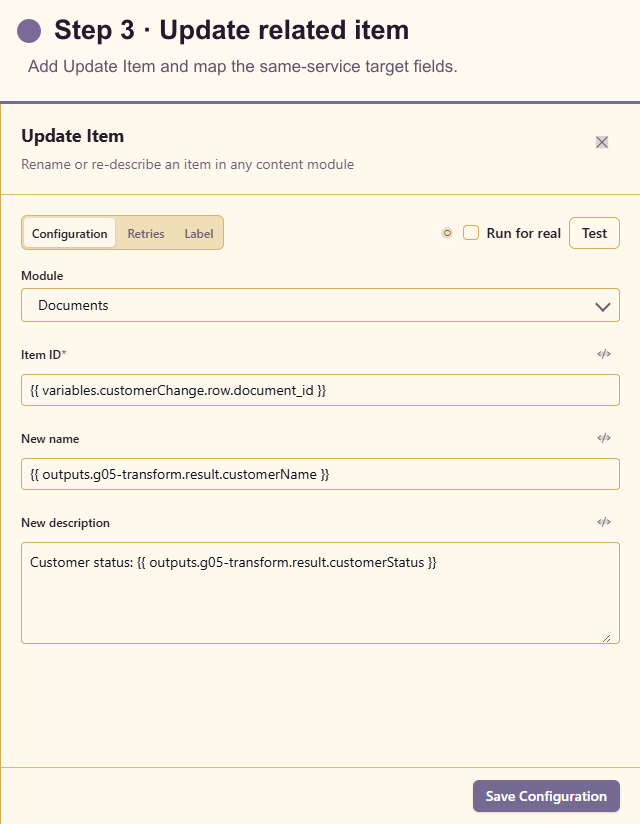
Section titled “3. Add Update Item”Add Update Item after Transform Data. Select the supported target module, insert the related item ID from the source row, and map the new name and description. Confirm the target belongs to service 20 before enabling a real write.
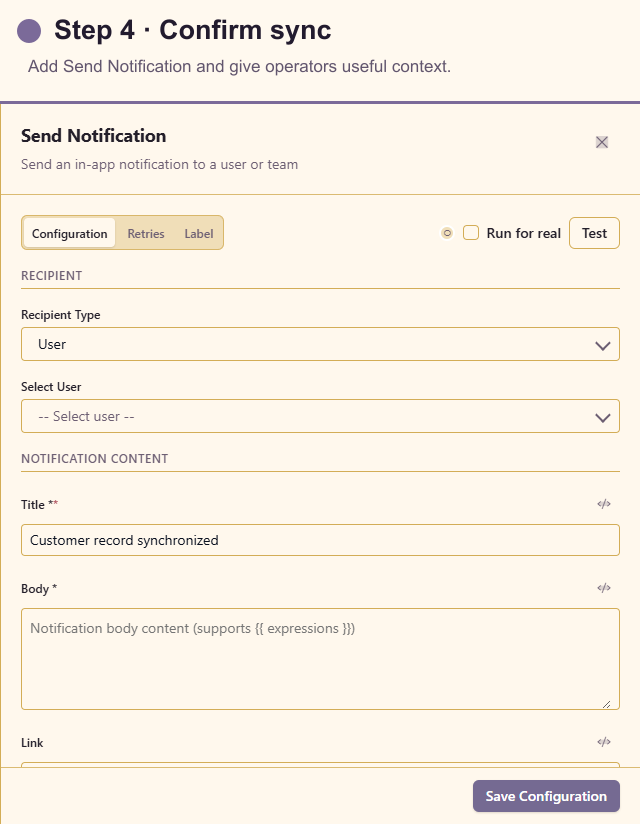
4. Add Send Notification
Section titled “4. Add Send Notification”Add Send Notification after the update. Choose the owning team and include the normalised customer name, status, and a link to the updated item. Avoid copying the whole source row into the message.
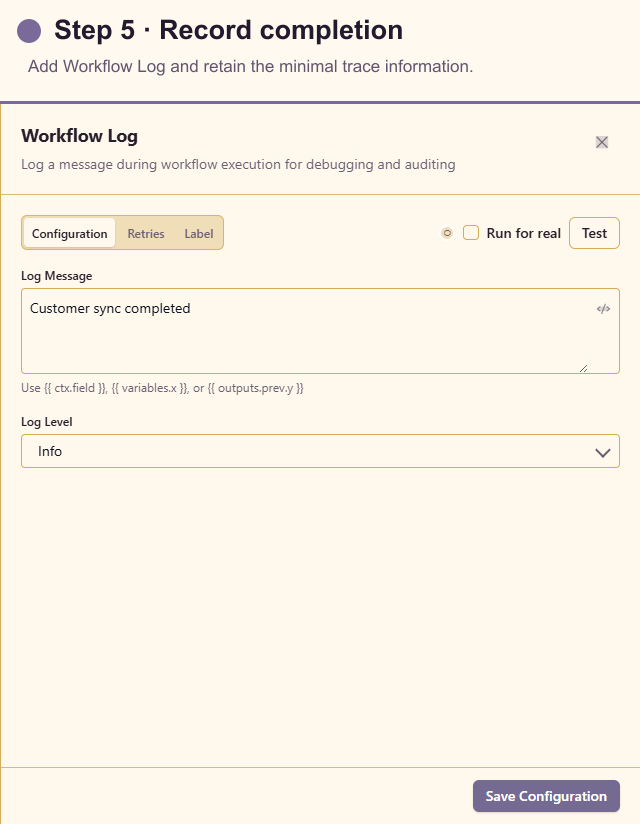
5. Add Workflow Log
Section titled “5. Add Workflow Log”Add Workflow Log last. Record the source row ID, target item ID, and terminal outcome without logging the complete customer record.
If Update Item changes a field watched by the trigger, add an origin marker or filter before publishing so the workflow cannot start itself repeatedly.
Test the workflow
Section titled “Test the workflow”Use a synthetic table row and change one watched field. Confirm one run starts. Change an unwatched technical field and confirm no customer workflow starts. Test an unknown target item and ensure its error path does not report success.
If the update action changes data that the trigger also watches, add an origin marker or filter to prevent a loop.
Production checklist
Section titled “Production checklist”- Tracking column advances reliably for every relevant update.
- Watched columns exclude noisy timestamps and workflow-owned fields.
- Source row and target item mapping is unique.
- Update Item cannot target a different service.
- Duplicate source events are harmless.
- Notification and log contain the minimum necessary customer information.