
Display and permissions
Display settings control which board signals and creation actions are available.
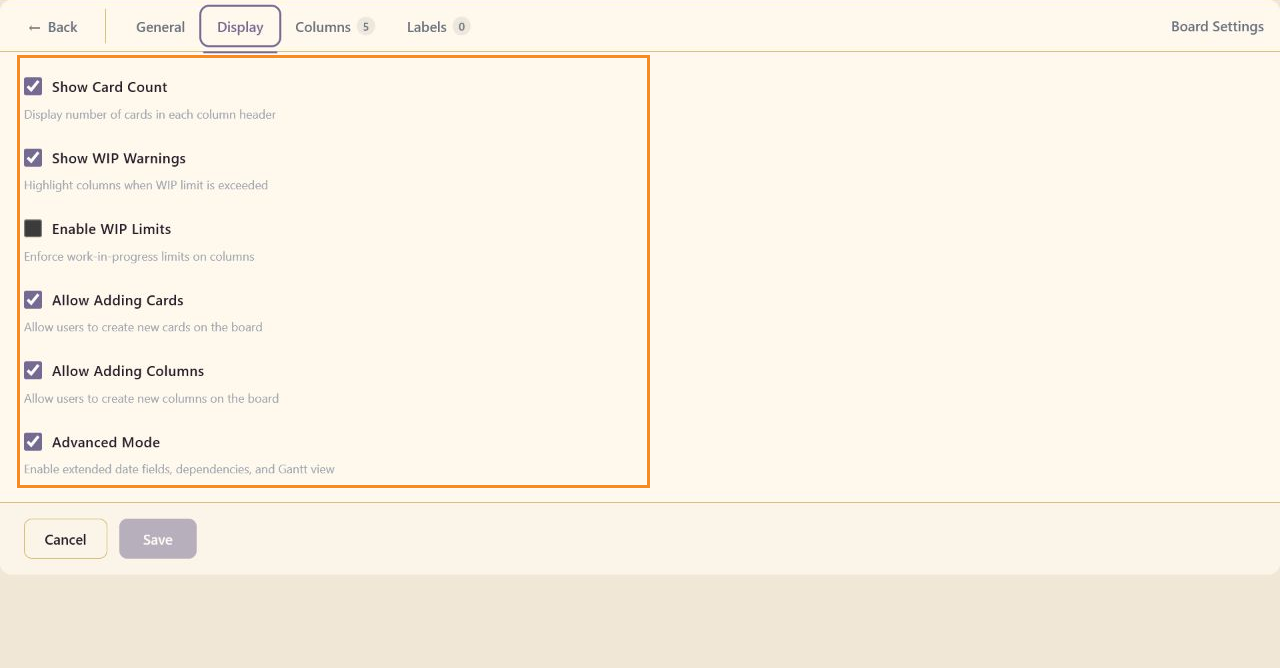
Display controls
Section titled “Display controls”Show Card Count displays the number of cards in each column. Show WIP Warnings highlights columns that exceed their configured WIP limit.
WIP enforcement
Section titled “WIP enforcement”Enable WIP Limits enforces the configured limits instead of showing warnings only. Configure each numeric limit in Columns and WIP.
Creation permissions
Section titled “Creation permissions”Allow Adding Cards exposes task-creation actions. Allow Adding Columns exposes Add column. Disable them when the workflow should be controlled by board maintainers.
Advanced Mode is controlled from the main Task Board navigation. See Advanced mode for the added fields and views.