
Templates
Templates offers the same set as the module’s Templates tab, available while you are working, so a template can be pulled into a design in progress.
Opening it
Section titled “Opening it”Click Templates in the tool rail. The panel opens beside the rail; clicking the button again closes it.
Unlike the seven canvas tools, the panels do respond to a click — the rail’s click problem affects only the tools above the divider. Troubleshooting has the detail.
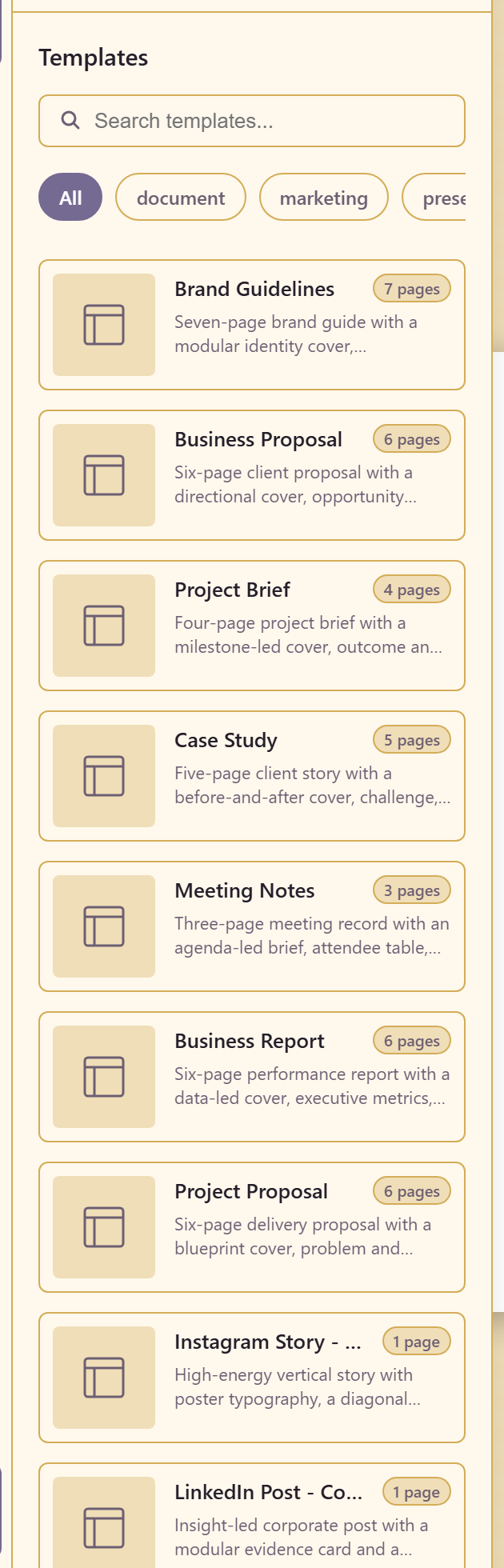
Filters run across the top — All, document, marketing, presentation, print, social-media — with a search box.
Each entry states its page count and what the pages are for, rather than just naming itself. Brand Guidelines is seven pages covering a modular identity cover, foundations, logo rules, colour, typography and voice; Business Proposal is six covering a cover, opportunity framing, a value case, roadmap, investment and a decision close; Project Brief is four; Case Study is five.
Read the description before the picture. The page breakdown tells you whether the template matches the argument you need to make, which the thumbnail cannot.
Related
Section titled “Related”Use templates covers starting from one. Pages manages the pages it produces.