
Properties reference
The right-hand panel is contextual. With nothing selected it shows the document; select something and it shows that element’s controls. This page lists what appears for each kind of thing.
Nothing selected — the document
Section titled “Nothing selected — the document”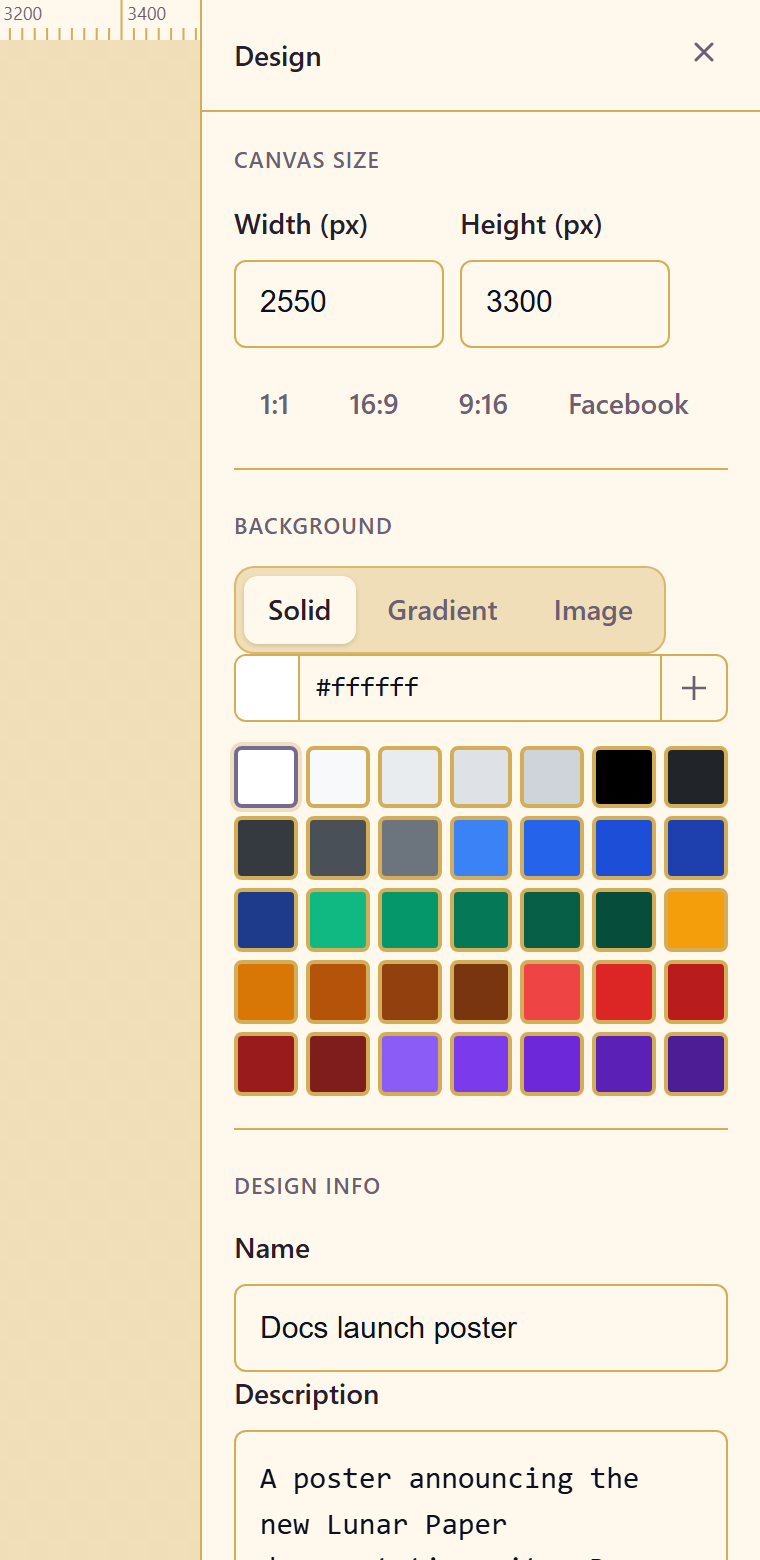
| Group | Controls |
|---|---|
| Canvas size | Width (px), Height (px), and the ratio presets 1:1, 16:9, 9:16, Facebook |
| Background | Solid, Gradient, or Image, with a colour field and picker |
| Design info | Name and description |
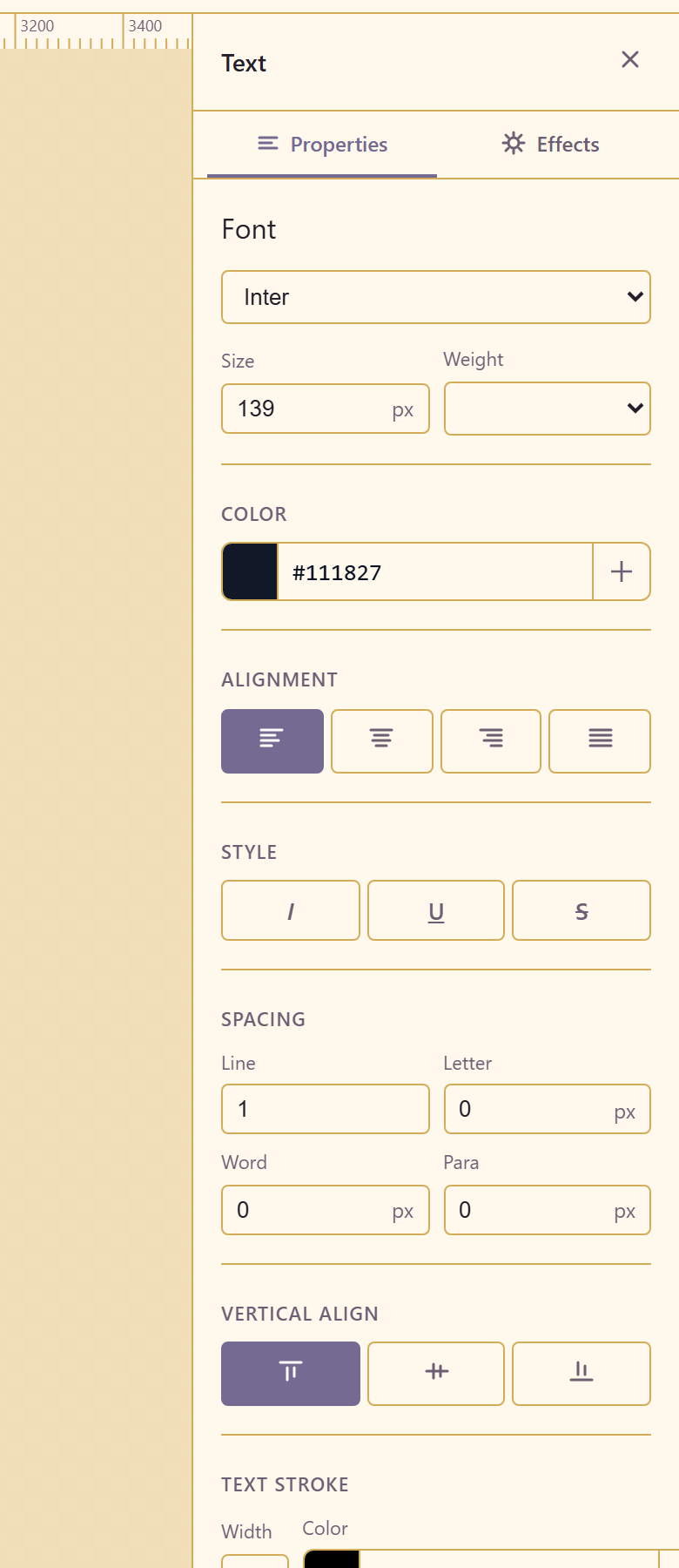
| Group | Controls |
|---|---|
| Font | Fifteen faces: Inter, Arial, Georgia, Times New Roman, Verdana, Roboto, Open Sans, Lato, Montserrat, Playfair Display, Oswald, Raleway, Merriweather, PT Sans, Source Sans Pro |
| Size | In px |
| Weight | Light, Regular, Medium, Semi Bold, Bold, Extra Bold |
| Color | Field and picker |
| Alignment | Left, Center, Right, Justify |
| Style | Italic, Underline, Strikethrough |
| Spacing | Line, Letter (px), Word (px), Para (px) |
| Vertical align | Top, Middle, Bottom |
| Text stroke | Width (px) and colour |
| Case | Four transforms: Aa, AA, aa, Aa |
| Position | X, Y |
| Size | W, H |
| Opacity | A percentage |
Two of these are easy to miss and worth knowing. Text stroke outlines the letterforms, which is how you keep white type legible over a photograph without a drop shadow. Case transforms the display without changing what you typed, so a heading can be set in capitals and still be searchable and editable as written.
Para spacing controls the gap between paragraphs and is the one to reach for when a text block looks cramped — increasing line spacing to fix paragraph gaps loosens the whole block instead.
Shapes
Section titled “Shapes”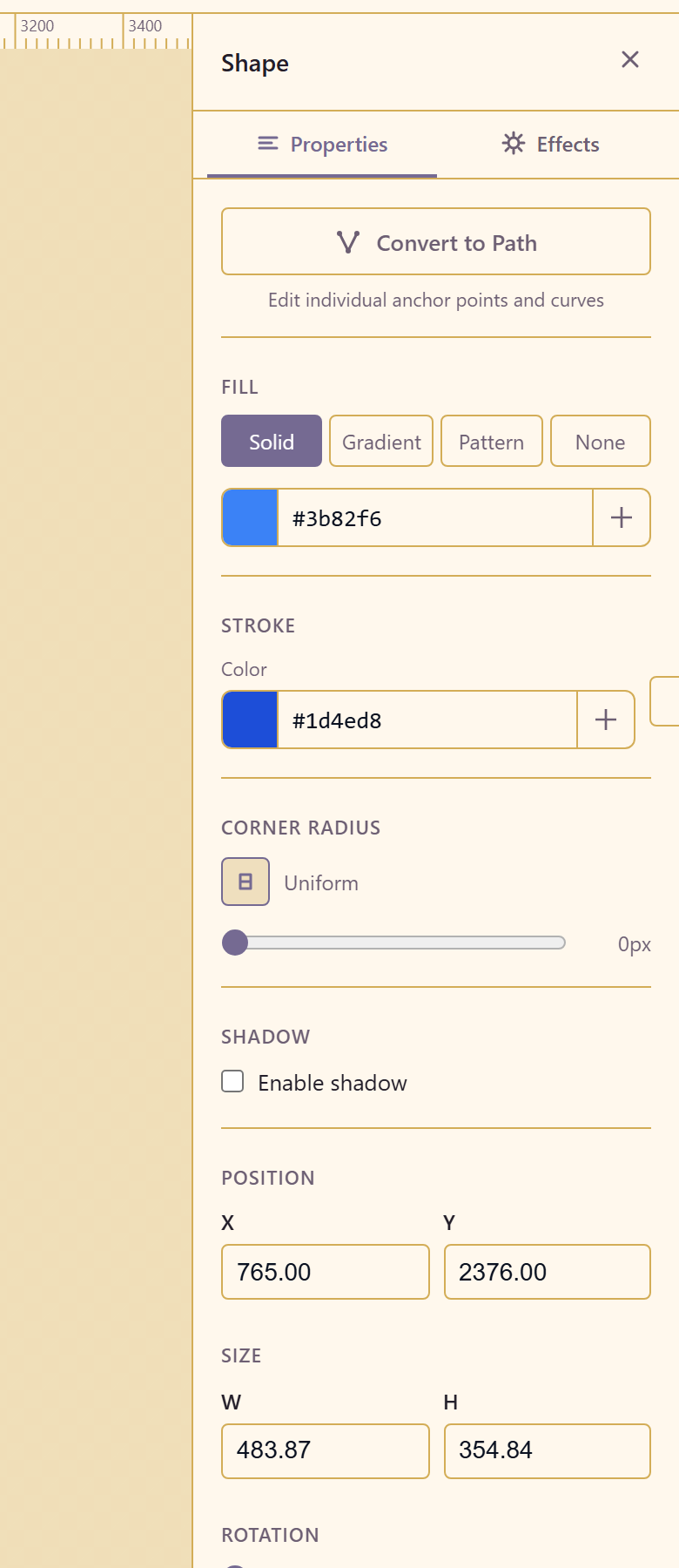
| Group | Controls |
|---|---|
| Convert to Path | Turns the shape into an editable path — “edit individual anchor points and curves” |
| Fill | Solid, Gradient, Pattern, or None, with colour and picker |
| Stroke | Colour, width in px, and a style |
| Corner radius | Uniform, with Unlink corners to set each separately |
| Shadow | Enable shadow |
| Position | X, Y |
| Size | W, H |
| Rotation | In degrees |
| Opacity | A percentage |
Unlink corners is the control that turns a rounded rectangle into a tab, a speech bubble, or a card with one square edge. It stays hidden behind the uniform setting until you look for it.
Convert to Path is one-way in practice: once a rectangle is a path it gains anchor editing and loses the corner-radius control, because a path has no corners to round.
3D objects
Section titled “3D objects”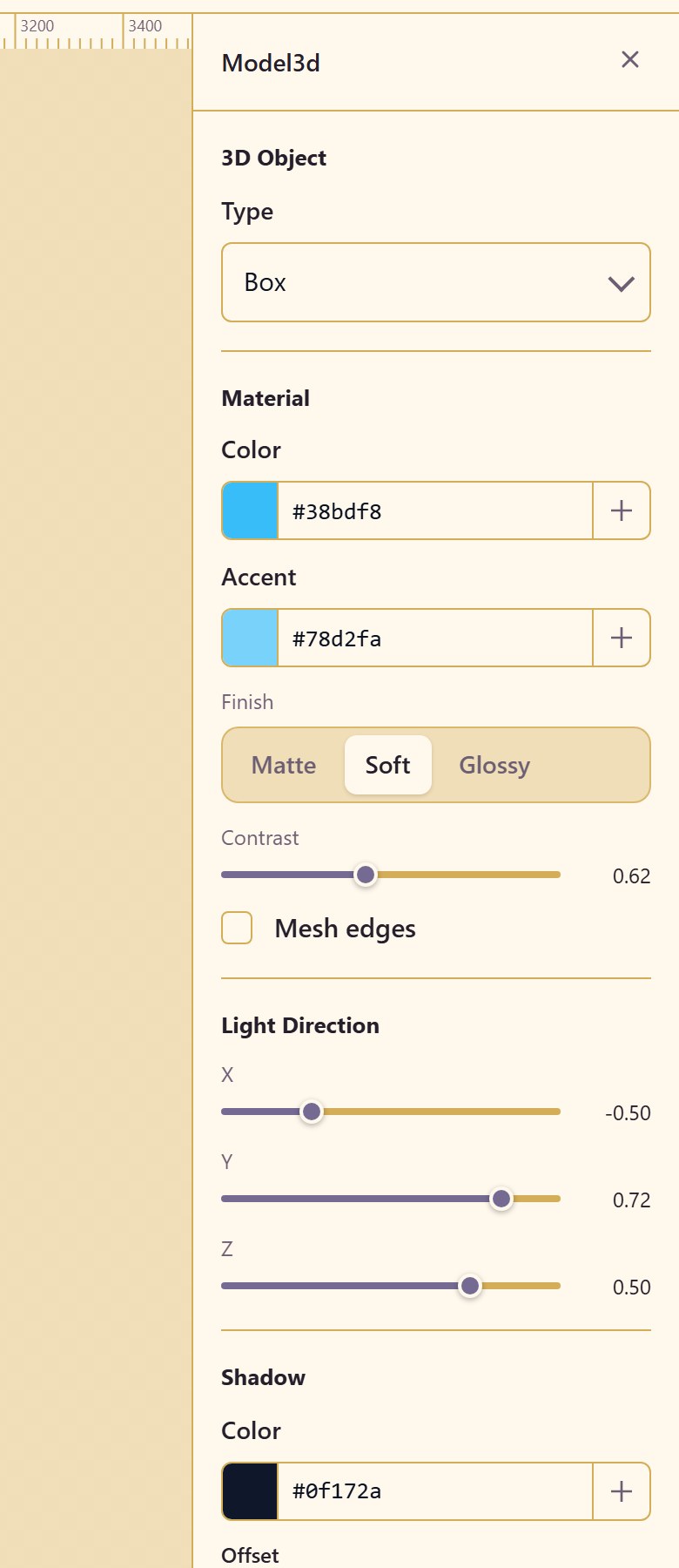
| Group | Controls |
|---|---|
| Type | The primitive, such as Box |
| Material | Colour and an accent |
| Finish | Matte, Soft, or Glossy |
| Contrast | How hard the shading falls |
| Mesh edges | Draws the wireframe |
| Light direction | X, Y, Z |
| Shadow | Colour, offset, opacity, scale |
| View | Drag to orbit; hold Shift to spin |
| Rotation | Rot X, Rot Y, Rot Z |
| Scale | Scale X, Y, Z |
| Render size and Camera | How large it renders, and the camera distance |
Light direction does more for a 3D object than colour does. The default lights from above and slightly to one side; moving it low makes the same object look dramatic rather than product-catalogue neutral.
Drawing machines
Section titled “Drawing machines”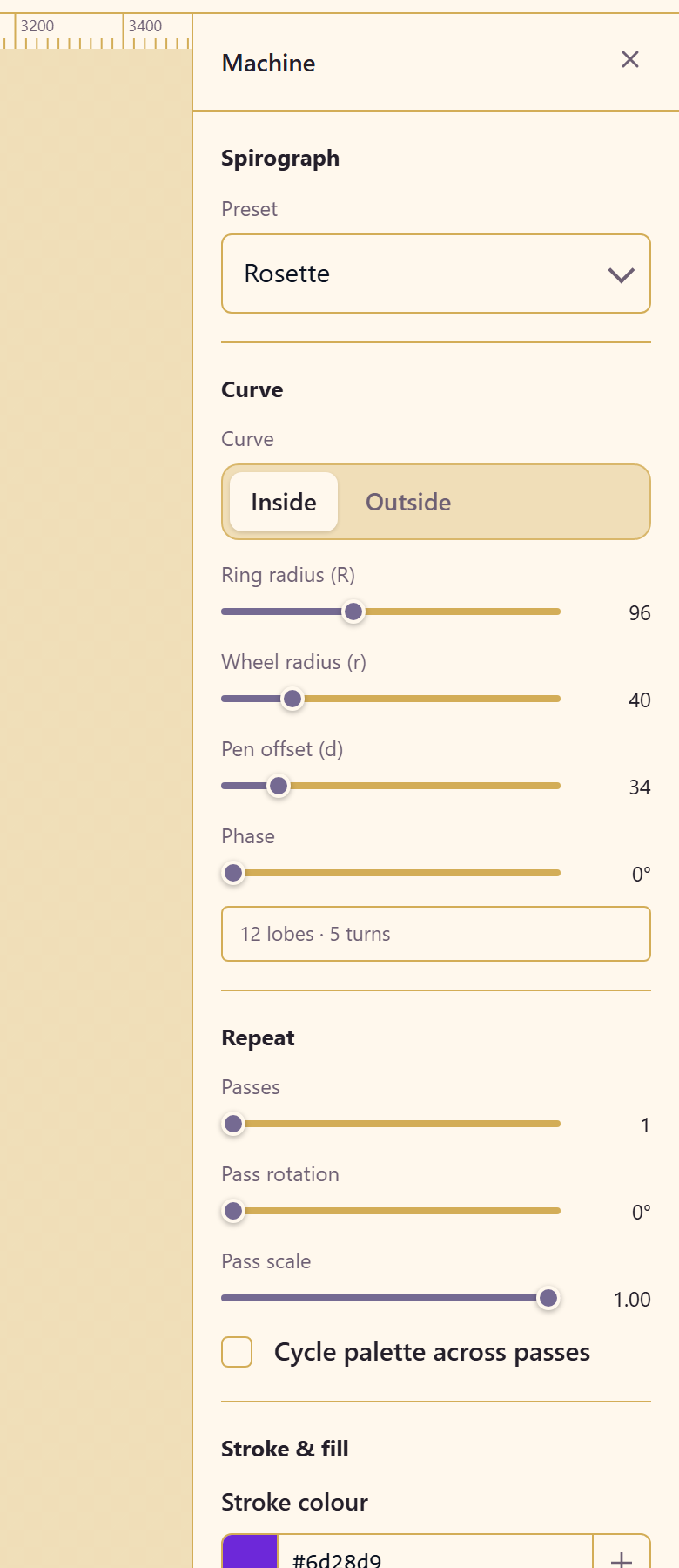
The deepest panel in the module, and the one that rewards experimenting.
| Group | Controls |
|---|---|
| Preset | The machine type and named preset, such as Rosette |
| Curve | Inside or Outside |
| Geometry | Ring radius (R), Wheel radius (r), Pen offset (d), Phase |
| Repeat | Passes, Pass rotation, Pass scale, and Cycle palette across passes |
| Stroke & fill | Stroke colour, stroke width, stroke opacity, and fill None or Solid |
| Quality | Samples per turn, with a live Points count and Worst step in px |
| Actions | Randomise, Reset to preset, Convert to editable path |
A live readout under the geometry describes the result — 12 lobes · 5 turns — so you can see what a parameter change did without counting.
Worst step is the quality check. It reports the largest gap between sampled points; if a curve looks faceted, raise samples per turn until that number comes down.
Convert to editable path tells you the cost before you commit: converting simplifies 1,201 points to about 1,200 anchors. Convert only when you need to edit individual anchors, because the parametric controls disappear once you do.
Related
Section titled “Related”Work on the canvas covers the tools that create these elements. Add elements covers the panels they come from.