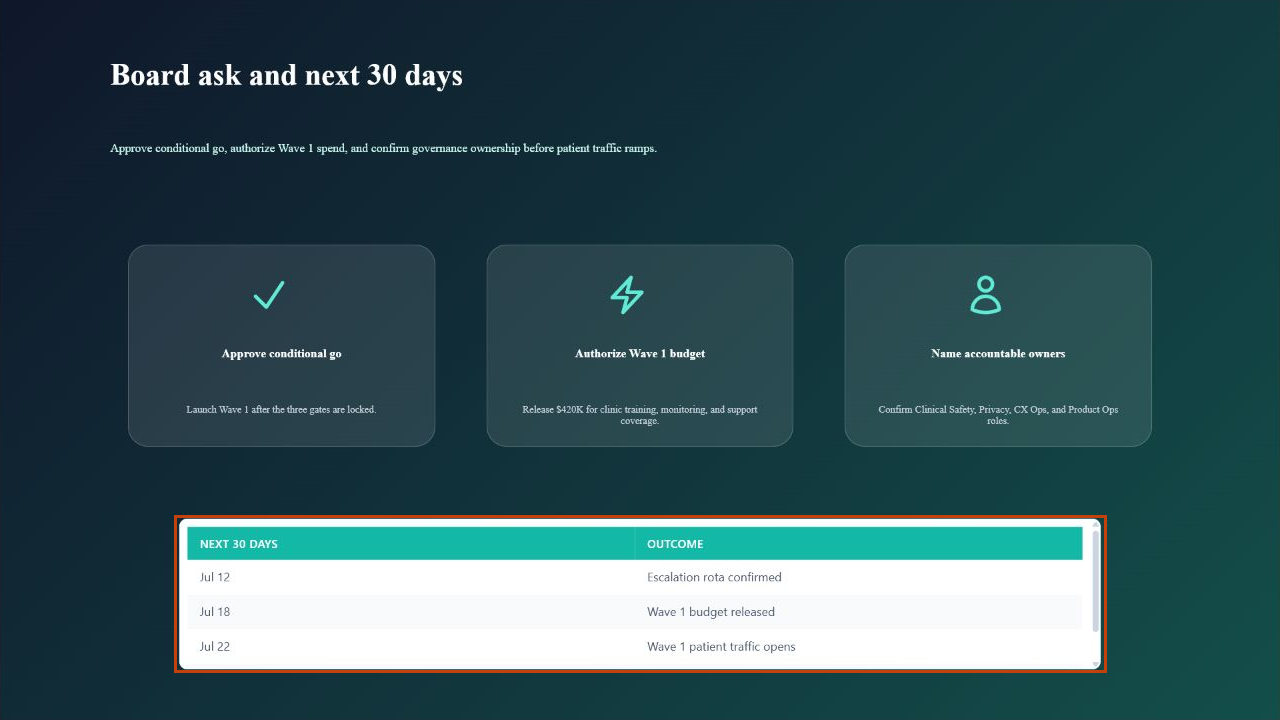
Build a launch review deck
The deck built here is CareArc Health AI Concierge Launch Readiness, a realistic board deck for a 42-clinic rollout. The same pattern works for product reviews, quarterly reports, training decks, and customer walkthroughs: establish the decision, show evidence, explain controls, then finish with owners and dates.
1. Create the presentation
Section titled “1. Create the presentation”Open Slideshow in the service and click Create Presentation. Name the deck for the meeting and decision, not only the topic.
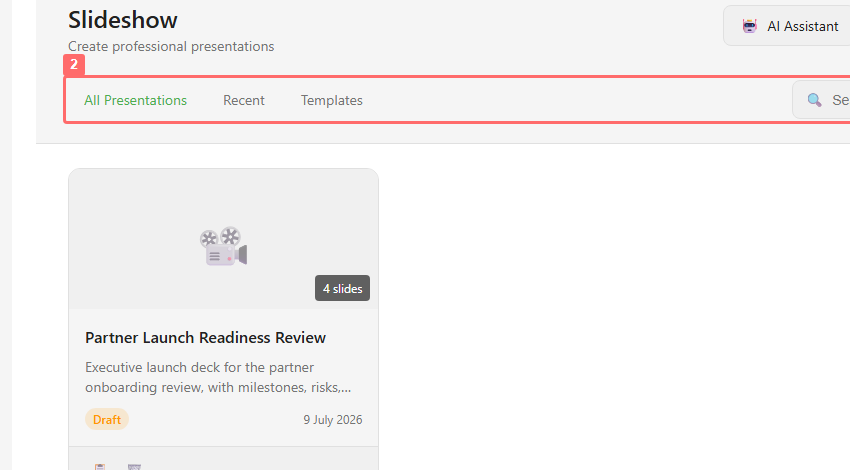
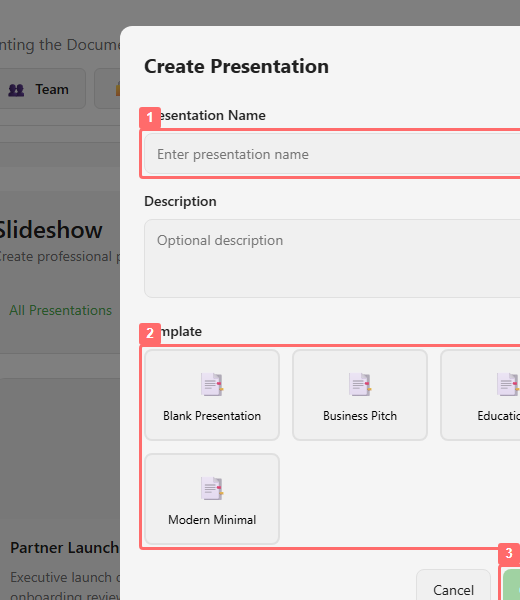
Use a name such as CareArc Health AI Concierge Launch Readiness, add a description about patient access, safety governance, operating readiness, and launch investment, choose a template, and create the deck.
2. Define the story sections
Section titled “2. Define the story sections”In the slide panel, create sections that match the meeting flow. The staged CareArc deck uses four sections:
- Executive Readiness for the board decision and evidence.
- Patient Experience for access pressure, guided service design, and pilot outcomes.
- Controls & Architecture for governance and the technical operating model.
- Rollout & Economics plus Decision for waves, value, risks, and the final ask.
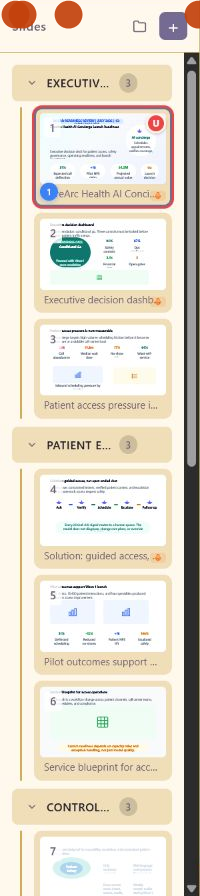
3. Add slides inside each section
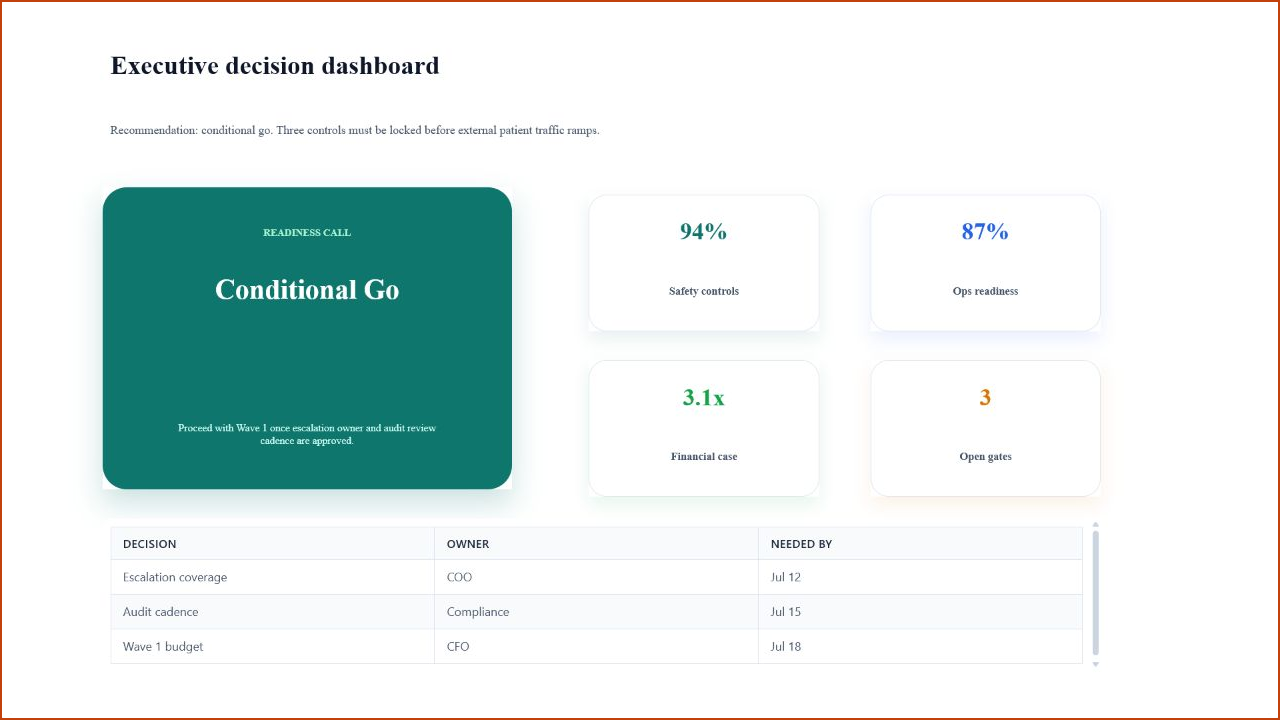
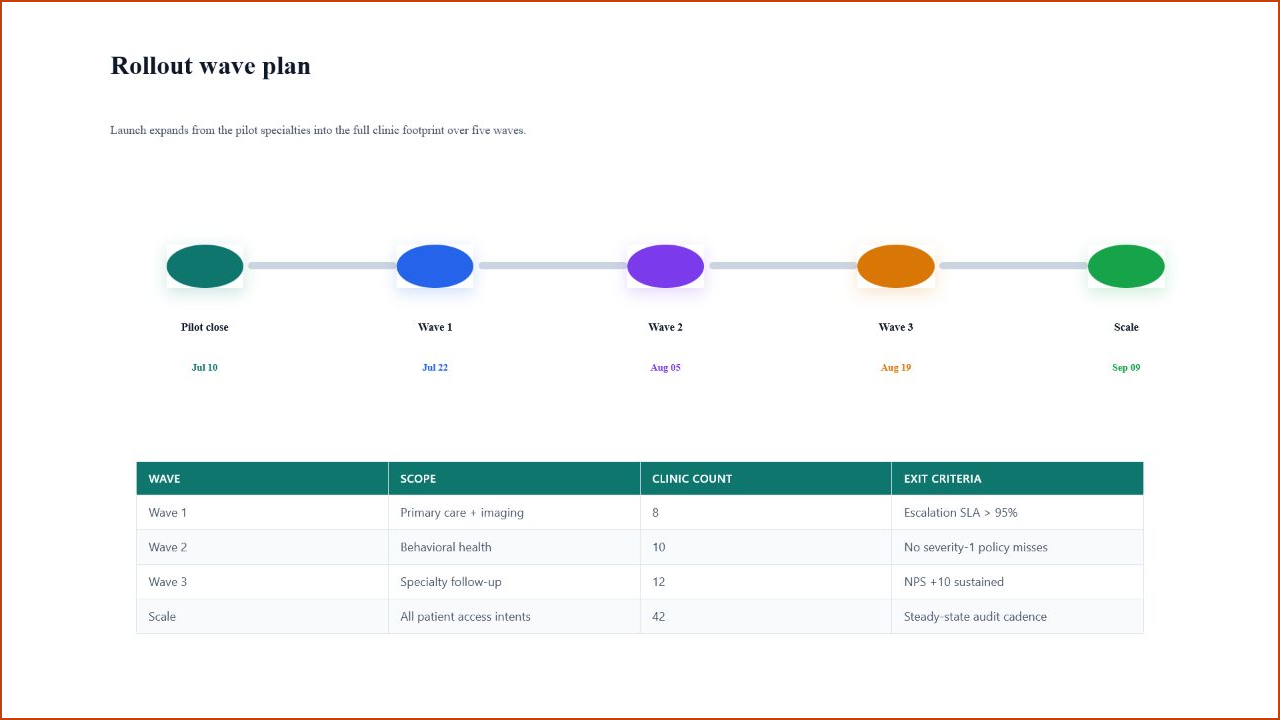
Section titled “3. Add slides inside each section”Use + to add slides, or add a slide directly to a section. Name each slide after the outcome it delivers. Titles such as Executive decision dashboard, Safety and governance controls, Rollout wave plan, and Board ask and next 30 days tell the reader more than a generic label such as Overview.
4. Insert slide-native content
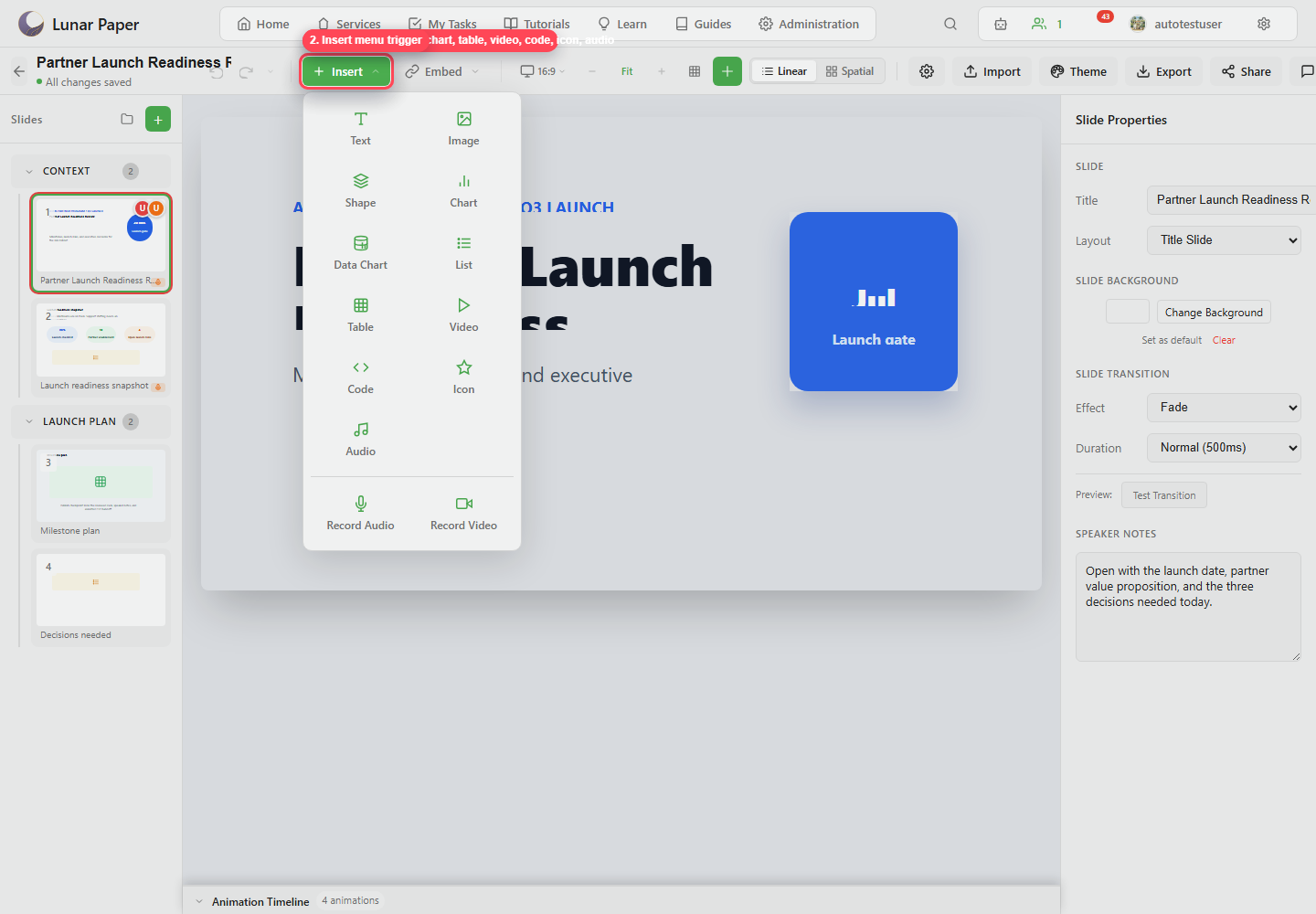
Section titled “4. Insert slide-native content”Use Insert for content that should live directly on the slide: text, image, shape, chart, data chart, list, table, video, code, icon, audio, or recorded media.
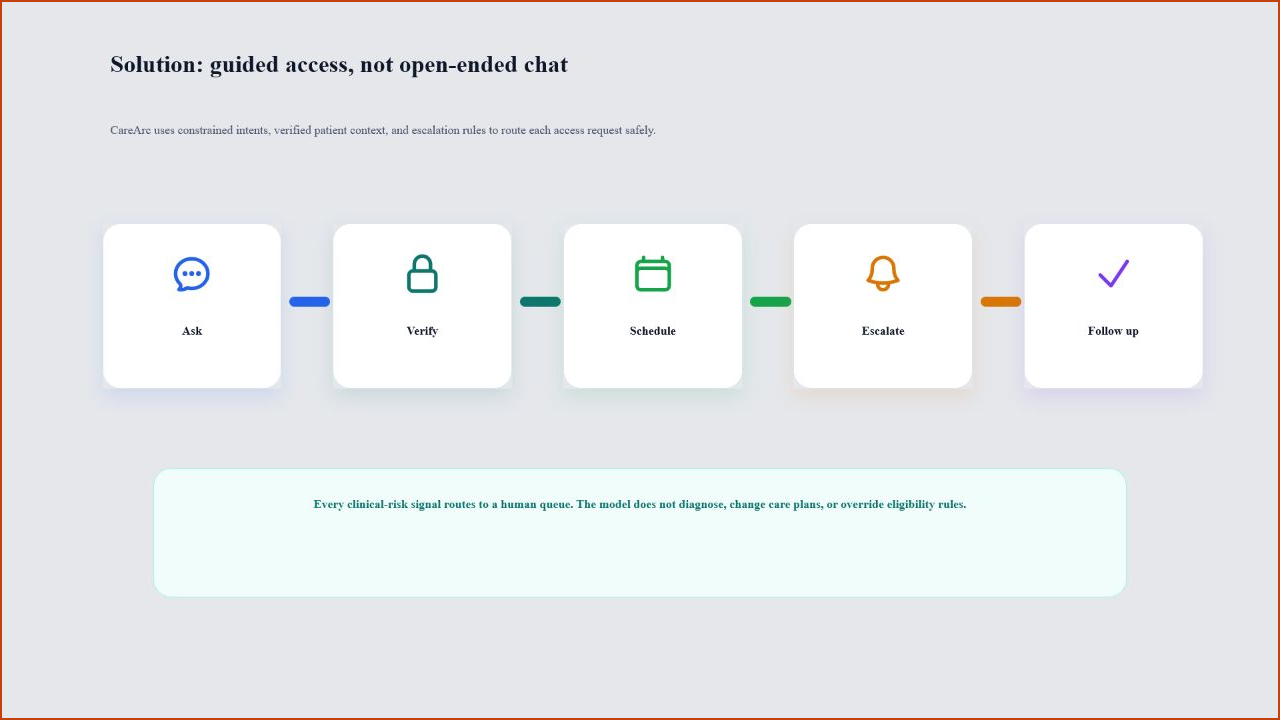
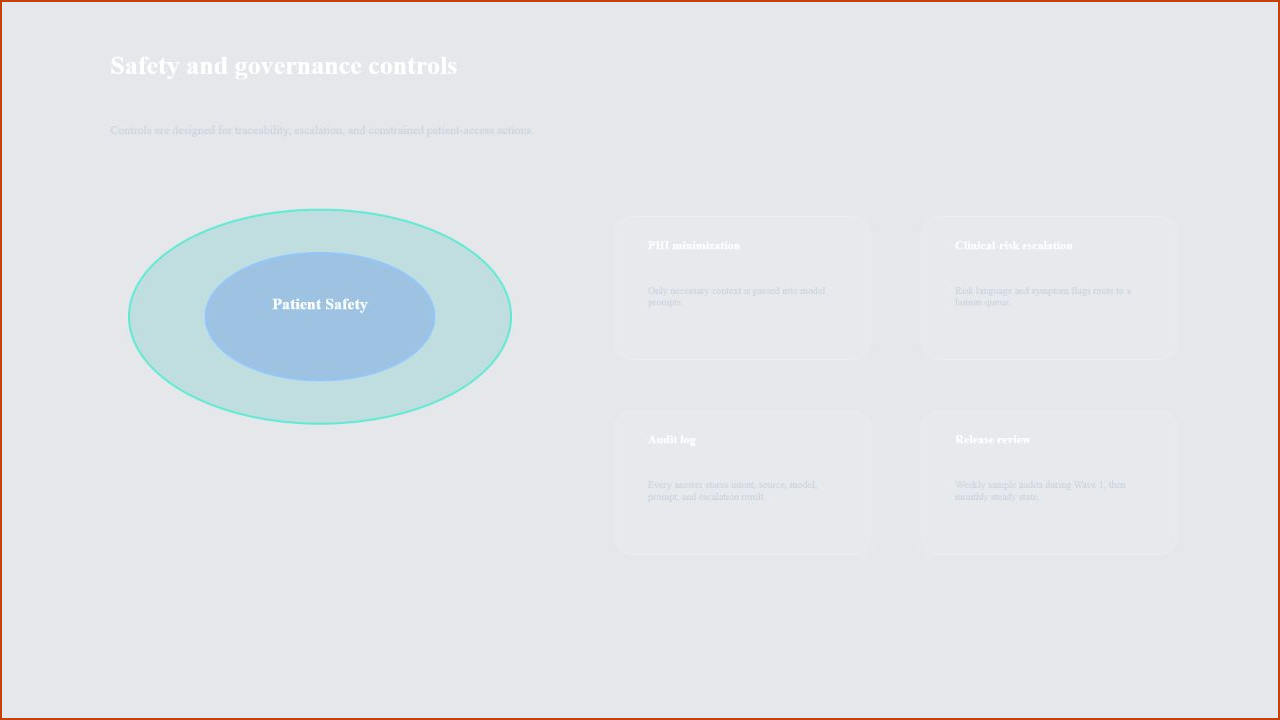
Use the canvas to make the decision easy to read. The CareArc deck uses a pressure slide for the problem, a guided-access slide for the solution, and a safety slide for the operating boundary.
5. Embed connected service content
Section titled “5. Embed connected service content”Use Embed when the slide should reference another service artifact instead of duplicating it. Embed documents, charts, flowcharts, reports, dashboards, audio, or assets when the source needs to stay connected to the service.
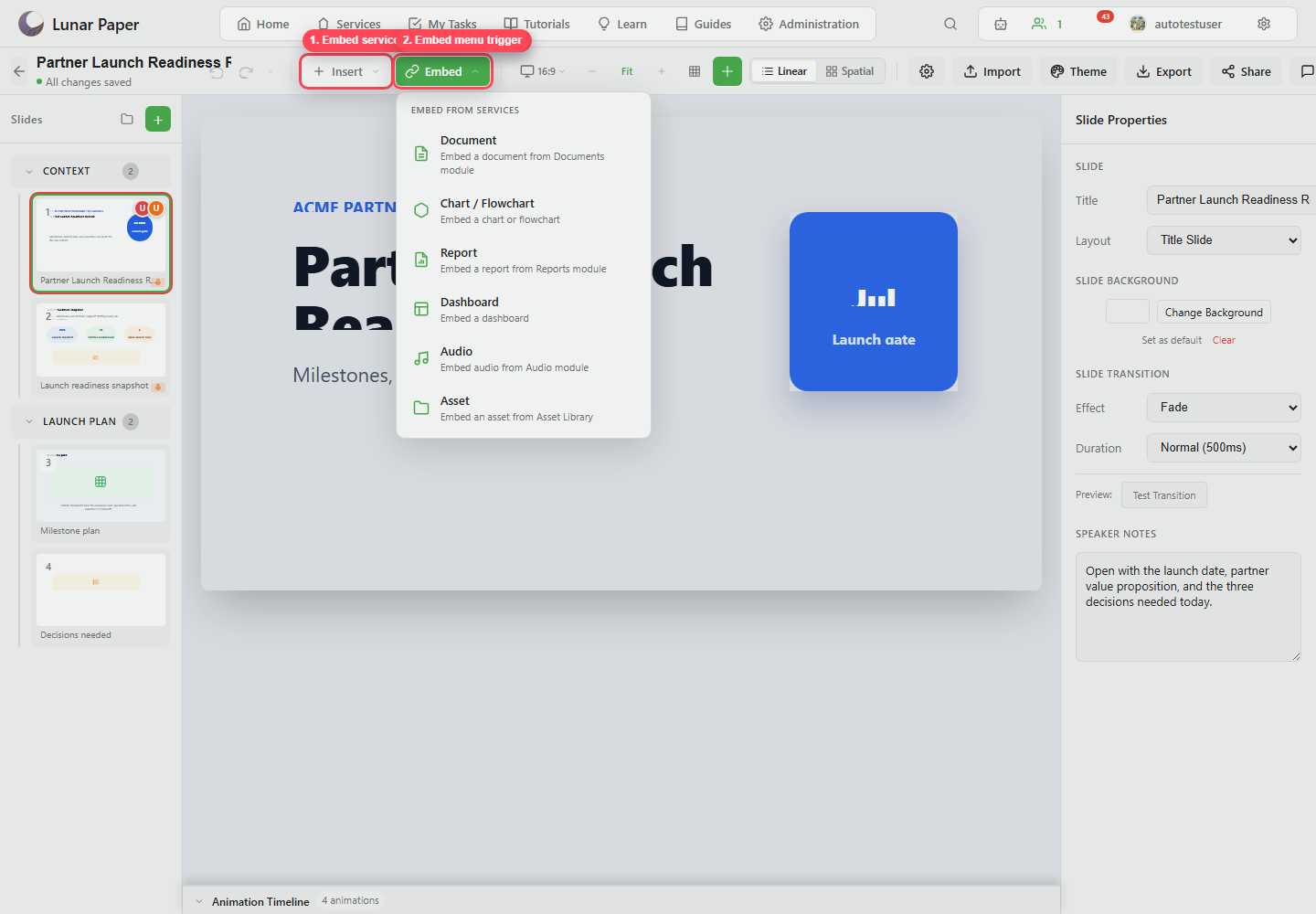
Use connected content where the source should stay authoritative. In a launch review, that suits service reports, dashboards, operating documents, and asset-library material, because all of those keep changing after the deck is drafted.
6. Style slide properties
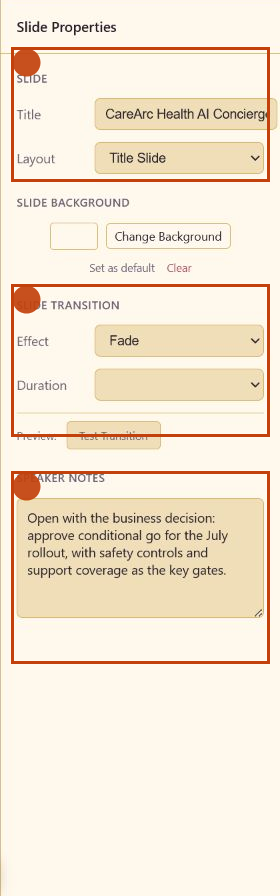
Section titled “6. Style slide properties”Click empty canvas space to show Slide Properties. Set the slide layout, background, transition, and speaker notes.
7. Use alignment and layer tools for polish
Section titled “7. Use alignment and layer tools for polish”Select multiple elements and use alignment, distribution, match size, and center controls when a slide needs precision. Use layers when elements overlap or need to be locked while you edit nearby content.
8. Add speaker notes for the presenter
Section titled “8. Add speaker notes for the presenter”Write notes as spoken prompts rather than full paragraphs. Put the decision framing, the risks, and the background in the notes area so the slide itself stays readable.
9. Review the full editor state
Section titled “9. Review the full editor state”Before sending the deck to reviewers, check the toolbar actions: comments, versions, publish, share, export, and present.
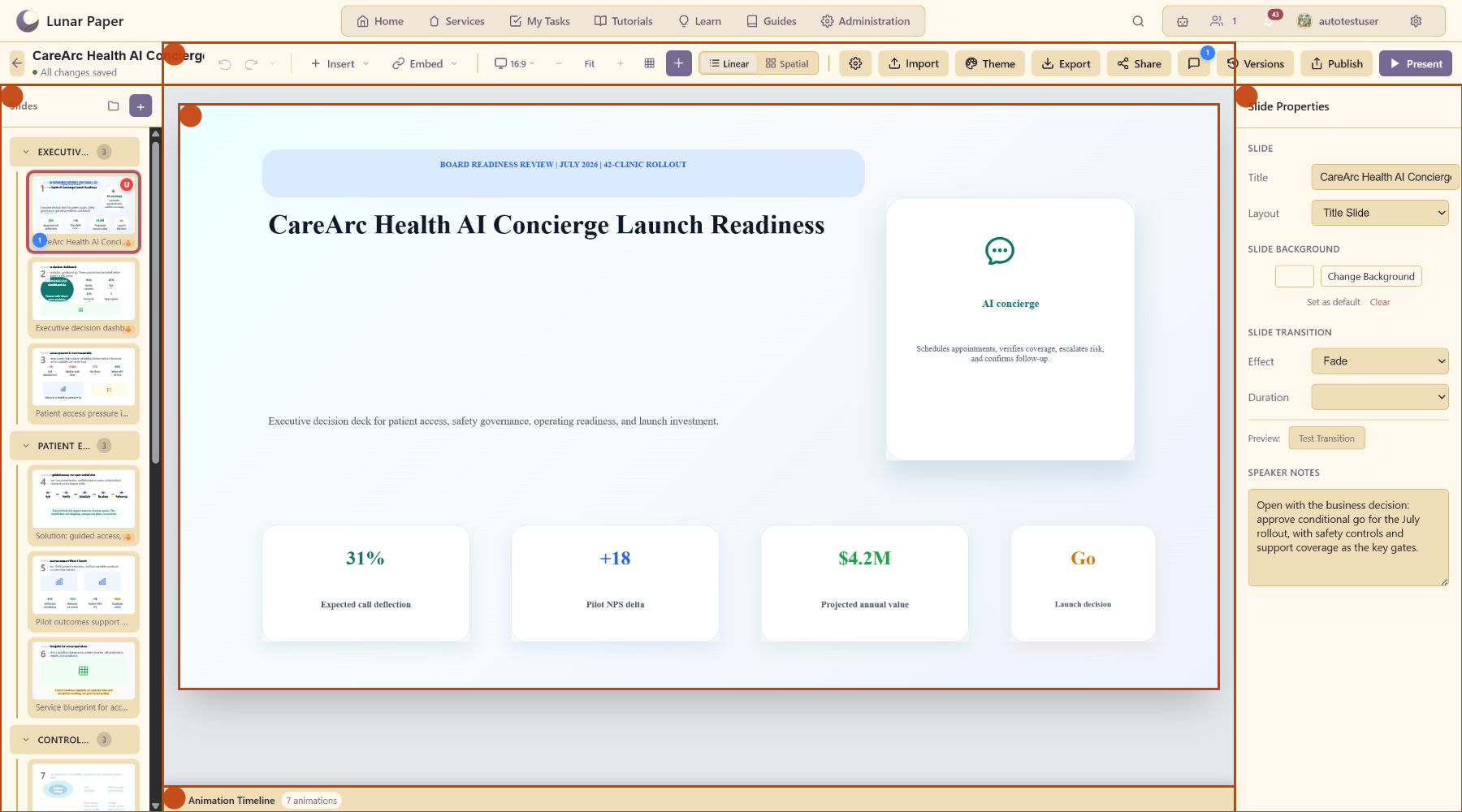
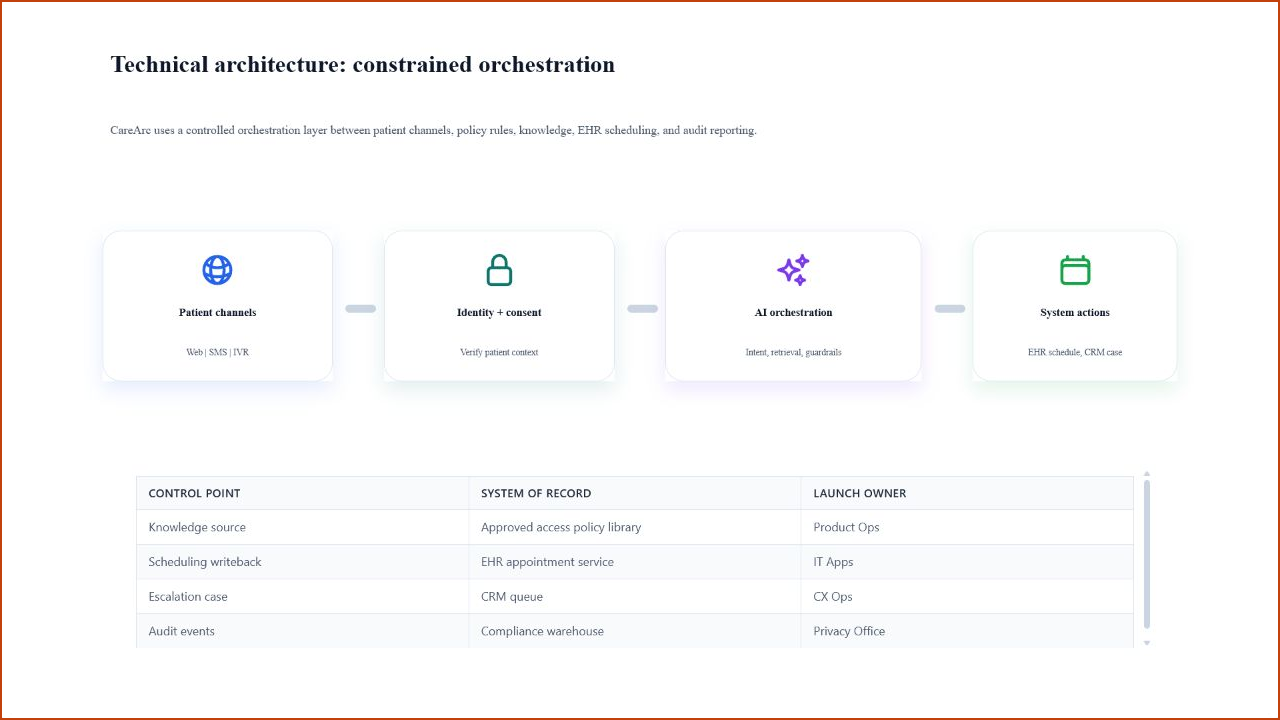
Read the deck in the same order an executive will hear it: access pressure, guided service design, pilot evidence, governance controls, architecture, rollout, economics, and the ask.
10. Publish a review snapshot
Section titled “10. Publish a review snapshot”Click Publish, add a version comment such as Ready for launch review, and publish the snapshot. Reviewers now have a fixed state to compare against, and they can leave feedback on it with comments.