
Use 3D spatial audio
The Spatial panel places each track at a point around the listener — left or right, in front or behind, above or below, near or far — and can move it along a path while the project plays.
How much of that you actually hear depends on the project’s mix mode, so start there.
1. Choose a mix mode
Section titled “1. Choose a mix mode”Open Project Settings in the top bar. Mix Mode offers four options:
| Mode | What it is |
|---|---|
| Stereo | Standard 2-channel stereo |
| Binaural | HRTF-based 3D audio, for headphones |
| 5.1 Surround | 6-channel surround |
| 7.1 Surround | 8-channel surround |
Height only exists in binaural. In a stereo project the panel says so plainly and every source plays at ear level, whatever you set the elevation to. There is a Switch to binaural link in the panel so you do not have to go and find the setting.
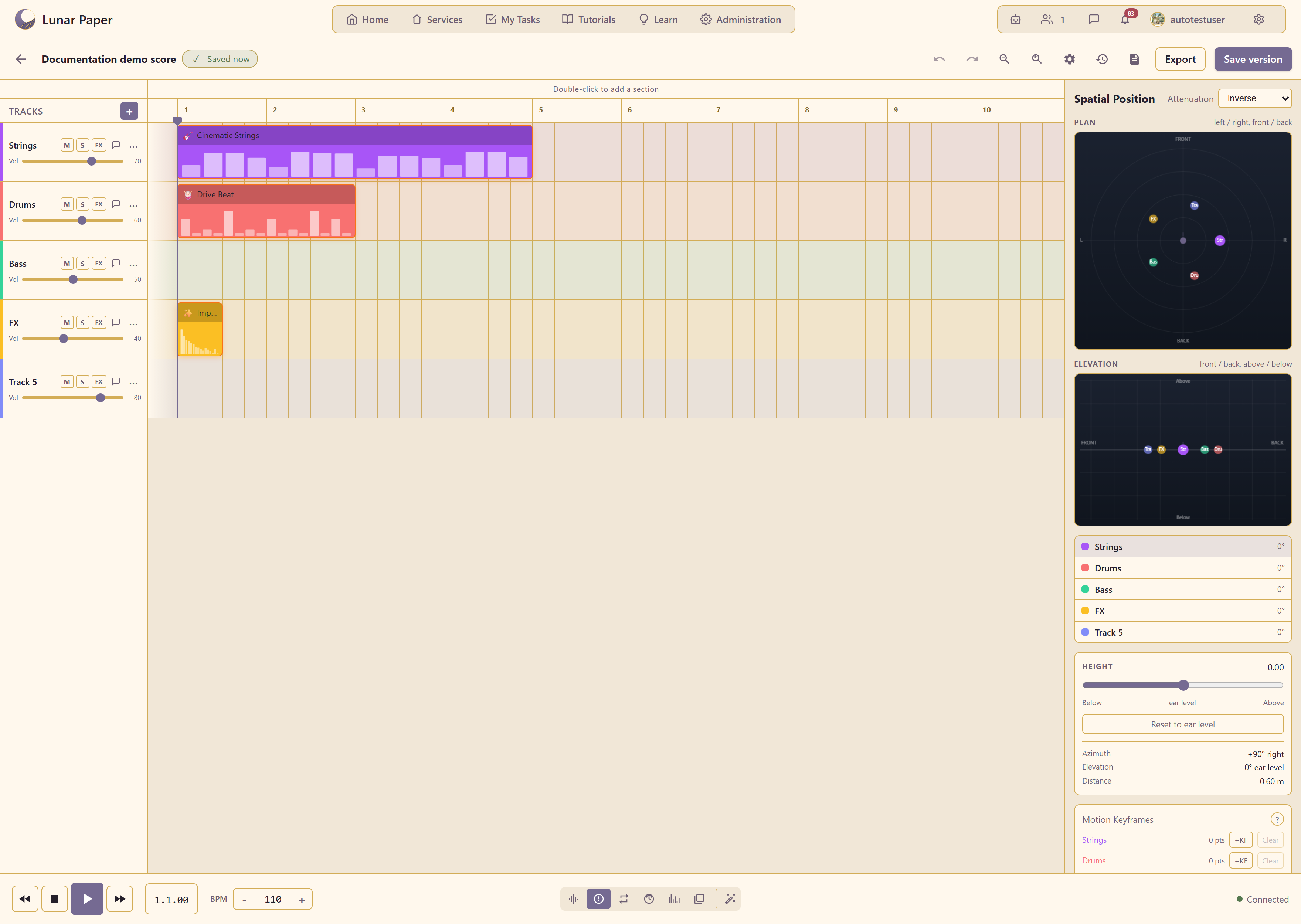
So: if the point is placing sounds above or below the listener, the project has to be binaural, and the result has to be heard on headphones. For speakers, use 5.1 or 7.1.
2. Open the panel
Section titled “2. Open the panel”Spatial in the transport bar at the bottom of the editor.
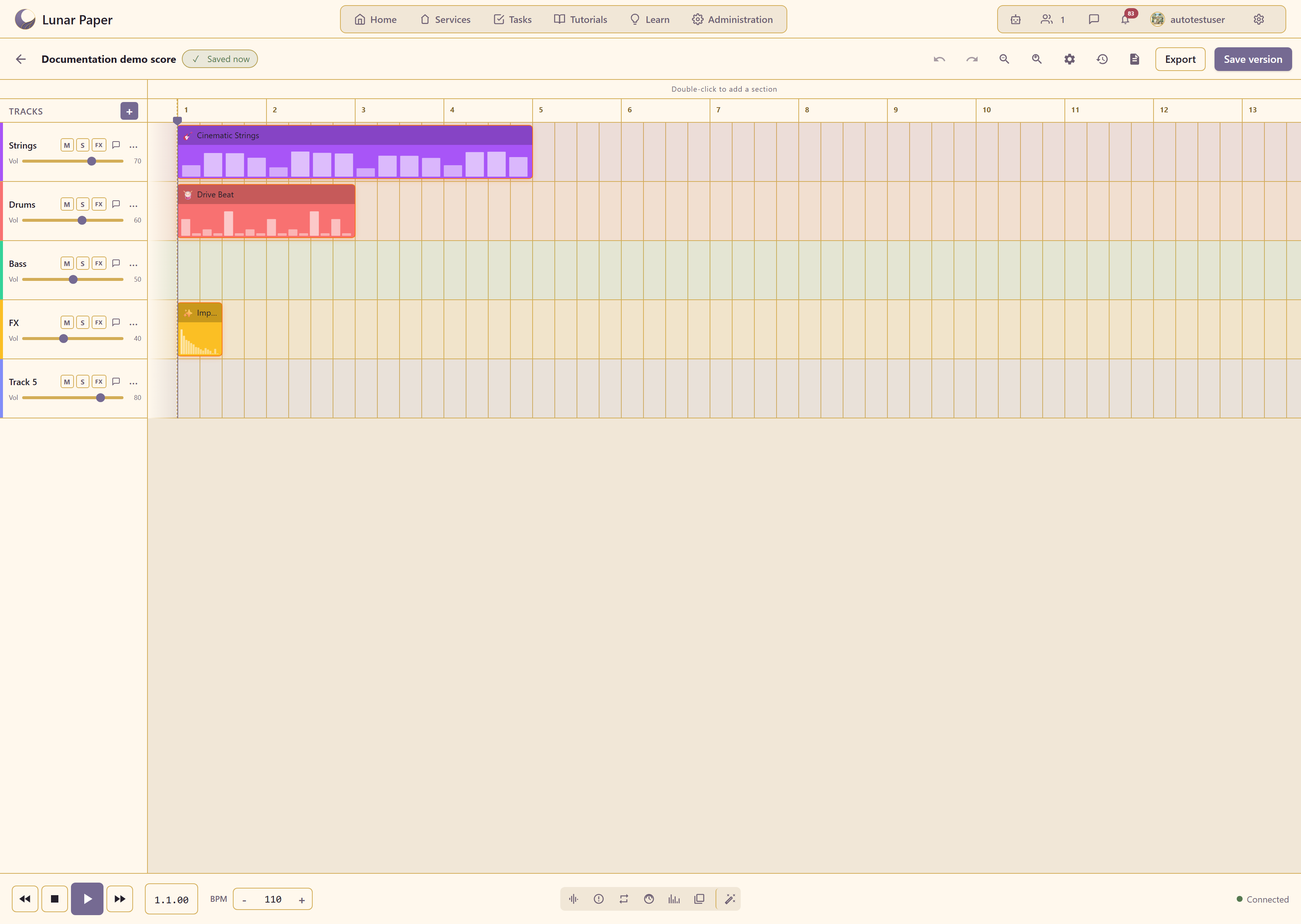
Two views show the same position from different angles.
PLAN is the view from above: left and right across, front and back up the screen.
ELEVATION is the view from the side: front and back across, above and below vertically.
Every track in the project is listed with its current angle, so you can see the whole arrangement at once rather than one track at a time.
3. Position a track
Section titled “3. Position a track”Three numbers define a position, and the panel shows all three for the selected track.
Azimuth is the direction, in degrees. 0° is straight ahead, +90° is to the right, −90° to the left, 180° behind.
Elevation is the angle up or down from ear level. 0° is ear level.
Distance is how far away the source is, in metres.
Height is shown separately with Below ear level and Above controls and a Reset to ear level button — a more direct way to set the same thing when you are thinking in terms of up and down rather than angles.
Drag a track’s dot in either view, or set the numbers directly.
Where a new track starts
Section titled “Where a new track starts”A new track is placed on the stage before you touch it: the first sits front and centre, the next pairs fan out left and right and further back, and the eighth sits behind the listener. You can move any of them; the point is that nothing starts on top of anything else. If two tracks do end up on the same spot, the panel says so under the track list, because two sources on one point are one source as far as the listener is concerned.
4. Choose how distance behaves
Section titled “4. Choose how distance behaves”Attenuation decides how quickly a sound gets quieter as it moves away. Three curves:
Linear falls off evenly. Predictable, and the least natural.
Inverse models how sound actually behaves in air — quick loss up close, gentler further out. The right default for realism.
Exponential falls off fastest. Useful when you want a sound to disappear decisively as it retreats.
In binaural the panner attenuates as soon as a source moves away from the listener, so near and far are audible across the whole plane; a source at the edge sits around 6 dB below one close in. Switching a project between stereo and binaural no longer changes its overall level, only its image. If a distant sound is still too present, the curve is usually the reason rather than the distance value.
5. Move a sound over time
Section titled “5. Move a sound over time”Motion Keyframes is what makes this more than static placement. Each track has its own row showing a point count, with +KF to add a keyframe and Clear to remove them all.
Position the track, move the playhead, reposition it, and add another keyframe. The sound then travels between those points as the project plays.
This is how you get a helicopter crossing overhead, a voice circling the listener, or a pad drifting from front to back over eight bars. Two keyframes are enough for a straight move; add more for a curve.
Keep paths simple. A source that darts around is disorienting, not immersive, and in a busy mix the movement is usually lost anyway.
What to place where
Section titled “What to place where”Anchor the things that carry the piece — lead vocal, kick, bass — at or near the centre and close in. Motion on those reads as instability, not as an effect.
Use position for the elements that create the space: ambience, effects, background texture. That is where movement and height earn their keep.
Leave the front centre relatively clear. It is where a listener’s attention sits, and crowding it undoes the separation the rest of the placement bought you.
Check it on headphones
Section titled “Check it on headphones”Binaural is designed for headphones and does not survive being played on speakers — the two ears’ signals mix in the air and the effect collapses.
If the project is binaural, review it on headphones. If it will be played on speakers, use 5.1 or 7.1 and check it on the actual system if you can.
Related
Section titled “Related”Mixing and spatial audio covers how placement interacts with level and effects. Use the Mixer covers the levels themselves, and Export audio renders the result.