
Projects
Projects holds the delivery work a service is accountable for: what is being built, when it is due, who is on it, what it costs, and what could go wrong. Each project gathers a schedule, milestones, risks, issues, a budget, a team, and one or more linked task boards.
Resources is documented here too, because on its own it does very little. It is the pool of people a project draws from, and allocation only happens from inside a project.
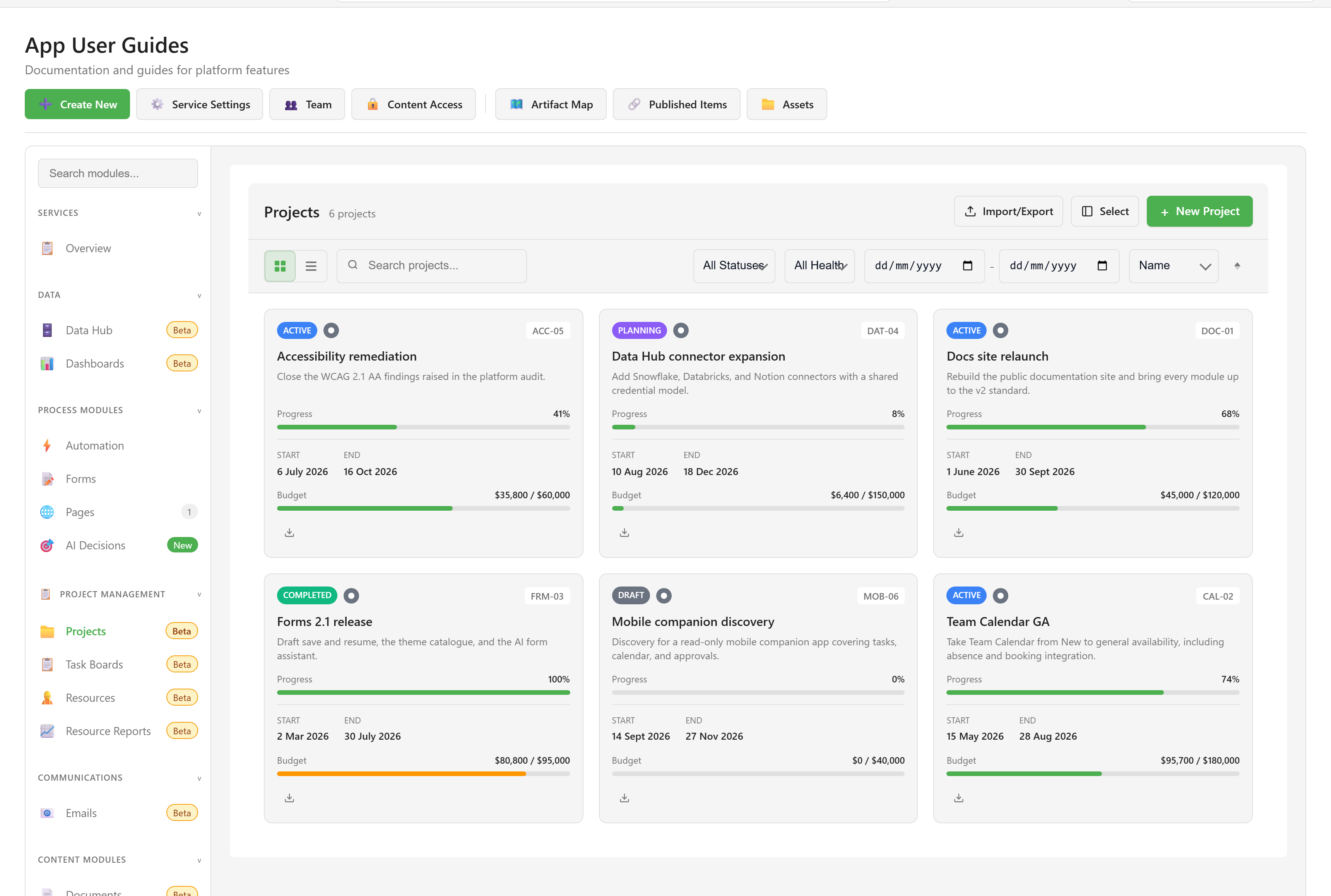
Where Projects lives
Section titled “Where Projects lives”Open a service and choose Projects under Project Management. Resources sits directly below it. Both carry a Beta badge.
What each module is for
Section titled “What each module is for”Projects is the container and the record. A project is where a delivery manager answers “how is this going?” — the dashboard summarises budget, schedule, scope, and quality, and the sections underneath hold the detail behind each of those.
Resources is a directory of people with a role, a capacity, and a skill list. It shows who is over-allocated across the service. It cannot allocate anybody to anything; that happens from a project’s Resources section.
Two things are worth knowing before you rely on either:
Projects does not track its own tasks. Tasks live in Task Boards, and a board is linked to a project. Progress, the timeline, time tracking, and earned value are all derived from those linked boards, so a project with no board linked shows very little.
Allocation is measured in percentages, not hours. A resource’s capacity in hours is recorded and displayed, but no calculation converts a percentage into hours. Allocation and utilisation explains what the numbers do and do not mean.
Where to go
Section titled “Where to go”| If you want to | Go to |
|---|---|
| Set up a project and see it working | Quickstart |
| Follow a specific workflow | Guides — eight task walkthroughs |
| Find which page covers a capability | Projects capabilities |
| Look up a section of the project screen | Project views reference |
| Look up a field on a project | Project fields reference |
| Look up a field on a resource | Resource fields reference |
| Check who is allowed to do what | Permissions reference |
| Understand how a project is put together | Project structure |
| Understand utilisation and over-allocation | Allocation and utilisation |
| Fix something that is not behaving | Troubleshooting |
The examples in these screenshots
Section titled “The examples in these screenshots”Captures use a six-project portfolio for a platform team: a docs relaunch, a Team Calendar release, a completed Forms release, a connector expansion in planning, accessibility remediation running off track, and a mobile discovery still in draft. The resource pool holds six people across design, engineering, analysis, delivery, and testing, including one external contractor, and one designer deliberately allocated past 100%.