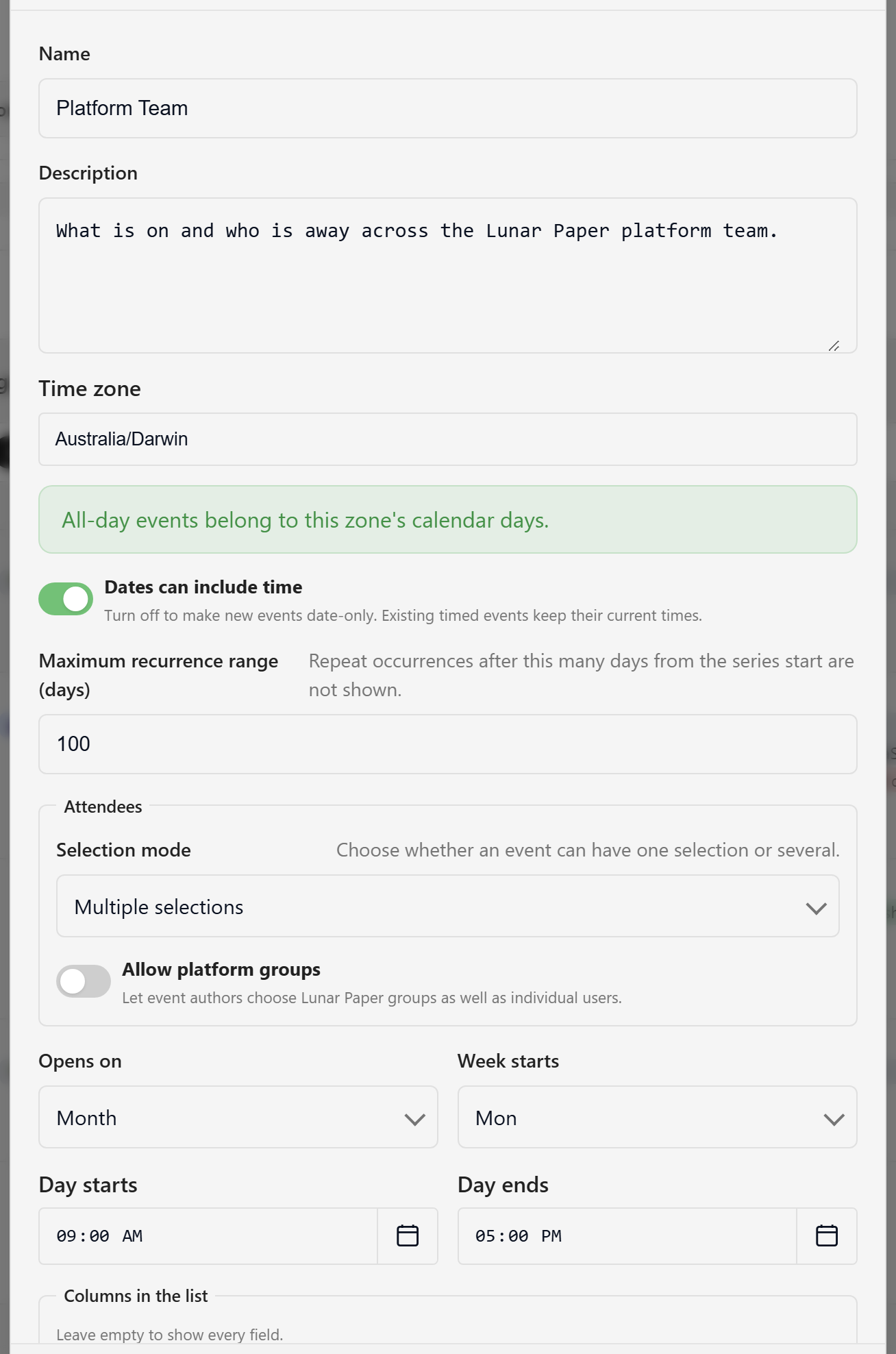
Open the gear menu (Calendar configuration) and choose Calendar settings. Changes apply to everyone who views the calendar. Only an owner or editor can save them.
| Setting |
Default |
Notes |
| Name |
— |
Required, up to 120 characters, unique within the service. |
| Description |
Empty |
What the calendar is for. |
| Time zone |
Your own zone |
An IANA zone. All-day events belong to this zone’s calendar days. |
| Setting |
Default |
Notes |
| Dates can include time |
On |
Turn off to make new events date-only. Existing timed events keep their times. |
| Maximum recurrence range (days) |
100 |
1 to 365. Repeat occurrences past this many days from the series start are not shown. |
| Setting |
Default |
Notes |
| Selection mode |
Multiple selections |
Whether an event takes one selection or several. |
| Allow platform groups |
Off |
Lets authors choose Lunar Paper groups as well as individual users. |
| Setting |
Default |
Notes |
| Opens on |
Month |
The view the calendar lands on. Offers Month, Week, Agenda, and Away. |
| Week starts |
Monday |
Sunday, Monday, or Saturday. |
| Day starts / Day ends |
09:00 / 17:00 |
Working hours. Week view renders one hour either side. |
| Show weekends |
On |
Off drops the grid to five columns. |
| Columns in the list |
Empty |
Which fields the List view shows. Empty shows every field. |
Customise fields opens the calendar’s field set in the Forms builder, where you can add your own fields or relabel the built-in ones. Built-in fields cannot be retyped or removed.
| Dialog |
Where |
What it does |
| Event types |
Event types in the header |
Rename, recolour, and add event types, up to 24. |
| Event display |
Gear menu, then Event display |
Choose up to six fields to print inside event chips. |
Both are covered in Customise types and display.
| Limit |
Value |
| Event types per calendar |
24 |
| Fields shown on a chip |
6 |
| Attendees per event |
200 people, 50 groups |
| Events in one window read |
2,000 |
| Events in one export |
5,000 |
| Recurrence occurrences per series |
500 |
To work through these settings when creating a calendar, see Create and configure a calendar.
