
Task Boards troubleshooting and FAQ
Why is Done empty?
Section titled “Why is Done empty?”Completed tasks are hidden by default when the board has completed work. Turn on Completed to show them. The count next to the toggle indicates how many completed tasks are available.
Why did a filter hide my task?
Section titled “Why did a filter hide my task?”Check No Grouping, All Priorities, All Labels, and All Milestones, then clear Search. A task can be in the board but excluded by one of these view controls.
Why does a comment not appear on the card?
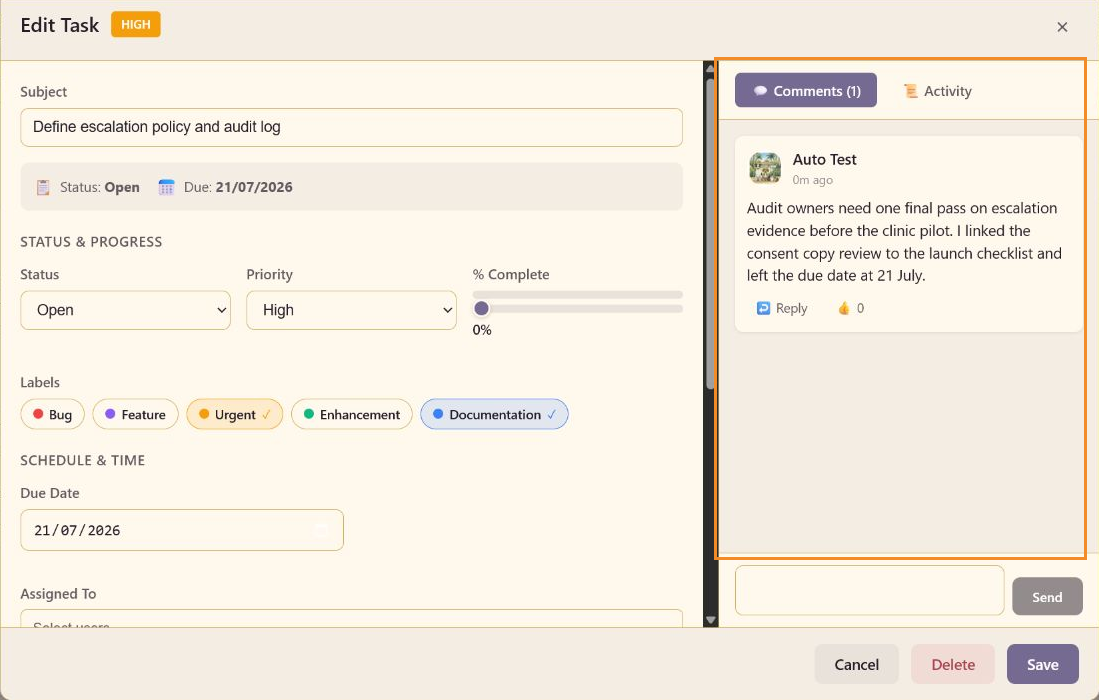
Section titled “Why does a comment not appear on the card?”Select Send in the Comments panel, then select Save in the task editor. Reopen the card and confirm that the Comments count and thread are visible.
Why does a task show a different state than its column?
Section titled “Why does a task show a different state than its column?”The column a card sits in and the task Status field are two separate signals. Open the task, set the Status to match the handoff you mean, and save it. If the board is still unclear, keep the columns focused on real handoffs and use labels for categories.
Why can I not see all task fields?
Section titled “Why can I not see all task fields?”The task details panel has its own scroll area. Scroll inside the editor to reach Schedule & Time, Assigned To, Description, Subtasks, and the comments panel.
Why is the board hard to scan?
Section titled “Why is the board hard to scan?”Use Board for handoffs, List for comparison, and Calendar for dates. Use grouping, priority, label filters, and Search to answer one specific question, then restore the default controls before handing the board to another reviewer.