
Cello
Double-click empty space on the timeline to open the instrument picker, then choose 🎻 Cello.
Four strings — C, G, D, A — played by clicking the fingerboard.
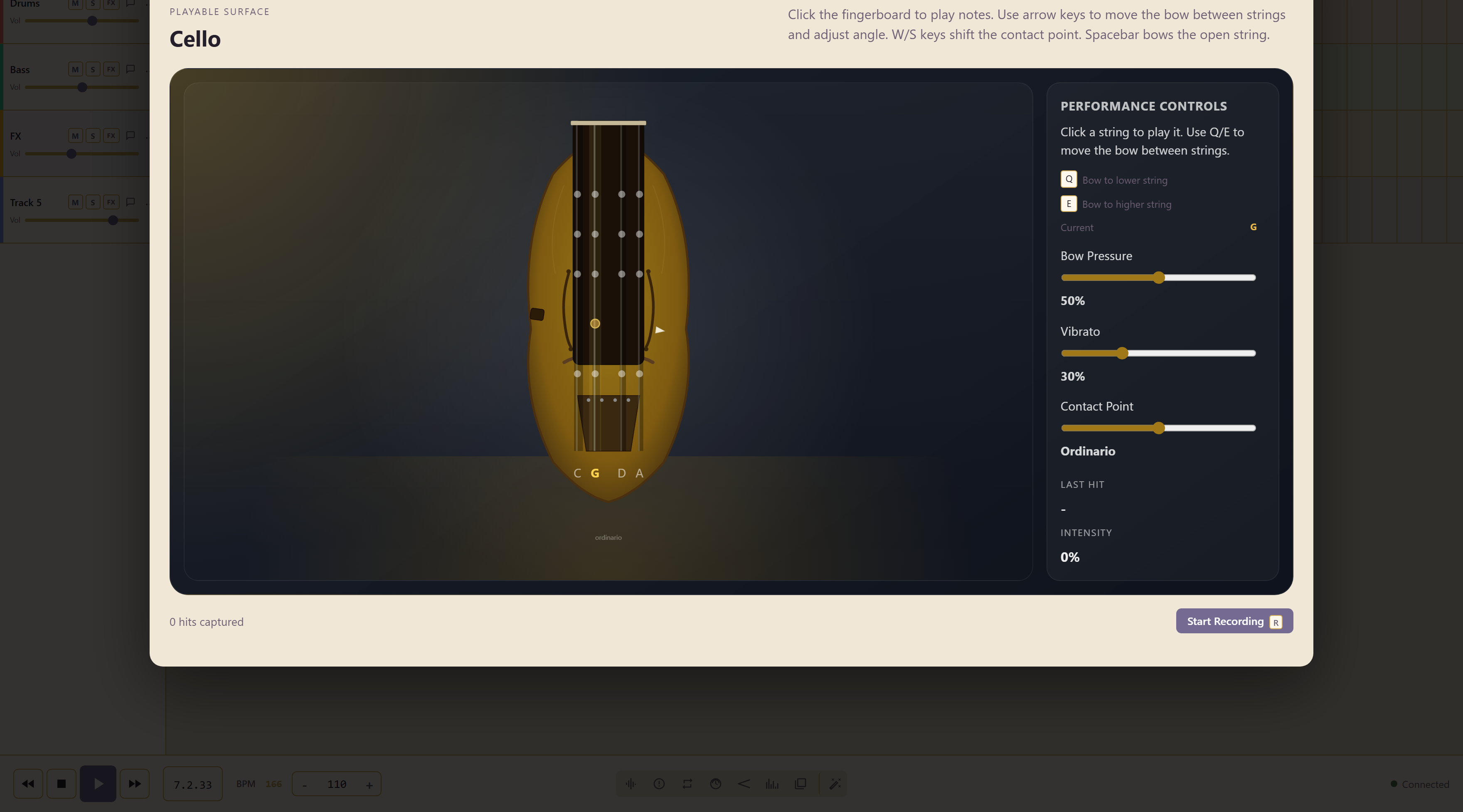
The three controls shape the bow
Section titled “The three controls shape the bow”| Control | What it changes |
|---|---|
| Bow Pressure | How hard the bow is pressed into the string |
| Vibrato | The depth of the left-hand vibrato |
| Contact Point | Where the bow sits between the bridge and the fingerboard, shown as Ordinario by default |
Contact point changes the character most. Ordinario is the normal position; moving the bow towards the bridge gives a thinner, more intense sound, and away from it a softer one.
Moving between strings
Section titled “Moving between strings”Q and E move the bow to the lower and higher string, and the panel shows which string is current.
The hint printed on the playing surface and the one in the controls panel name different keys for this — the surface mentions arrow keys and W/S, the controls panel lists Q and E. The controls panel is the one that matches the labelled buttons, so start there.
Recording a take
Section titled “Recording a take”Start Recording, or the R key, begins the take, and the counter tracks the hits as you play. A last hit readout shows what your most recent gesture registered, which is usually the difference between a hit that sounded wrong and a hit you did not make the way you thought.
Play the shape before you record it. These instruments reward a second attempt, because the surface registers speed and position rather than just which note you pressed.
Related
Section titled “Related”Harp is the other string instrument played on a surface. The Sampler carries bowed contrabass and violin presets.