
Record time off
Out of office is the one entry other parts of the platform act on. A holiday or a milestone only has to appear on the grid. An absence also decides whether somebody can be booked, so check the dates before you save.
Record the absence
Section titled “Record the absence”Choose New event and set Type to Out of office. Two things change in the form.
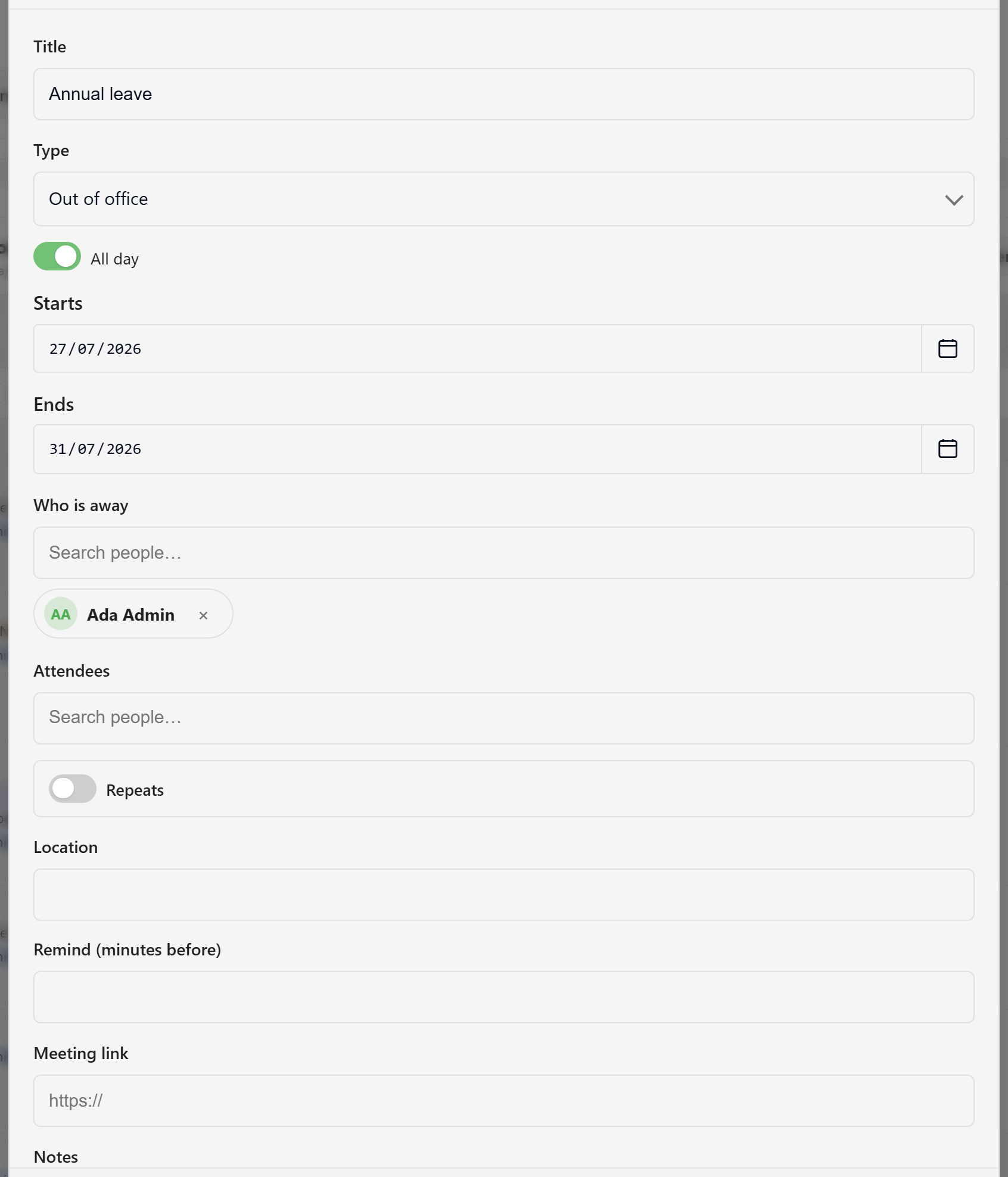
A Who is away field appears, and it is required. It names the person the absence belongs to, not the person entering it. Anyone can record their own absence, and recording one for somebody else takes an editor.
The event must also cover whole days. Turn All day on and give it a start and end date. A timed absence is refused with “An out-of-office event must cover whole days”. The checks that answer whether a person is available match on dates. A timed absence would be invisible to all of them, so somebody marked away could still be booked.
Use the Title for the reason, because that is the text the Away view shows on the bar: Annual leave, Conference — SaaS North, Study leave.
Read the Away view
Section titled “Read the Away view”Switch to Away. It shows a four-week window from the current anchor, one row per person who is out.
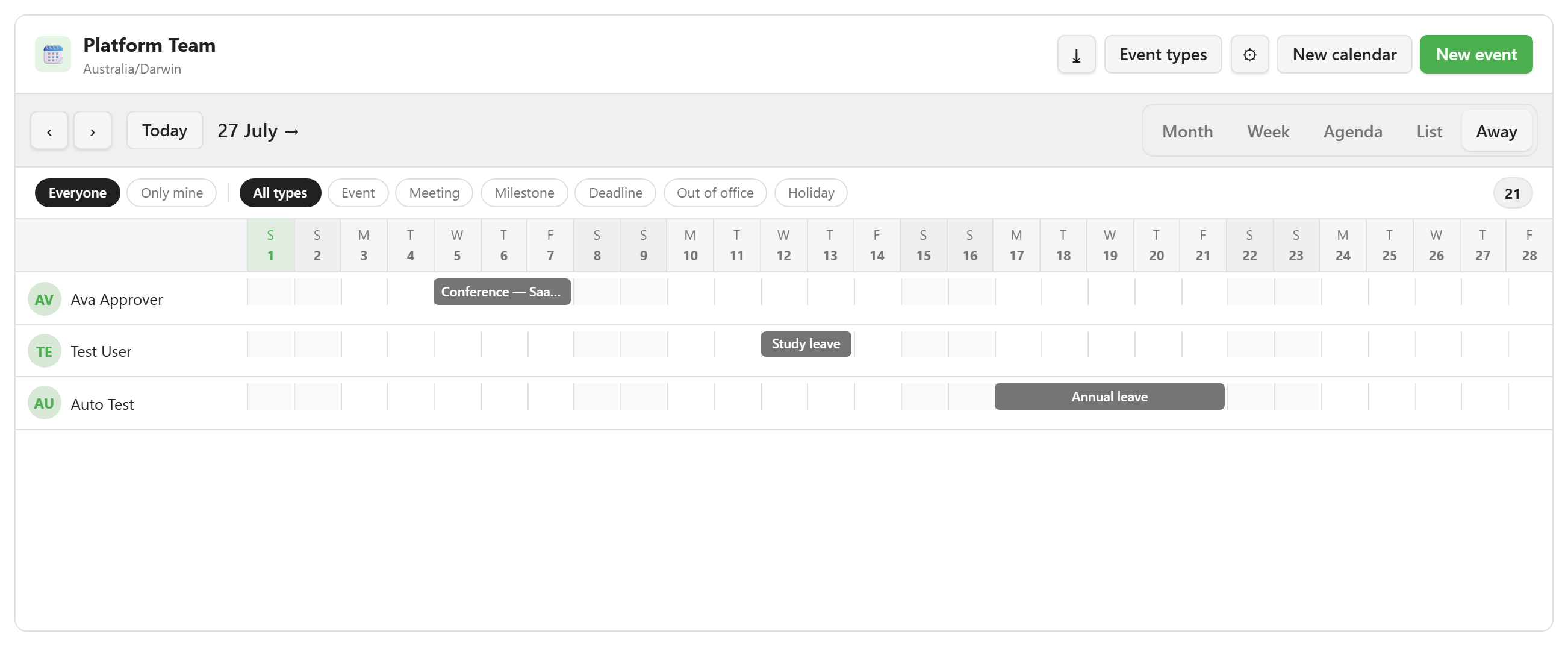
Each row shows the person’s initials and name, and each bar is one absence labelled with its reason. Clicking a bar opens the underlying event, so you can correct a wrong date where you found it.
When nobody is out in the window, the panel says so and offers Record an absence. That button only appears in the empty state. Once anybody is away, use New event in the header.
Check what it changed
Section titled “Check what it changed”An absence is not only a calendar entry. The platform’s availability logic reads it, so a person on leave is not offered as bookable for those days. It also raises a Team Absence Starts event that automations can act on.
Because the same record answers both questions, the calendar and the availability decision cannot disagree. It also means an absence entered on the wrong dates is wrong in two places at once, so look at them again before saving.
Absence entries that pre-date this rule may still exist as timed rows on an upgraded install. They are invisible to availability until somebody edits them to all-day.
Absence and availability explains the model behind this. For everything else on the event form, see Add an event.