
Dates and estimates
Advanced schedule fields separate the plan from what actually happened.
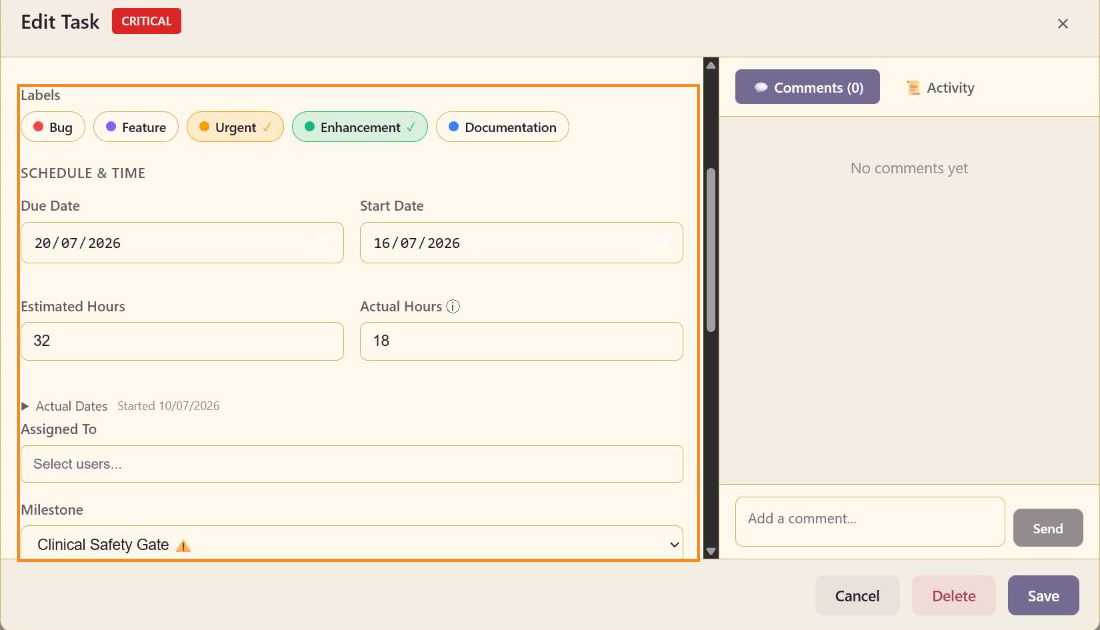
Planned values
Section titled “Planned values”Start Date marks the planned beginning. Due Date marks the commitment. Estimated Hours stores the expected effort. The Gantt view uses start and due dates to draw duration bars.
Actual values
Section titled “Actual values”Actual Hours stores delivered effort and is also updated by saved time entries. Expand Actual Dates to edit Actual Start and Actual Completion. Keep planned and actual values distinct so Reports can calculate cycle and aging signals.
Milestone
Section titled “Milestone”Choose No milestone or a named milestone. Critical milestones carry a warning indicator in the selector and are highlighted in Milestones view.
Dependencies can adjust a planned start date when a predecessor establishes a finish-to-start relationship.