
Views reference
Five views read the same events. All of them share the toolbar and filters below, and each view then decides how much of the window it shows and what it puts on screen.
Toolbar
Section titled “Toolbar”
| Control | Purpose |
|---|---|
‹ / › |
Move to the previous or next period. |
| Today | Return to the period containing today. |
| Period label | The window in view, such as August 2026, 27 July – 2 Aug 2026, or 27 July → for the open-ended views. |
| View switch | Month, Week, Agenda, List, Away. |
Filters
Section titled “Filters”
| Control | Effect |
|---|---|
| Everyone / Only mine | Only mine keeps events you created, attend, or that name you as away. |
| All types + type pills | One pill per configured event type; select a type to show only it. |
| Count badge | How many events the current window holds. |
Filters apply to every view. They do not apply to the .ics export, which follows the window only.
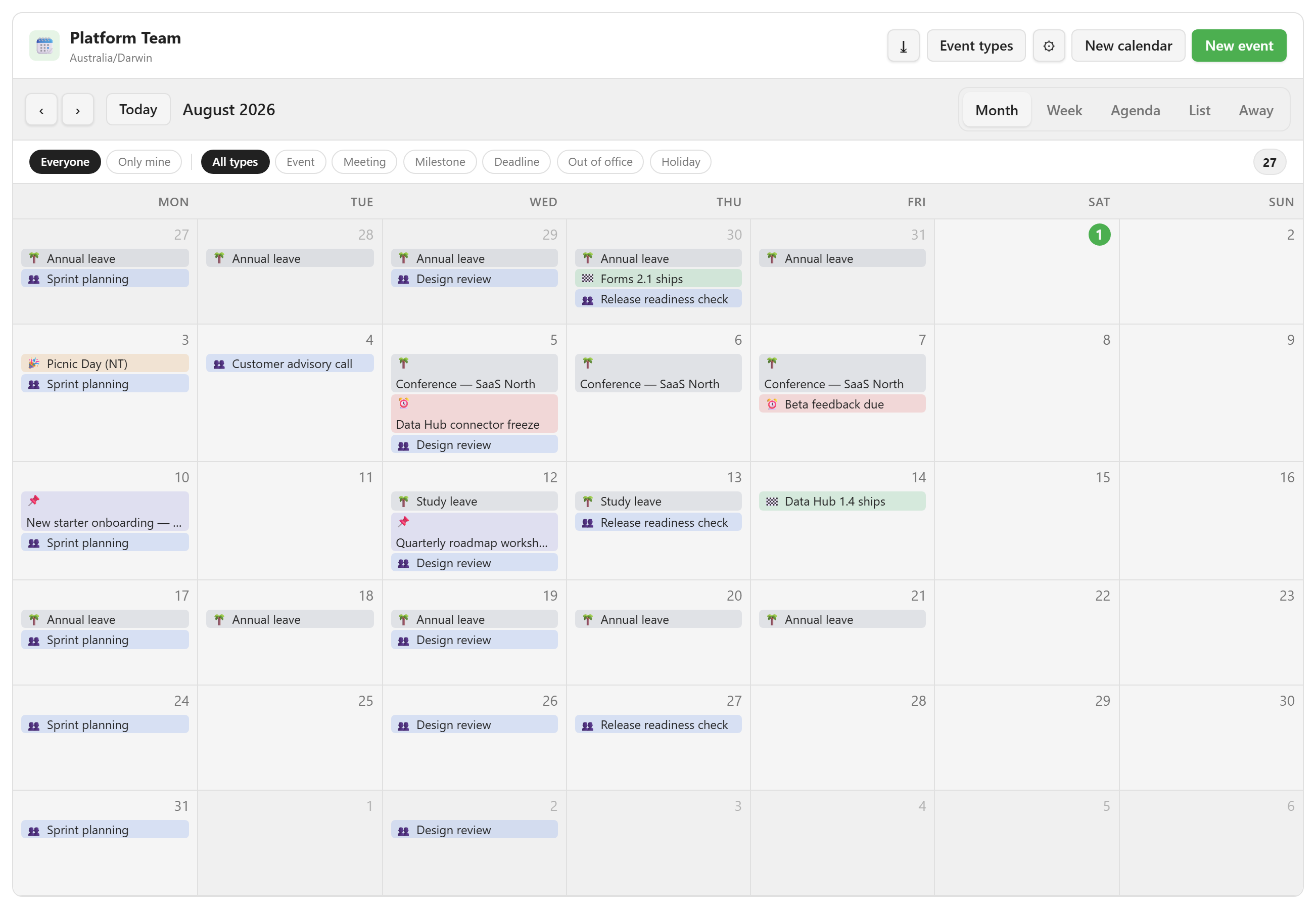
The Month view is a six-week grid. Weekends are hidden when the calendar’s Show weekends is off.
Each cell shows up to three events, and the rest collapse into a +N more button. Clicking an empty day starts a new event on that date, and clicking an event opens it.
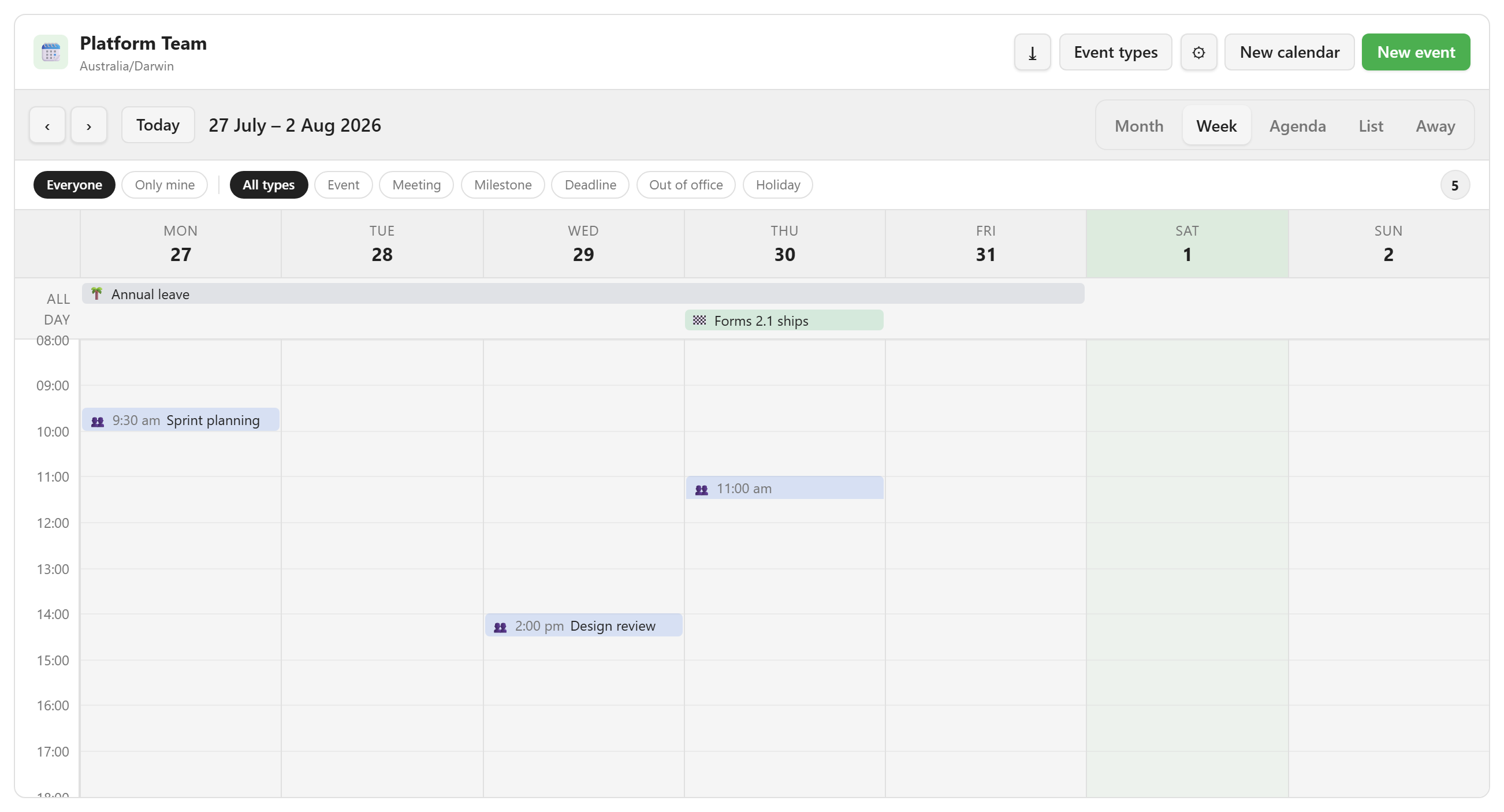
The Week view has seven day columns, or five when weekends are off. An All day band sits above the grid, and it appears only when the week holds at least one all-day event.
The hour range follows the calendar’s working hours plus one hour either side. A red line marks the current time on today’s column. Clicking a slot starts an event at that time, snapped to the nearest half hour.
Agenda
Section titled “Agenda”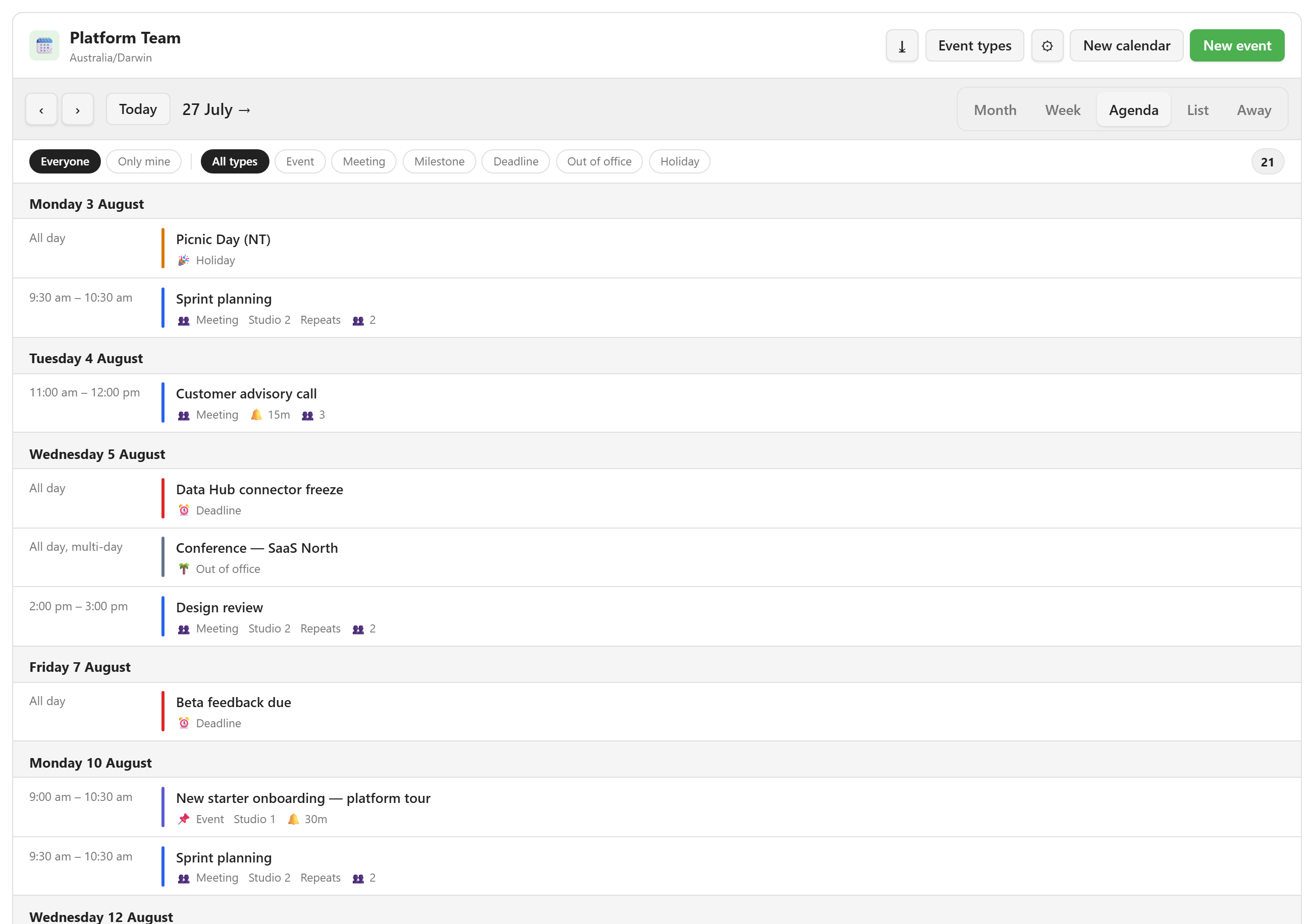
The Agenda view is a chronological list grouped by date, with today’s section marked by a Today badge.
Each row shows when the event is (All day, All day, multi-day, or a start–end time), a colour bar, and the title. It then shows meta chips: the type, the location, any configured extra fields, Repeats for a recurring event, a bell with the reminder minutes, and a head count of attendees.
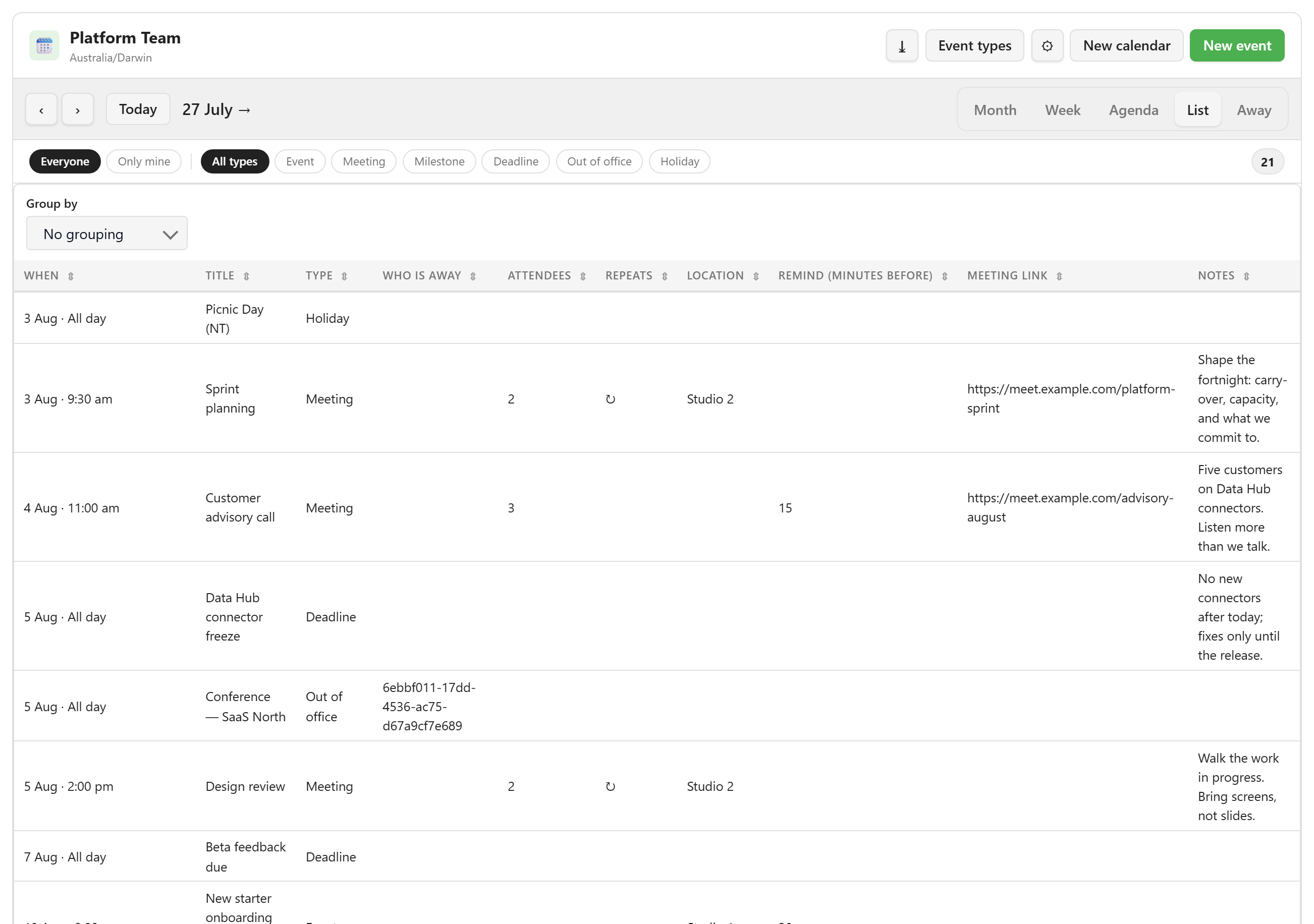
The List view is a table with one column per calendar field, sortable and groupable.
The first column is always When, formatted 6 Aug · All day or 6 Aug · 09:00. The remaining columns follow the calendar’s Columns in the list setting. Left empty, it shows every field except the redundant start, end, and all-day bindings.
The toolbar adds Group by, offered for choice, yes/no, and type fields. It also adds one filter per custom field, each offering Any plus that field’s own values. These filters are cleared when you leave the view.
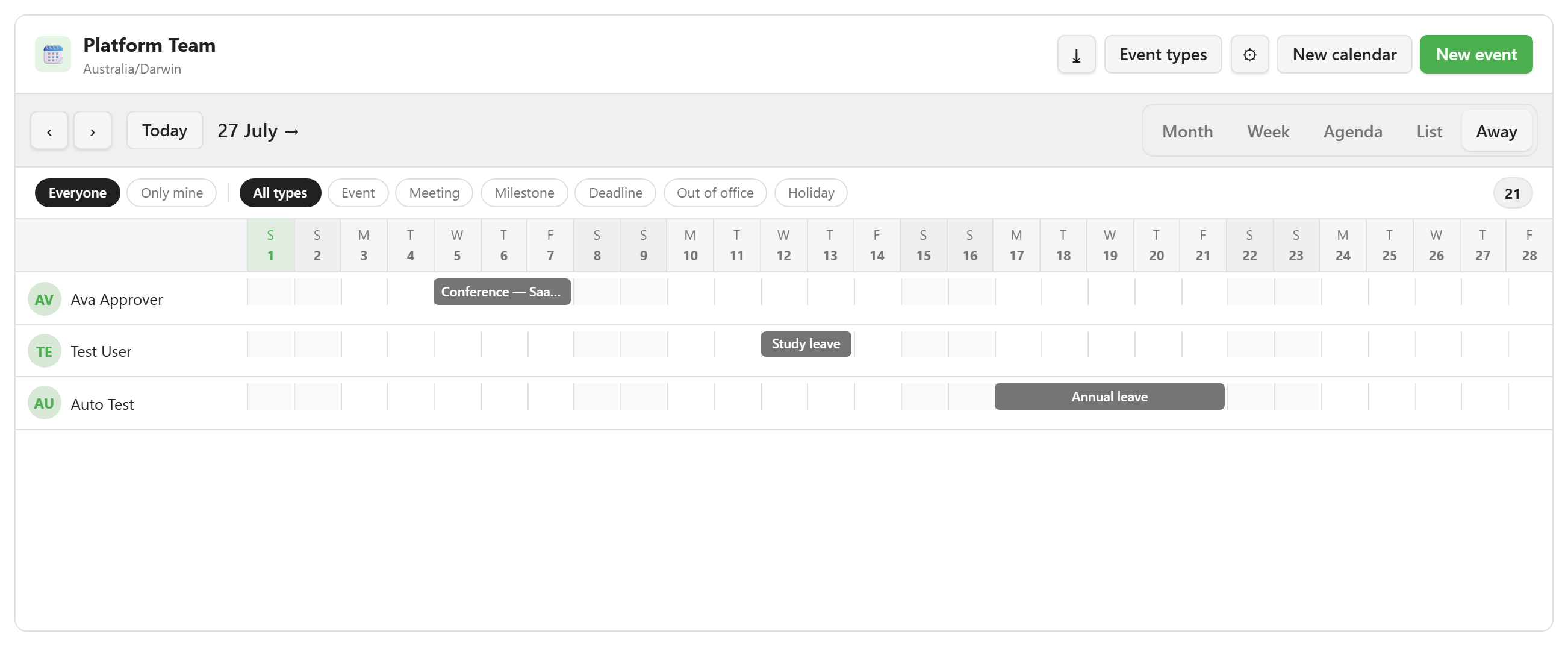
The Away view is a fixed 28-day window from the current anchor, with one row per person who is away.
Each row shows an avatar with the person’s initials and their name. Each bar is one absence, labelled with its reason, and clicking it opens the underlying event.
When nobody is away, the panel says “Nobody is away in this range” and offers Record an absence. That button appears only in the empty state.
Setting the view a calendar opens on
Section titled “Setting the view a calendar opens on”Opens on in calendar settings chooses the default. It offers Month, Week, Agenda, and Away. You can select List from the toolbar, but it cannot currently be set as a calendar’s default.