
Guiro
Double-click empty space on the timeline to open the instrument picker, then choose 🪗 Guiro.
It is a rasp, not a pitch
Section titled “It is a rasp, not a pitch”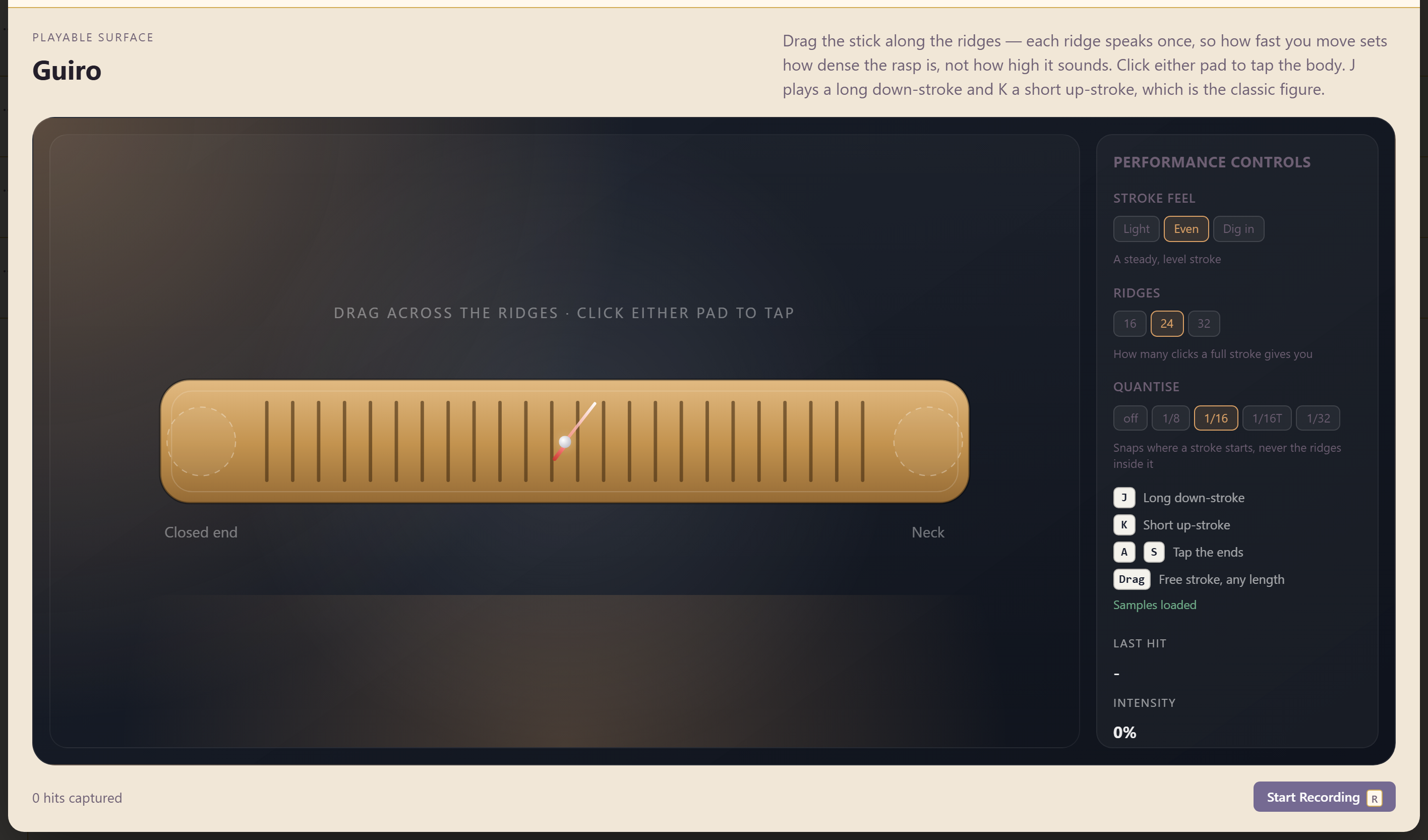
Drag the stick along the ridges — each ridge speaks once, so how fast you move sets how dense the rasp is, not how high it sounds.
That sentence is the whole instrument. Moving faster does not raise the pitch; it packs more clicks into the same time. Slow drags give a coarse, separated scrape and fast ones a tight buzz.
Taps and the classic figure
Section titled “Taps and the classic figure”Click either pad to tap the body — Closed end and Neck give two different tap sounds. A and S tap the same two ends from the keyboard.
J plays a long down-stroke and K a short up-stroke, which is the classic figure. Alternating those two is the standard guiro pattern in most Latin styles, and having it on two keys means you can play it in time without dragging anything.
Dragging remains available for a free stroke of any length.
Stroke feel
Section titled “Stroke feel”Light, Even, or Dig in. Even is “a steady, level stroke”; Light is gentler, Dig in is harder and grittier.
Change it between phrases rather than leaving it fixed. A part that alternates between light and dug-in strokes sounds played; one that never varies sounds sampled.
Ridges
Section titled “Ridges”16, 24, or 32 — how many clicks a full stroke gives you.
Fewer ridges means a coarser, more separated scrape. More means a smoother buzz. This interacts with drag speed, so if a stroke sounds too dense, reducing the ridge count is often better than moving more slowly.
Quantise
Section titled “Quantise”Off, 1/8, 1/16, 1/16T, or 1/32.
Read what it actually does carefully: it snaps where a stroke starts, never the ridges inside it. So the stroke begins on the grid and the rasp within it stays exactly as you played it. Quantising here does not mechanise the texture, only the placement.
That makes it safer than quantise normally is. Leave it off for a loose feel, and turn it on when the guiro has to lock to a programmed pattern. Prefer 1/16T for triplet-feel styles.
Related
Section titled “Related”Hand Percussion covers the eleven struck and shaken kits. Drum Kit is the full kit.