
Configure settings and localization
Most of a form is built field by field. These settings apply to the whole form at once: what it is called, which engine renders it, and which languages it offers. They also decide how a date behaves when the respondent is in a different time zone from the person who wrote the question.
Form settings
Section titled “Form settings”Open Form settings (the gear icon) to manage metadata, engine version, regional defaults, global header and footer behavior, the published language switcher, and draft save and resume.
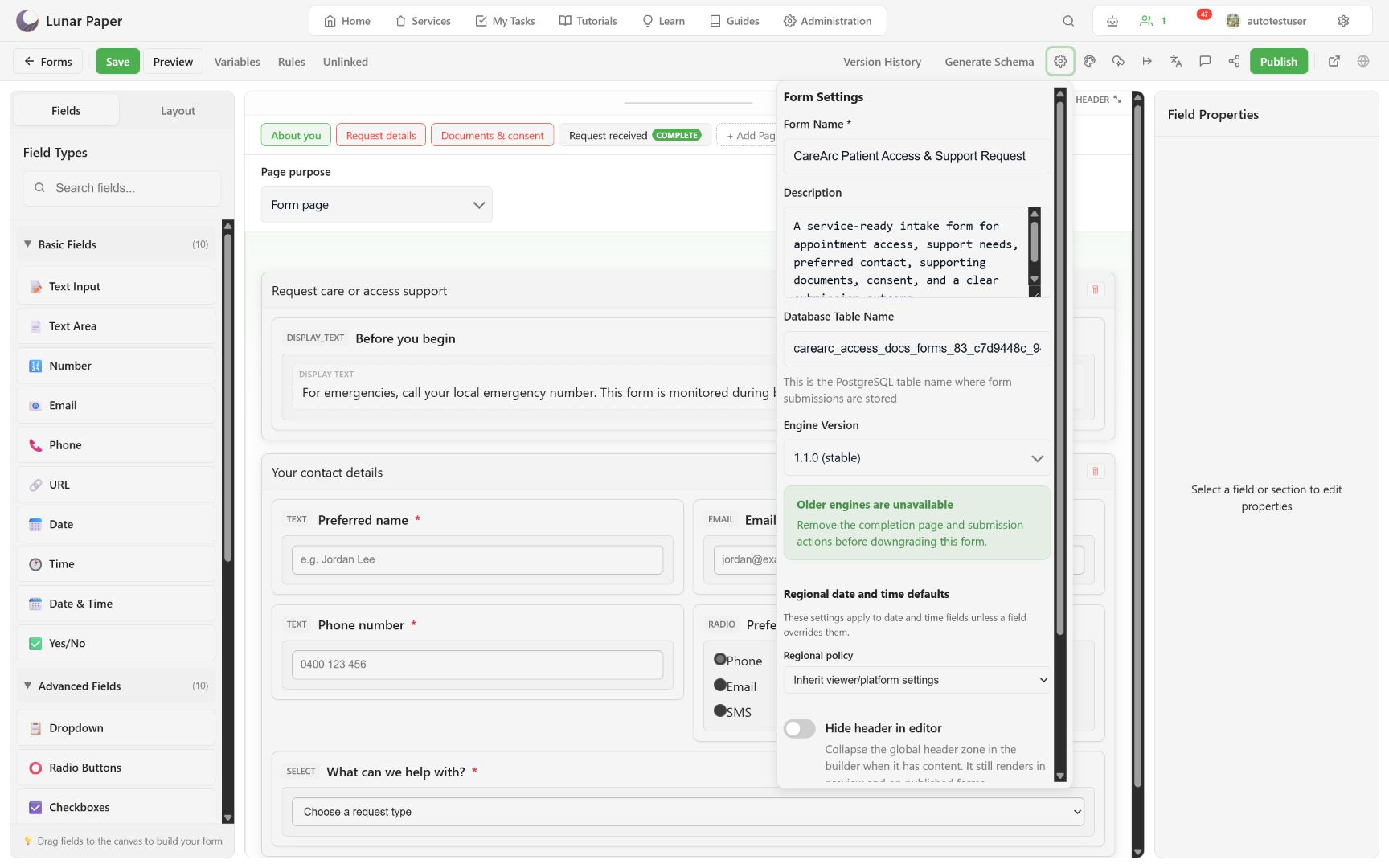
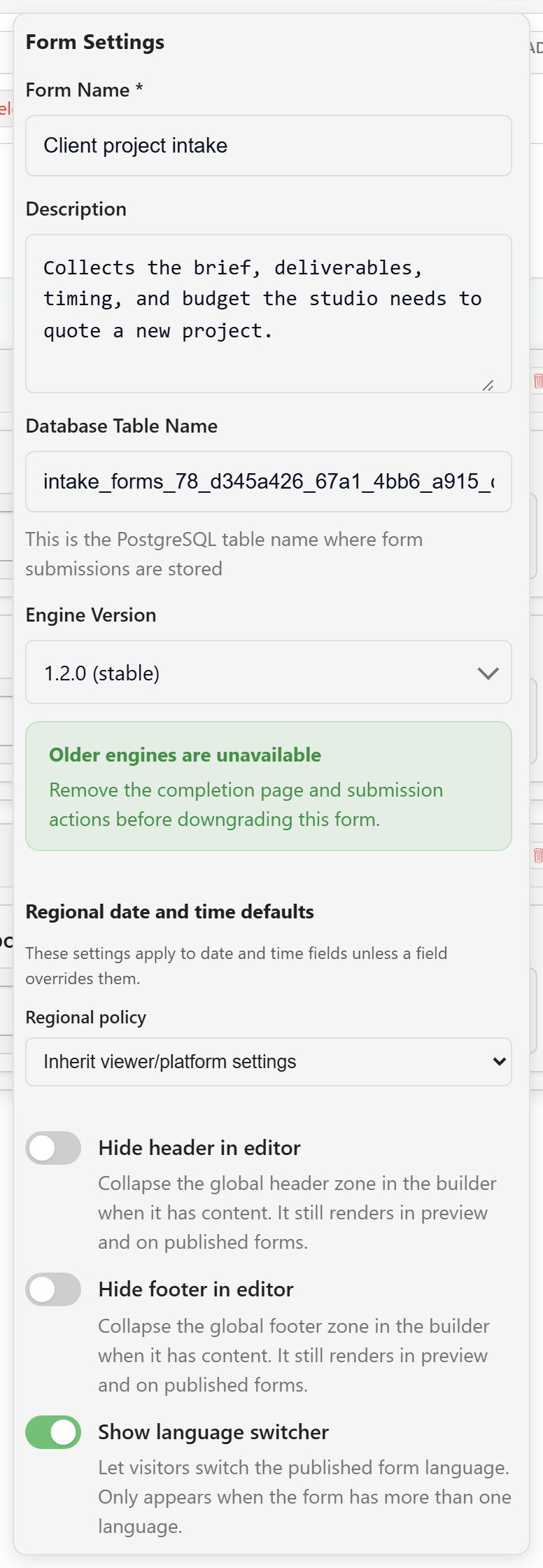
Treat the table name as a storage contract. Use a short, stable, service-specific value and review schema impact before changing it.
Global header and footer zones can be collapsed in the editor while still rendering in preview and published forms. The language switcher appears only when the form has more than one language.
New forms use engine 1.2.0. An engine downgrade is refused while the form uses a completion page, post-submission actions, or draft saving; remove the feature first if a downgrade is genuinely needed. Draft save and resume has its own guide: Let respondents save and return later.
Design and navigation
Section titled “Design and navigation”Open Design (the palette icon) for page bar placement, navigation style and behavior, Back and Next placement, validation skipping, theme, and Brand version.
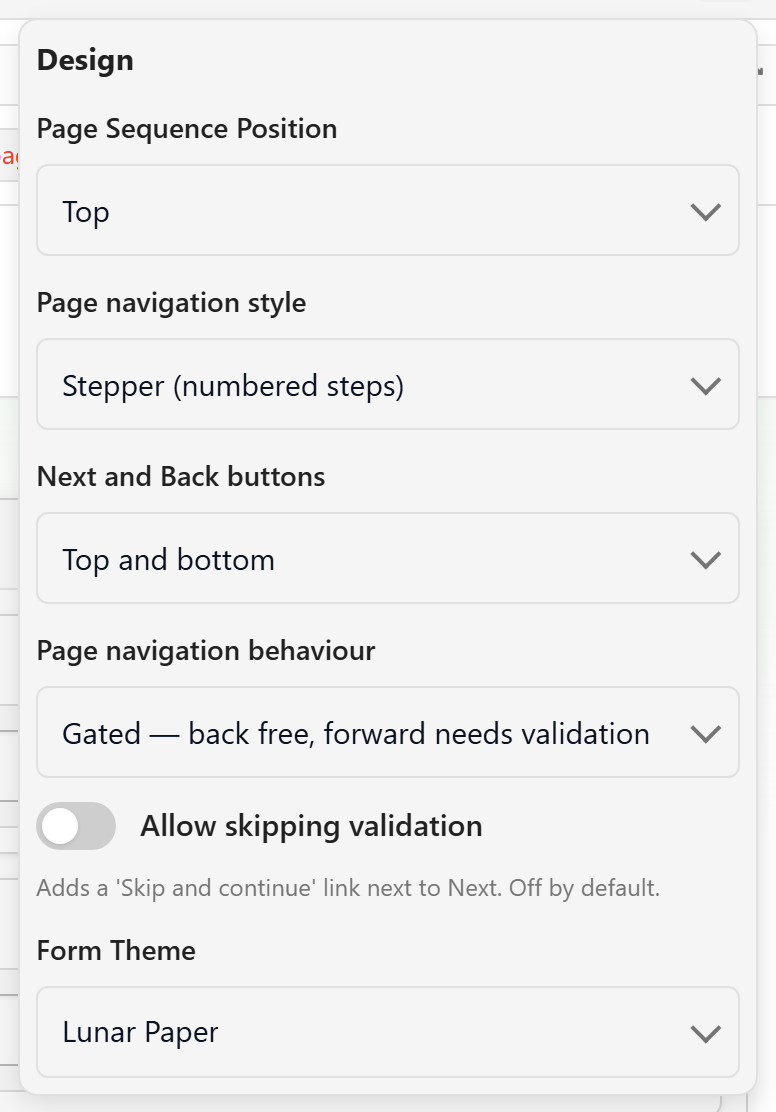
Locking to a published Brand version makes its approved colors and fonts authoritative and disables competing theme choices.
These choices shape how the form feels to fill in, so they have a guide of their own: Design the form — theme, page bar, and navigation.
Add translations
Section titled “Add translations”Open Translations, search for a language or locale, and choose Add translation set.
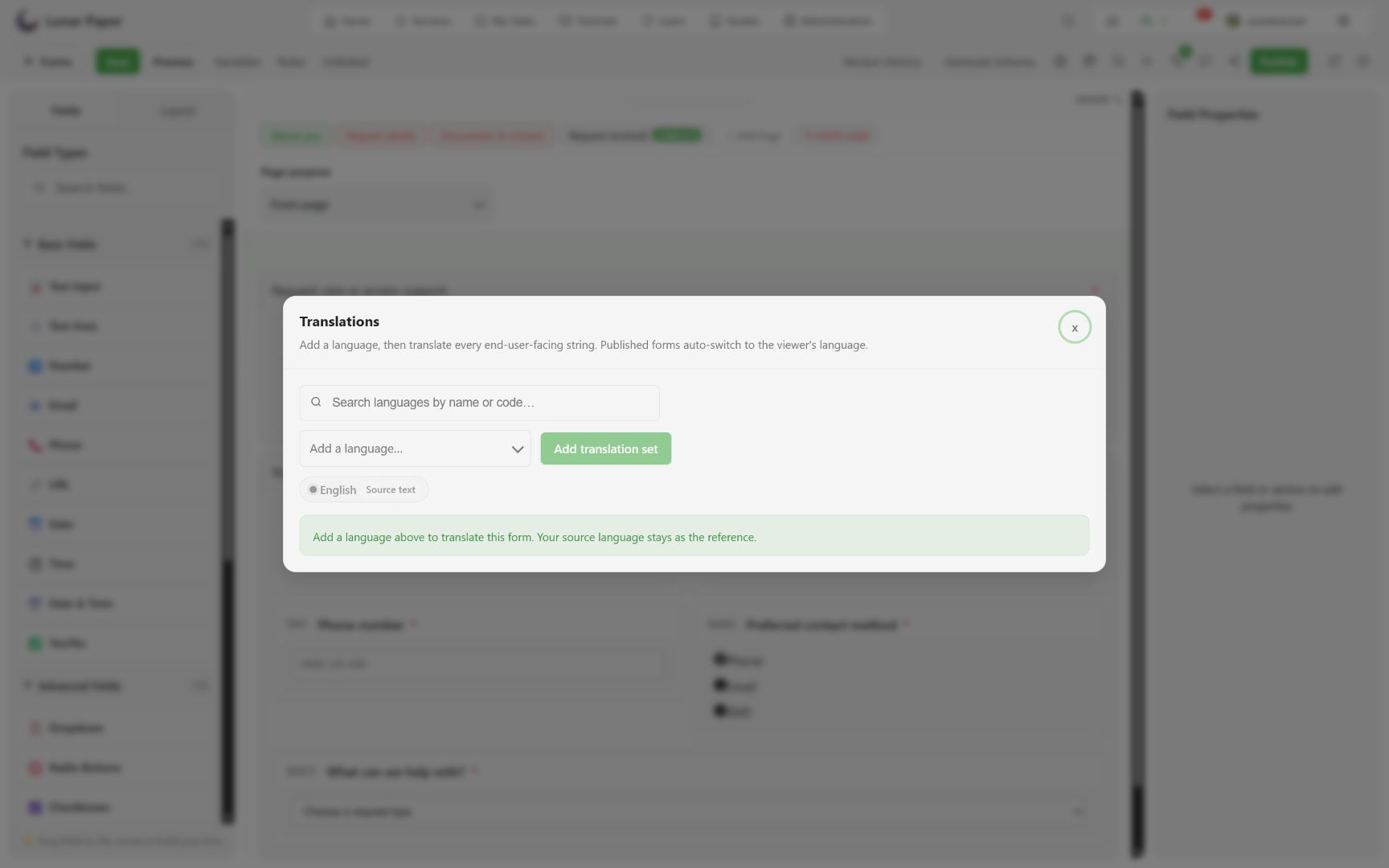
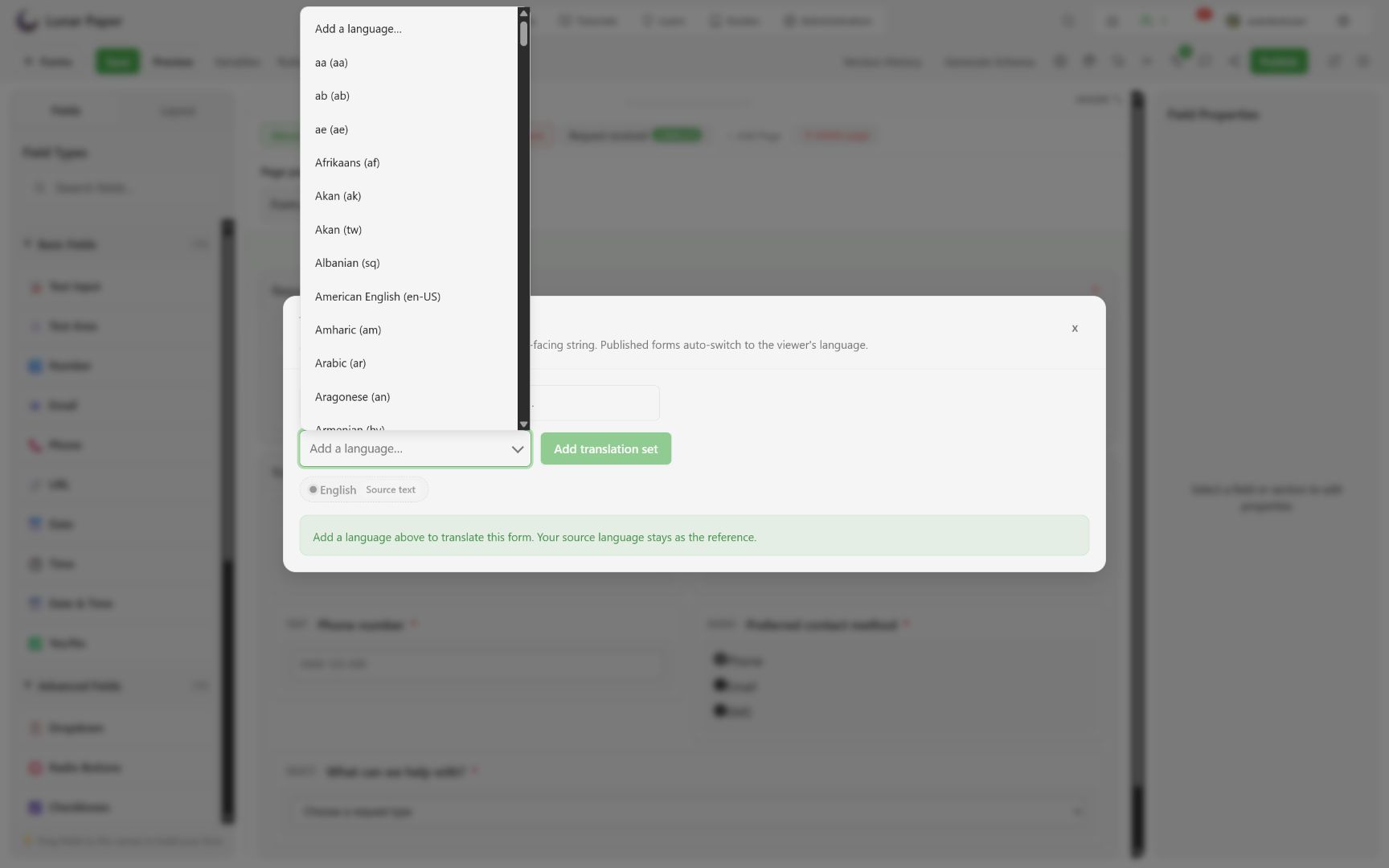
Translate every respondent-facing string, including:
- page, section, field, and option labels;
- descriptions, help, placeholders, and display content;
- validation and navigation text;
- repeater add and remove text;
- submit and completion actions.
The source language stays visible as a reference. Preview each added language before publishing.
Configure regional behavior
Section titled “Configure regional behavior”The form’s regional policy can inherit the viewer or service context, or set locale, time zone, calendar, and hour cycle itself. The stored value stays canonical either way: localization changes how a value is displayed and parsed, not the underlying instant or date.
Use Preview locale and time-zone overrides to test:
- day/month order;
- 12- or 24-hour display;
- daylight-saving boundaries;
- date-range ordering;
- translated validation guidance.
Verify a safe cancellation
Section titled “Verify a safe cancellation”Open each settings dialog, make a temporary edit, choose Cancel or close it, and confirm no unsaved-change indicator remains. Save only after the preview matches the intended respondent experience.
Default values and engine capabilities are tabulated in the builder and settings reference. For why translation and regional formatting are configured separately, see Localization, variables, and rules.