
Spatial mode reference
Spatial mode maps the whole deck on an infinite canvas.
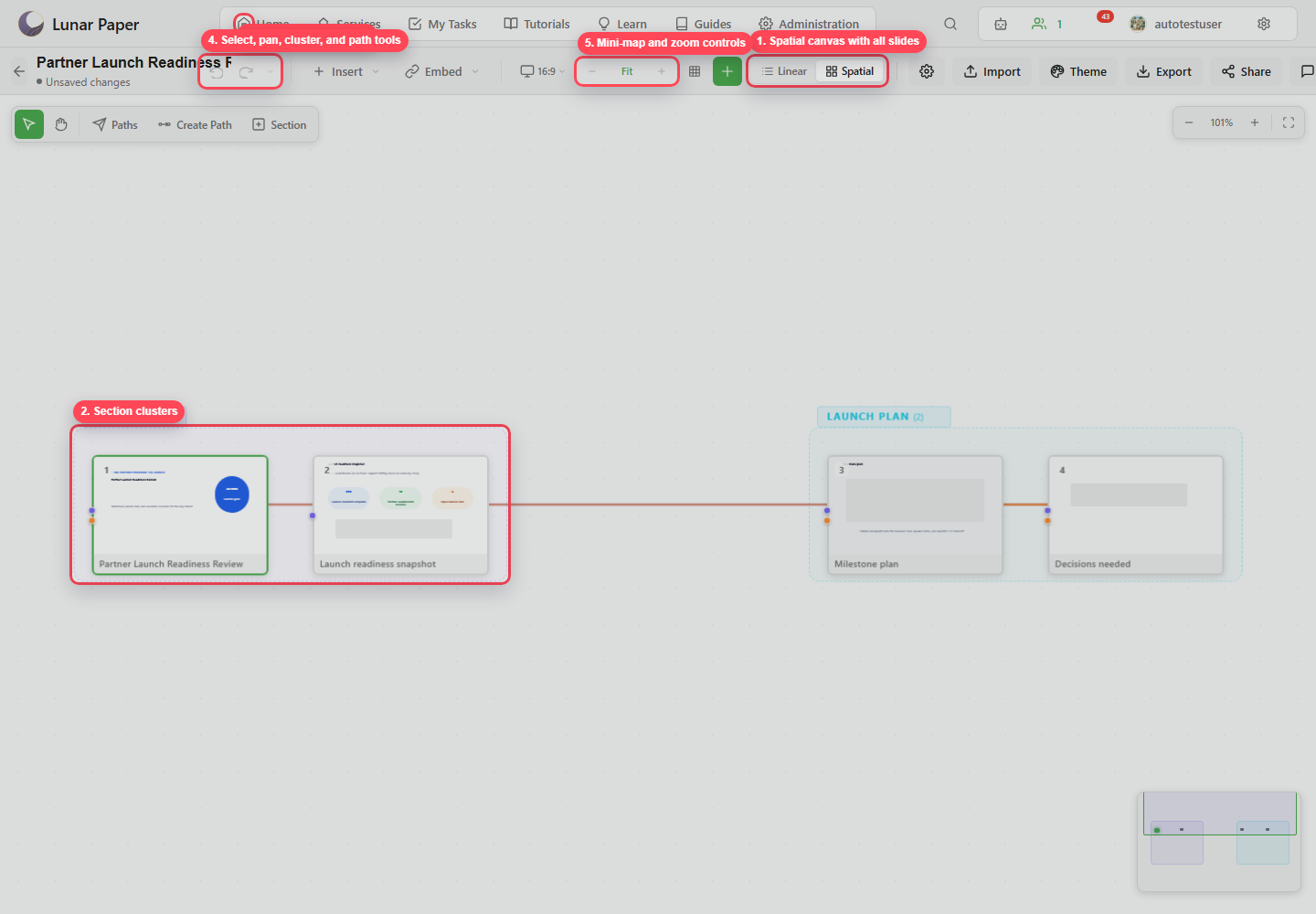
Canvas controls
Section titled “Canvas controls”| Control | Purpose |
|---|---|
| Select | Select and move slides. |
| Pan | Move around the spatial canvas. |
| Paths | Show or hide the flight path editor. |
| Create Path | Start a new route through slides. |
| Section | Create a section cluster. |
| Zoom out / percent / zoom in | Control spatial zoom. |
| Fit | Fit the map to the viewport. |
| Mini-map | Navigate large deck maps. |
Interactions
Section titled “Interactions”| Interaction | Result |
|---|---|
| Drag slide | Reposition a slide on the map. |
| Drag canvas | Pan when pan mode is active or when holding Space. |
| Marquee select | Select multiple slides. |
| Double-click slide | Return to slide editing. |
Ctrl+G / Cmd+G |
Create a cluster from selected slides. |
Escape |
Cancel drawing or clear transient selection. |
Flight path editor
Section titled “Flight path editor”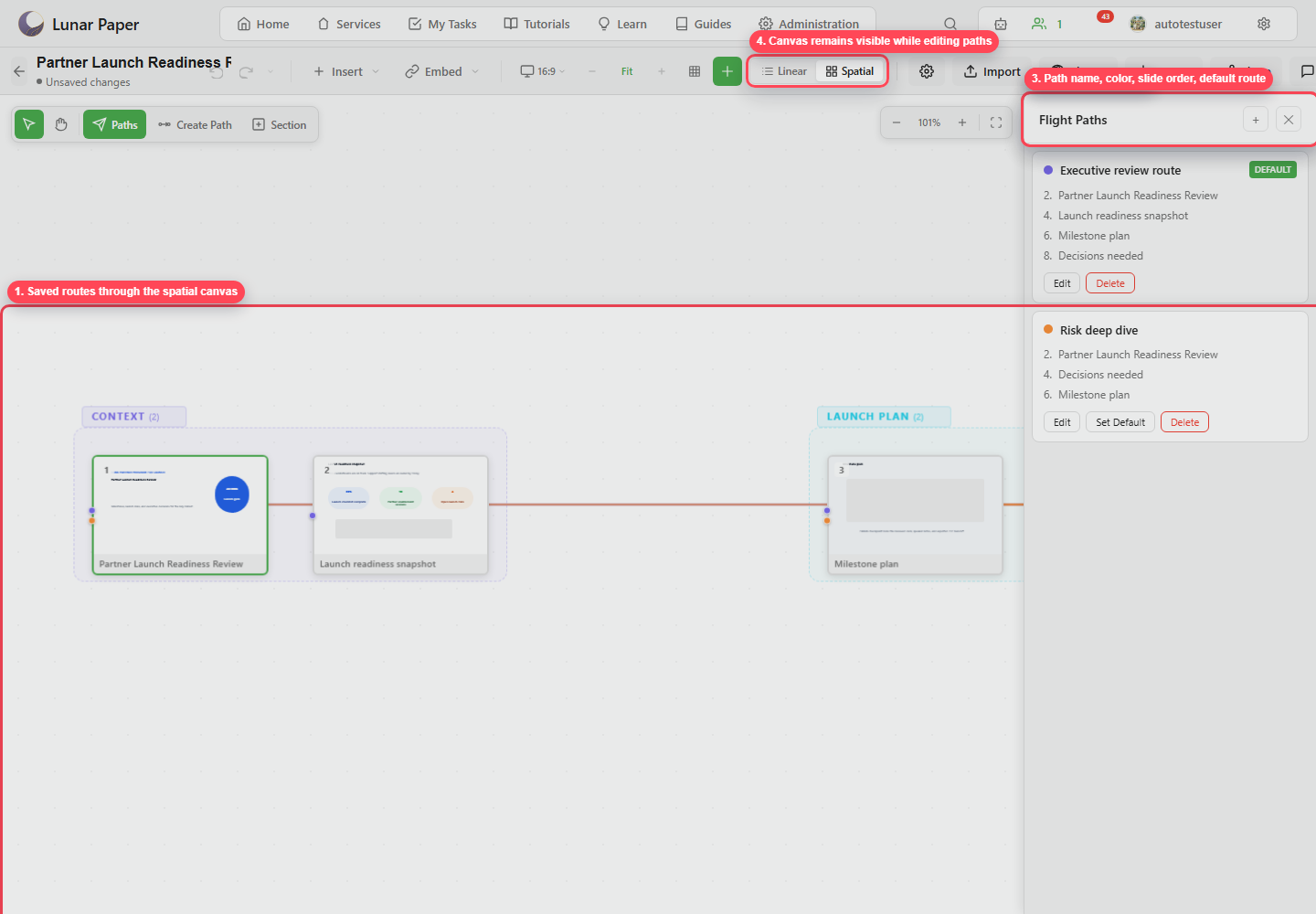
| Control | Purpose |
|---|---|
| Add path | Create a new route. |
| Path name | Name the route for its audience or purpose. |
| Color | Set route line color. |
| Slide order | Define the presentation sequence. |
| Set Default | Make a route the default path. |
| Edit | Update route name, color, or slide order. |
| Delete | Remove the route. |