
Board defaults
General settings define the board and prefill predictable values for newly created tasks.
Board identity
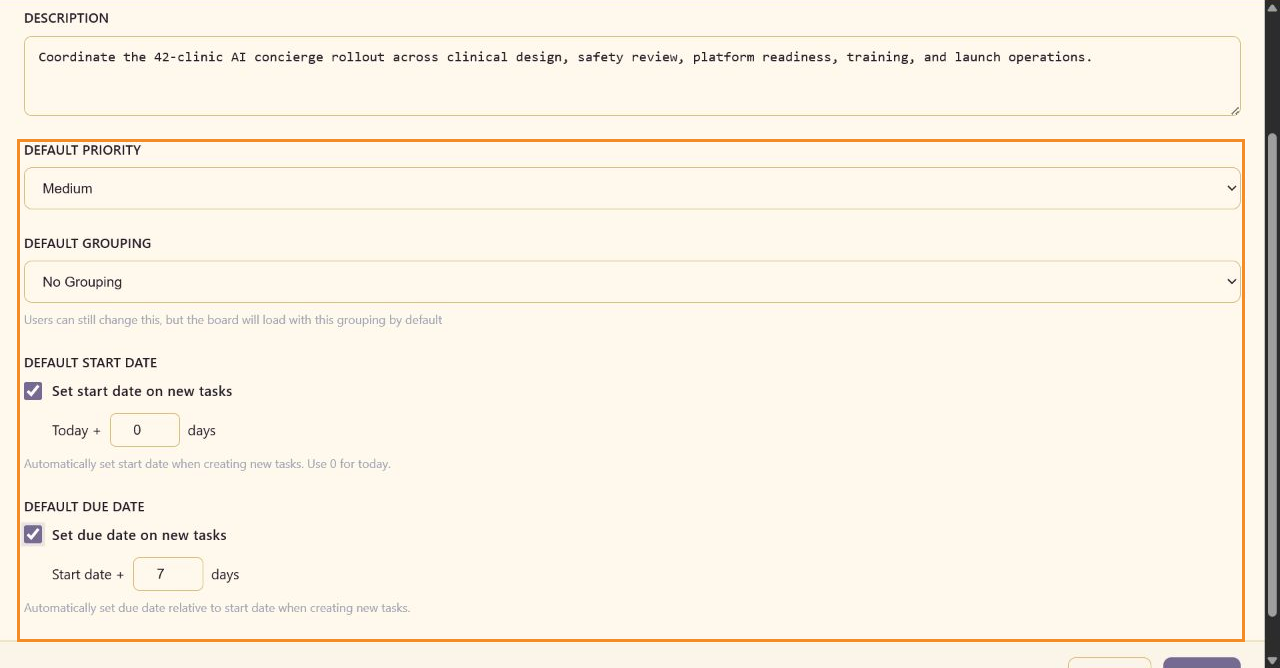
Section titled “Board identity”Board Name identifies the board in the service. Description records the outcome and scope. CareArc names the 42-clinic rollout and the clinical, platform, training, and launch work it coordinates.
Default priority and grouping
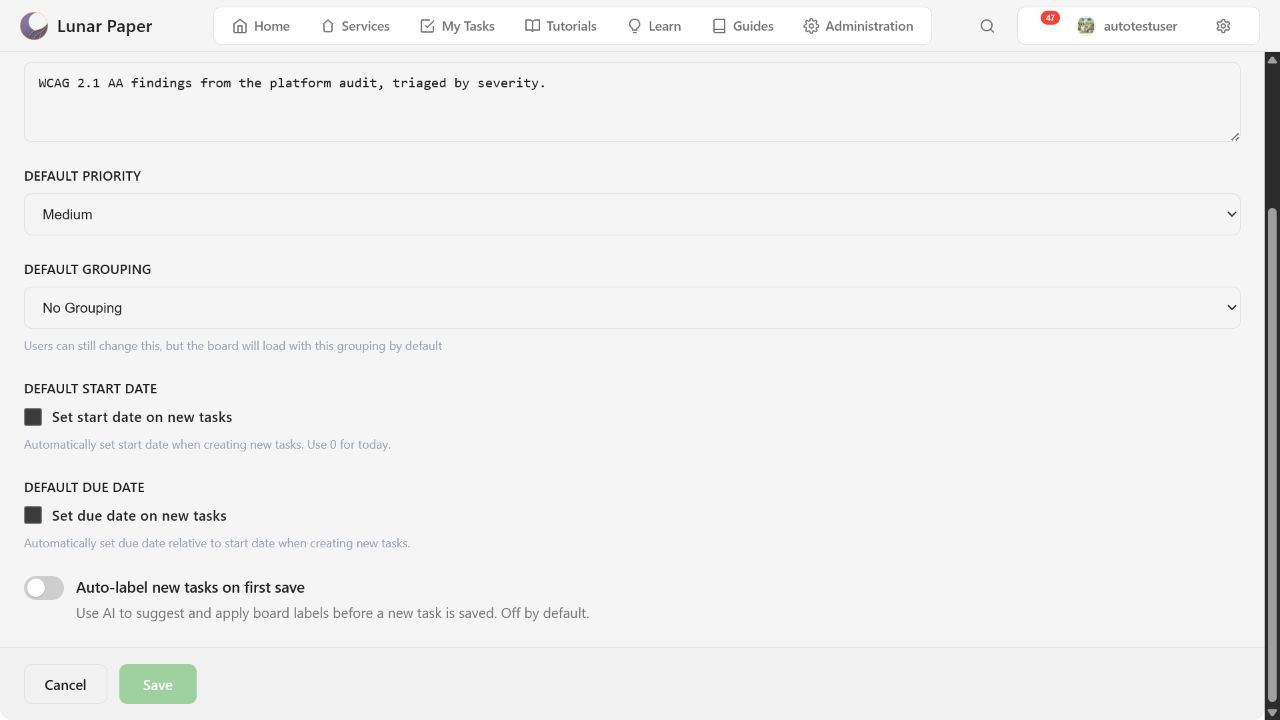
Section titled “Default priority and grouping”Default Priority supports Critical, High, Medium, and Low. Default Grouping supports No Grouping, By Priority, By Assignee, By Status, and By Label. Users can still change grouping in the board toolbar.
Automatic dates
Section titled “Automatic dates”Set start date on new tasks applies a day offset from today; 0 means today. Set due date on new tasks applies a day offset from the calculated start date. CareArc uses start date Today + 0 days and due date Start date + 7 days.
Automatic labels
Section titled “Automatic labels”Auto-label new tasks on first save asks AI to assess a new task’s subject and description, then apply matching board labels during its first save. The setting is off by default. If label generation fails, Lunar Paper still saves the task so the work is not lost.
See Custom and AI-assisted labels for bulk labeling, completed-history controls, and the task-level action.