
Columns and WIP
Column settings define the board’s workflow model and work-in-progress policy.
Identity and order
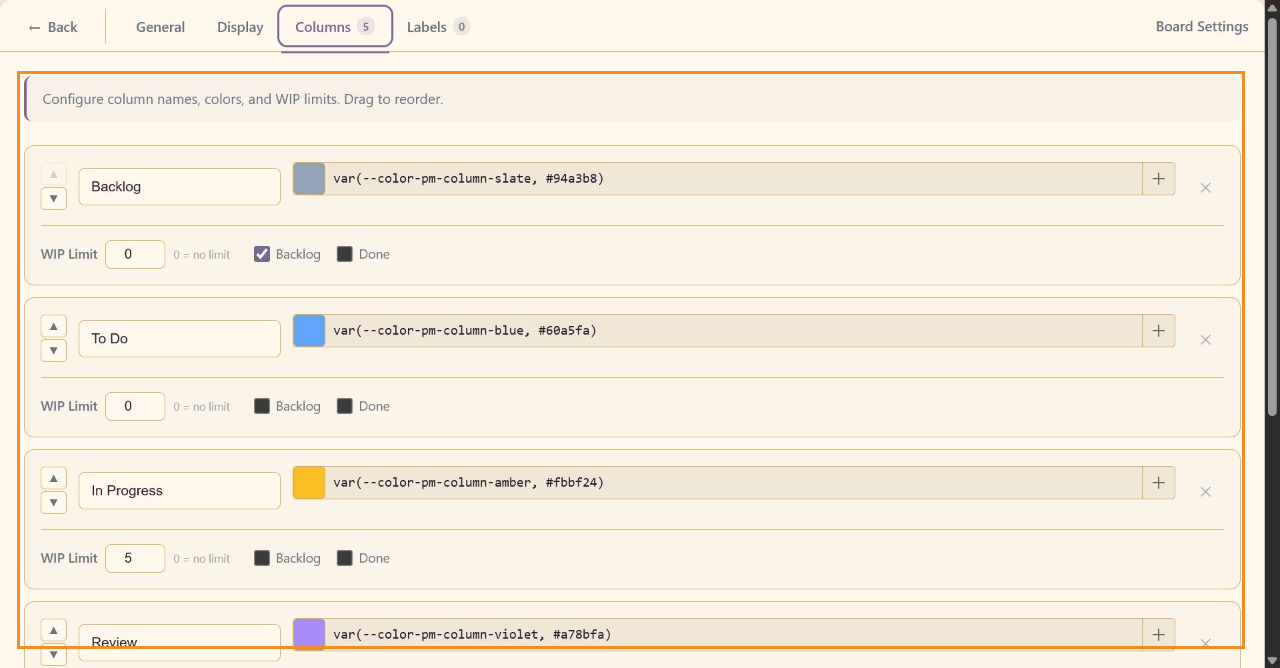
Section titled “Identity and order”Edit the column name and color value directly. Use the up and down controls to reorder columns. The delete control removes a column; review its tasks before confirming the change.
WIP limits
Section titled “WIP limits”Enter a WIP Limit for the column. 0 means no limit. CareArc uses 5 for In Progress and 3 for Review. Display settings determine whether the limit produces a warning or is enforced.
Workflow roles
Section titled “Workflow roles”Mark one column as Backlog and one as Done. These roles let the board recognize uncommitted and completed work whatever the columns are called.
Use Add Column for a real workflow handoff, then save the settings.