
Content elements reference
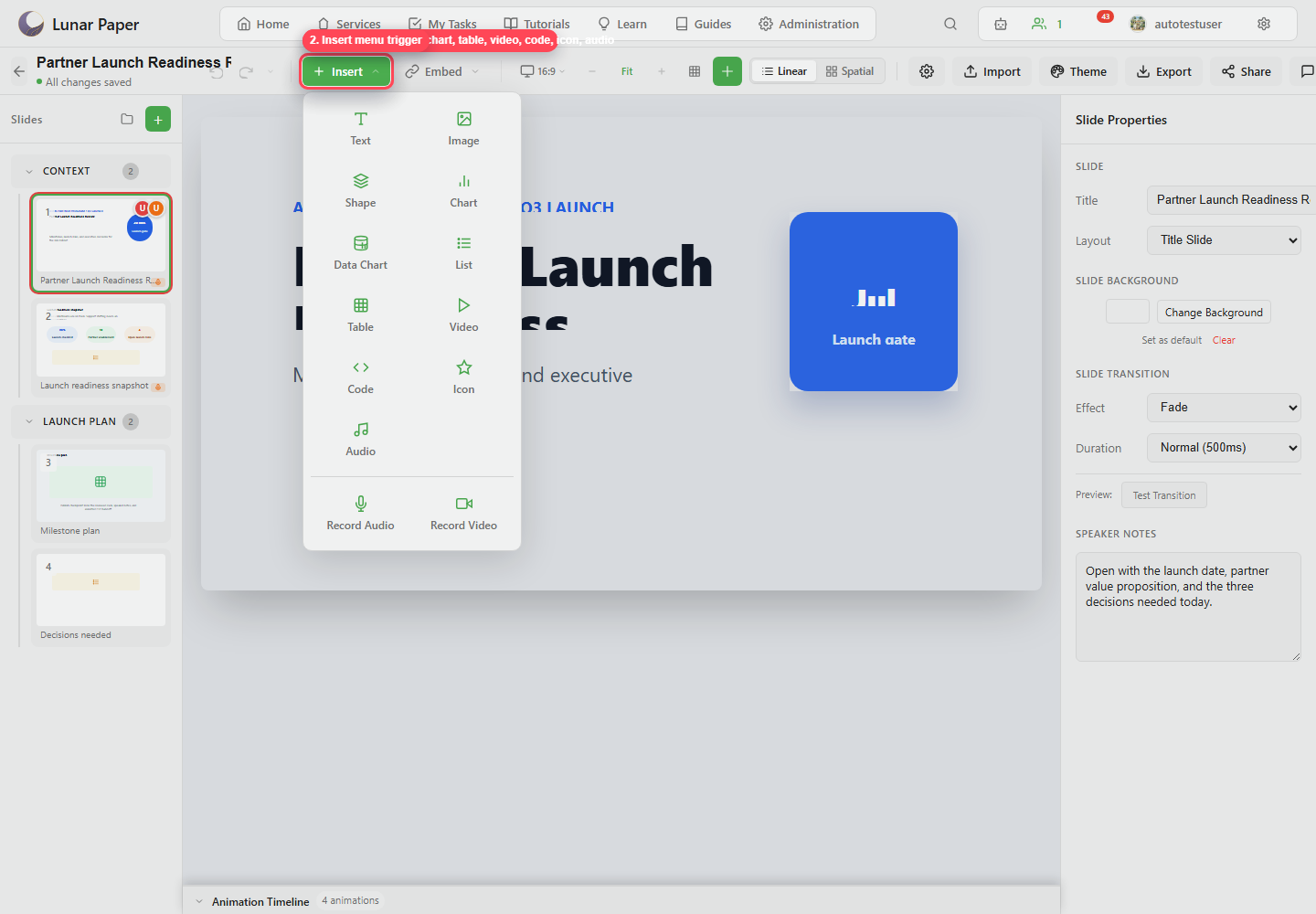
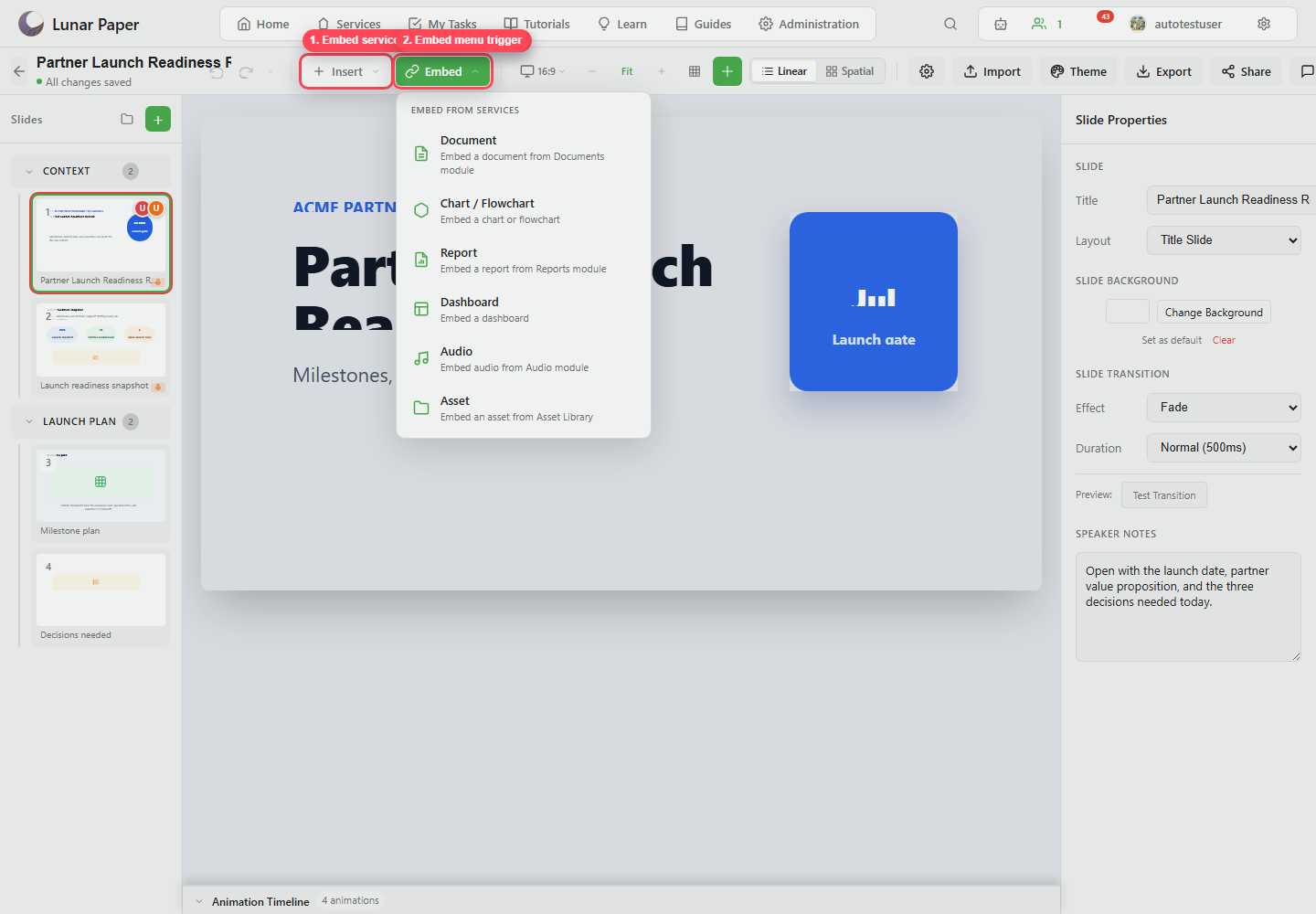
Slideshow supports native slide elements and embedded service content.
Native elements
Section titled “Native elements”| Element | Use it for |
|---|---|
| Text | Titles, callouts, labels, and body copy. |
| Image | Uploaded or referenced images. |
| Shape | Boxes, circles, accents, and visual grouping. |
| Chart | Manually configured chart visuals. |
| Data Chart | Data-backed chart content. |
| List | Ordered or unordered slide lists. |
| Table | Structured comparison or planning content. |
| Video | Slide video playback. |
| Code | Code blocks with language styling. |
| Icon | Symbolic visual labels and callouts. |
| Audio | Slide audio elements. |
| Diagram | Diagrammatic content. |
Embedded content
Section titled “Embedded content”| Embedded type | Use it for |
|---|---|
| Document | Specifications, narratives, or written artifacts. |
| Chart / Flowchart | Structured visual artifacts. |
| Report | Report pages or generated findings. |
| Dashboard | Operational views. |
| Audio | Audio module content. |
| Asset | Shared files and media assets. |
Element properties
Section titled “Element properties”Element properties can include:
- Style: typography, colors, fills, strokes, borders, shadows, filters, and chart appearance.
- Animation: entrance, emphasis, exit, timing, easing, trigger, and preview.
- Position: x, y, width, height, rotation, opacity, and responsive overrides.
- Link: click target to another slide.
Layout helpers
Section titled “Layout helpers”Use the alignment controls to align elements left, center, right, top, middle, or bottom. You can also distribute them horizontally or vertically, match their width or height, and center them on the canvas.
Layers
Section titled “Layers”Use layers to select overlapping elements, reorder z-index, hide, lock, bring forward, send backward, and delete elements.