
Preview and test a form
Preview is your last chance to catch a mistake before a respondent meets it. A broken date field or a required question nobody can satisfy takes a minute to fix here and costs you a respondent once the form is live. Preview uses the same renderer as the published form, so what you see here is what they will get.
Open the shared preview
Section titled “Open the shared preview”Choose Preview in the builder. The preview uses the same renderer as the published and submitted-response views.
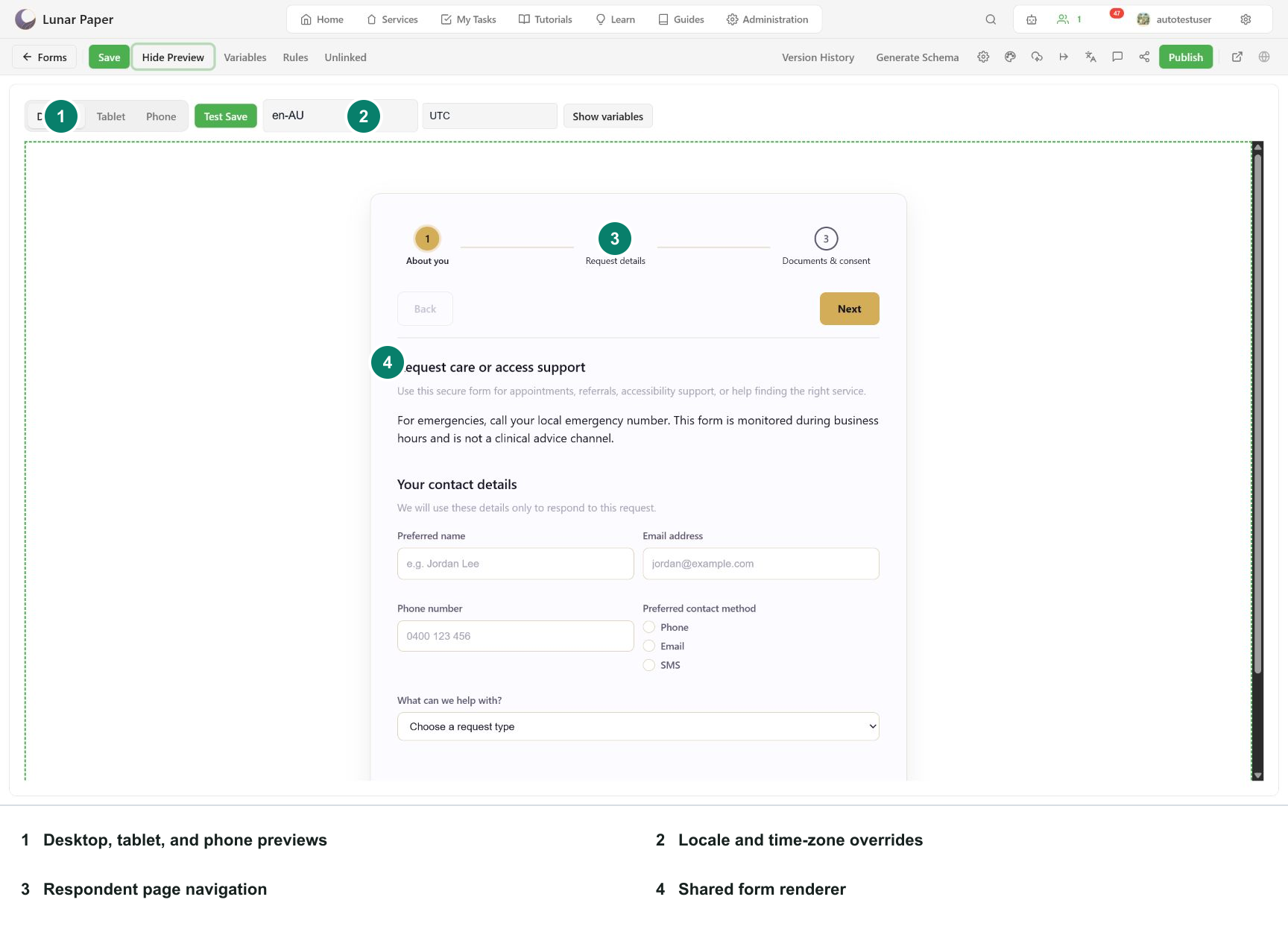
The preview toolbar provides:
- Desktop, Tablet, and Phone widths;
- Test Save for the draft submission path;
- locale and time-zone overrides;
- Show variables for expression inspection.
Exercise page navigation
Section titled “Exercise page navigation”Test both copies of the navigation controls when the form is configured for top and bottom controls. Verify Back, Next, free step selection, validation blocking, and the optional skip behavior.
The submission-complete page does not appear as a normal form step. It is rendered only after a successful stored submission.
Exercise advanced controls
Section titled “Exercise advanced controls”For each field type in the draft, perform the interaction that changes its value:
- choose radio, checkbox, select, rating, and color values;
- enter dates, times, date-times, and date ranges;
- add and remove repeater rows;
- edit rich text and test its formatting controls;
- upload and cancel a file;
- draw or type a signature, then clear it;
- test address selection when the configured address provider is available.
Verify the serialized value once, not just the visible state.
Test responsive modes
Section titled “Test responsive modes”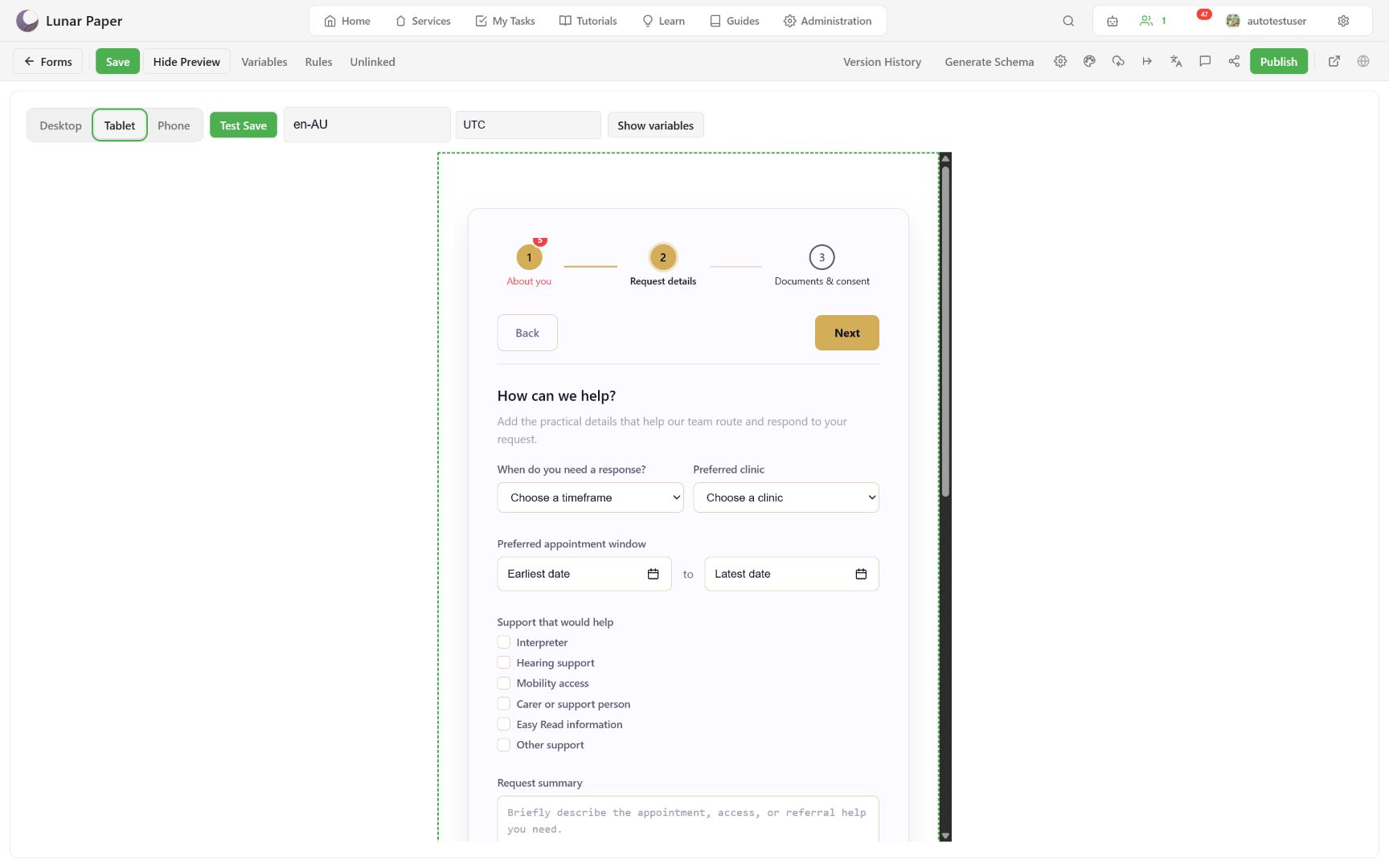
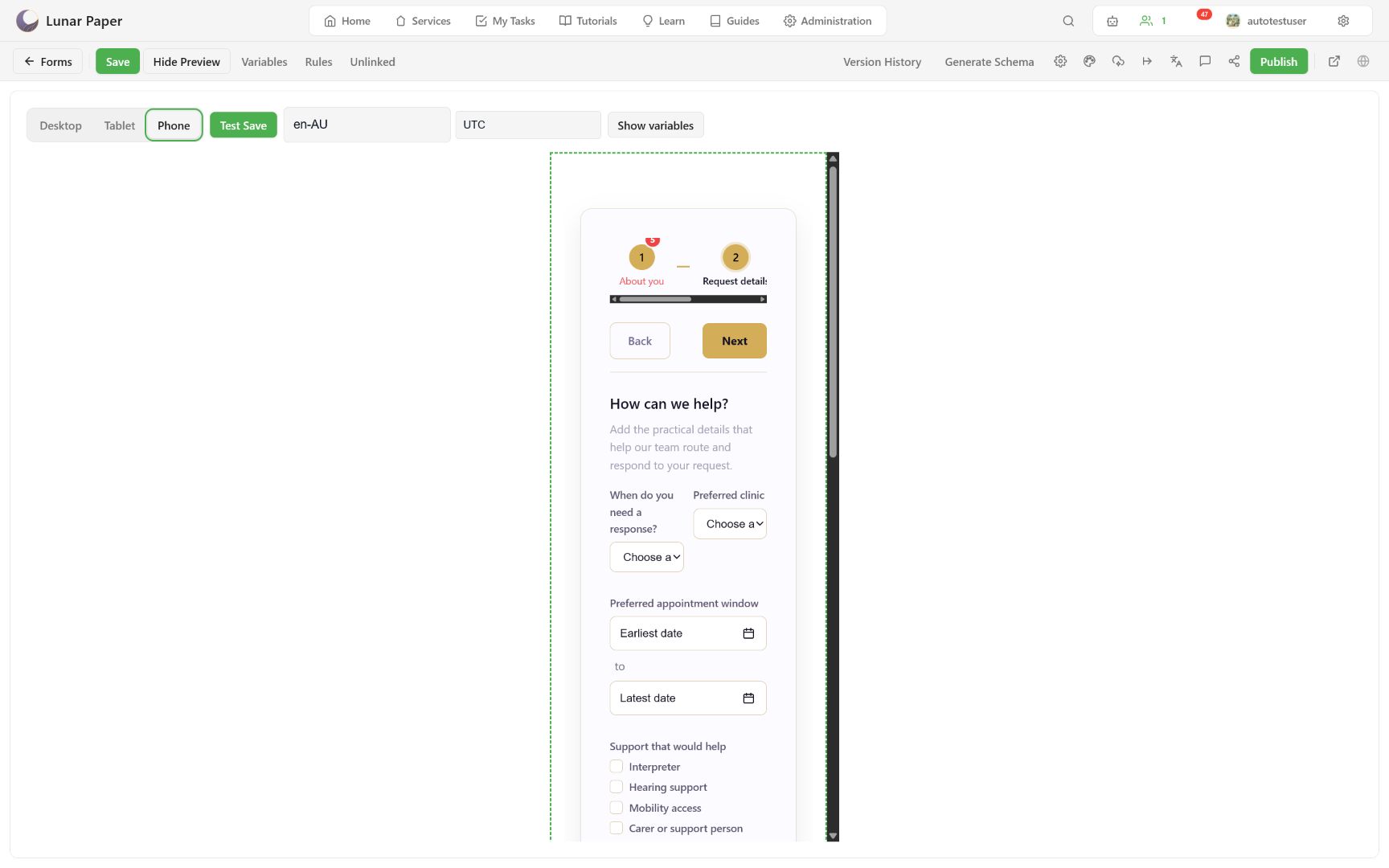
Look for clipped labels, hidden controls, horizontal scrolling, touch targets, and containers that should stack. Layout widths are authoring hints; the renderer remains responsive.
Test locale and time zone
Section titled “Test locale and time zone”Enter a BCP 47 locale such as fr-FR and select a preview time zone when available. Open the page containing temporal fields and confirm formatting, parsing, and range ordering.
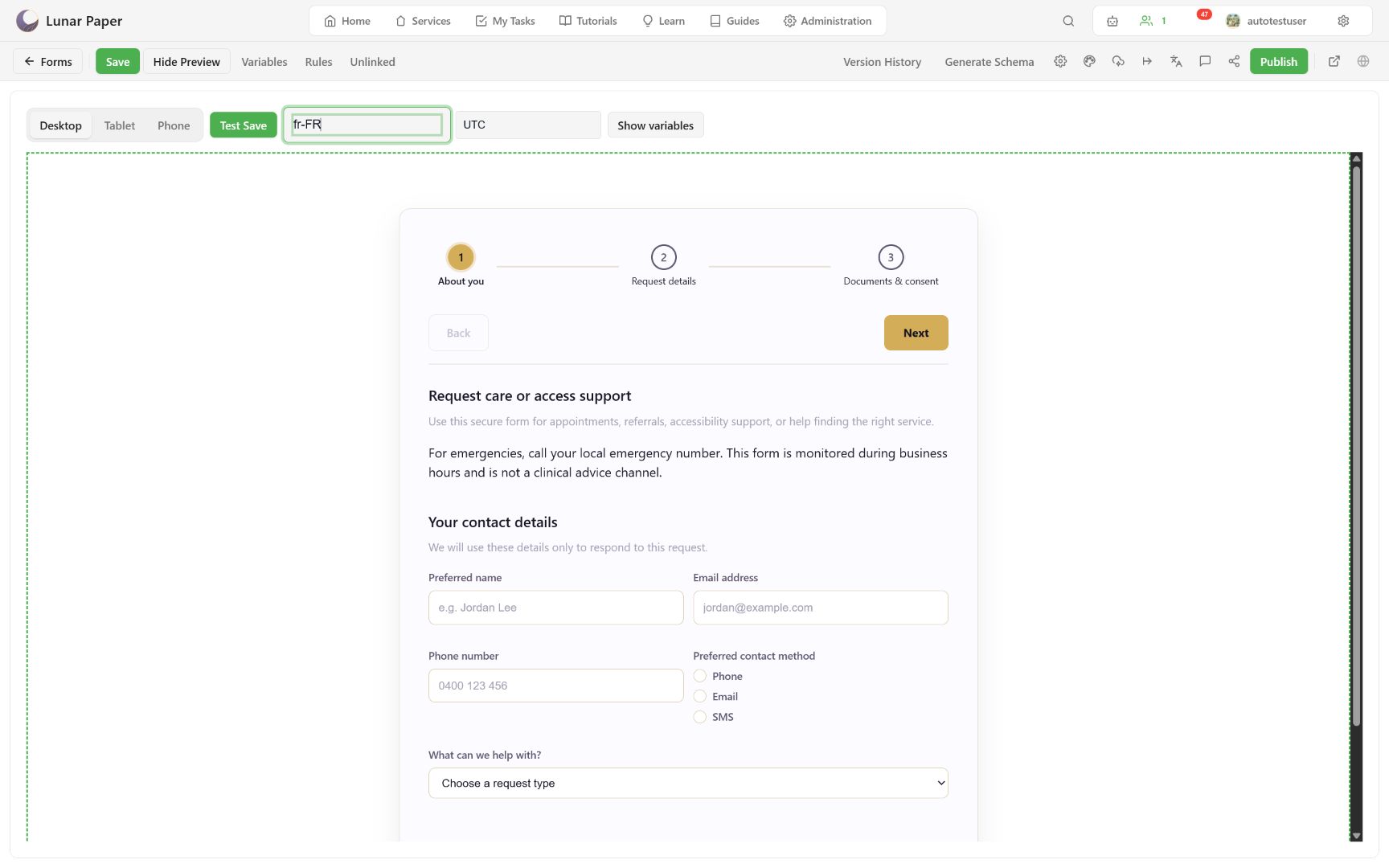
The preview override is temporary. The published form normally inherits its regional context unless the form’s regional policy explicitly sets locale, time zone, calendar, or hour cycle.
Test accessibility
Section titled “Test accessibility”Complete the preview with keyboard-only navigation:
- reach every interactive control;
- confirm focus is visible;
- open and close dialogs with expected focus restoration;
- use the typed alternative for Signature;
- confirm labels, required state, validation messages, and selected states are announced.
The full author and respondent checklist is in the keyboard and accessibility reference. When the form passes here, move on to Publish, submit, and recover.