
Woodwind
Double-click empty space on the timeline to open the instrument picker, then choose 🪈 Woodwind.
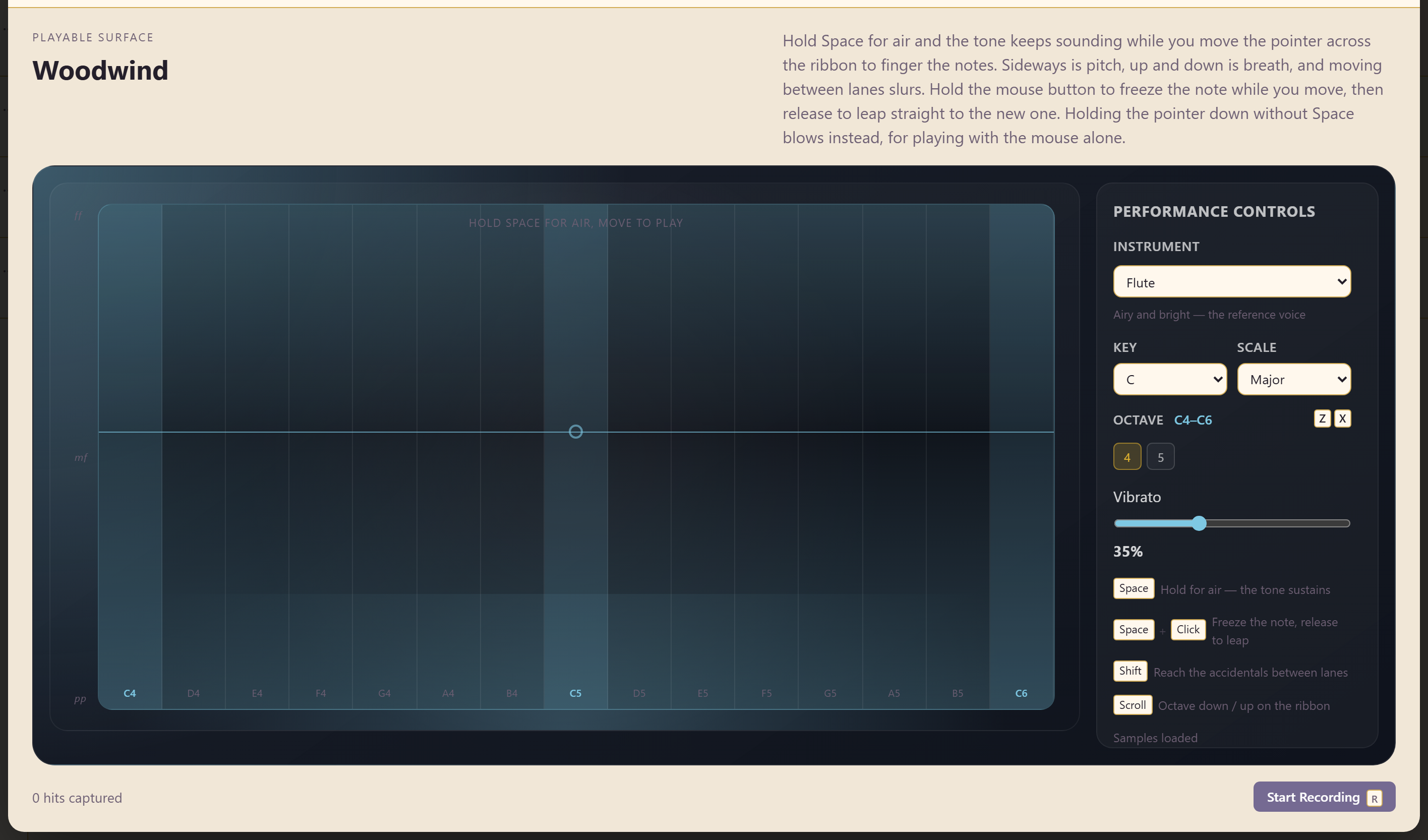
The Woodwind replaces the old flute with a continuous ribbon you perform on. It is played live rather than programmed, so the phrasing comes from your hand rather than from a setting.
The basic move
Section titled “The basic move”Hold Space for air. The tone keeps sounding while you move the pointer across the ribbon to finger the notes.
Three things happen at once.
Sideways is pitch. The ribbon runs from C4 to C6, and moving along it changes the note.
Up and down is breath. Three lanes are marked ff, mf, and pp — loud, medium, and soft. Moving vertically changes the dynamic as you play, the way breath pressure would.
Moving between lanes slurs. Crossing lanes while the note sounds joins the notes rather than restarting them.
Two ways to change note
Section titled “Two ways to change note”By default, sliding across the ribbon glides between pitches.
Hold the mouse button to freeze the note while you move, then release to leap straight to the new one. That is how you get a clean interval instead of a slide.
Between those two you have most of what a real player does: legato runs, portamento, and clean leaps.
Playing without the keyboard
Section titled “Playing without the keyboard”Holding the pointer down without Space blows instead, so the instrument can be played with the mouse alone.
The keyboard method gives you finer control, because breath and fingering are separated. The mouse-only method is quicker to pick up.
Getting a convincing line
Section titled “Getting a convincing line”Do not stay in one dynamic lane. A line played entirely at mf sounds synthetic; real wind playing breathes, and moving vertically as you play is what supplies that.
Let phrases end softly. Dropping into pp at the end of a phrase does more for realism than anything else on this instrument.
Use slurs for runs and freeze-and-leap for anything with a wide interval. Sliding across a large interval sounds like a mistake unless you meant it.
Related
Section titled “Related”Saxophone and Clarinet are the written woodwinds. Instrument catalogue lists all 24.