
Gantt view
Gantt view compares task timing and duration on a horizontal calendar.
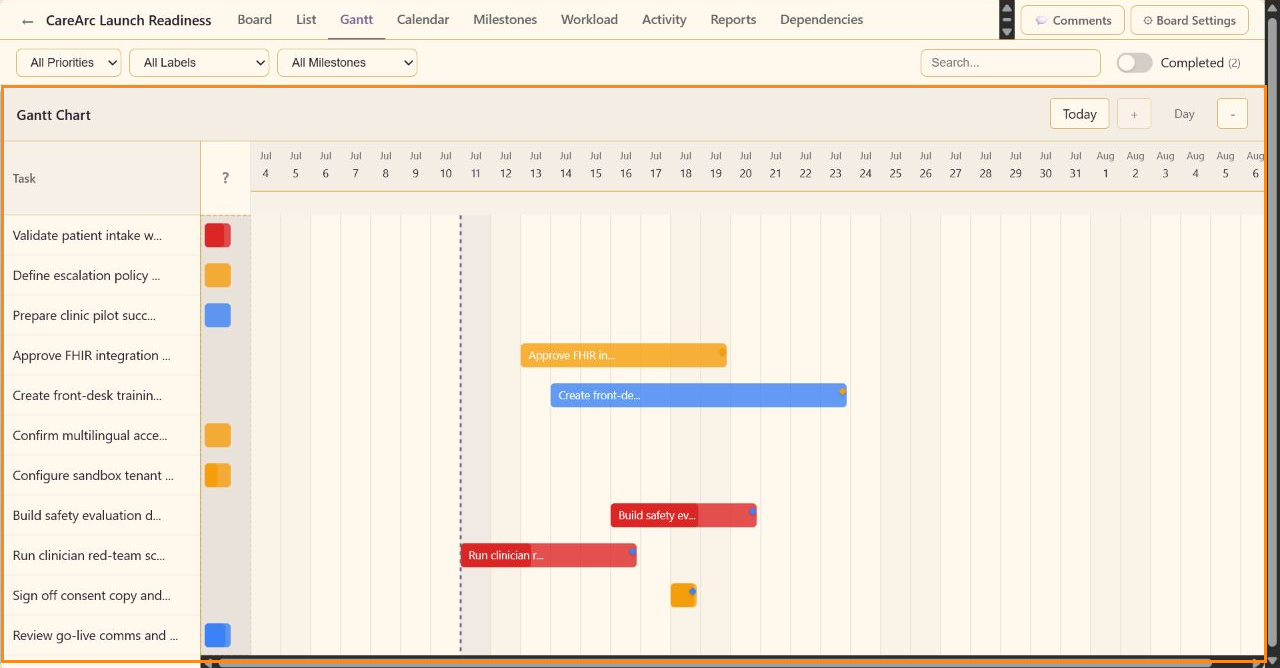
Chart structure
Section titled “Chart structure”The left column lists tasks. The right timeline draws a bar from Start Date to Due Date; tasks without a start date appear as compact date markers. Colors reflect the task’s visual signal.
Navigation
Section titled “Navigation”Today returns the chart to the current date. + and - change the time scale; the current scale is shown as Day in the CareArc capture. Horizontal scrolling reveals later dates.
Editing source data
Section titled “Editing source data”Open a task to change dates, estimates, milestone, or dependencies. Gantt reflects those task fields rather than maintaining a second schedule.