
Editor reference
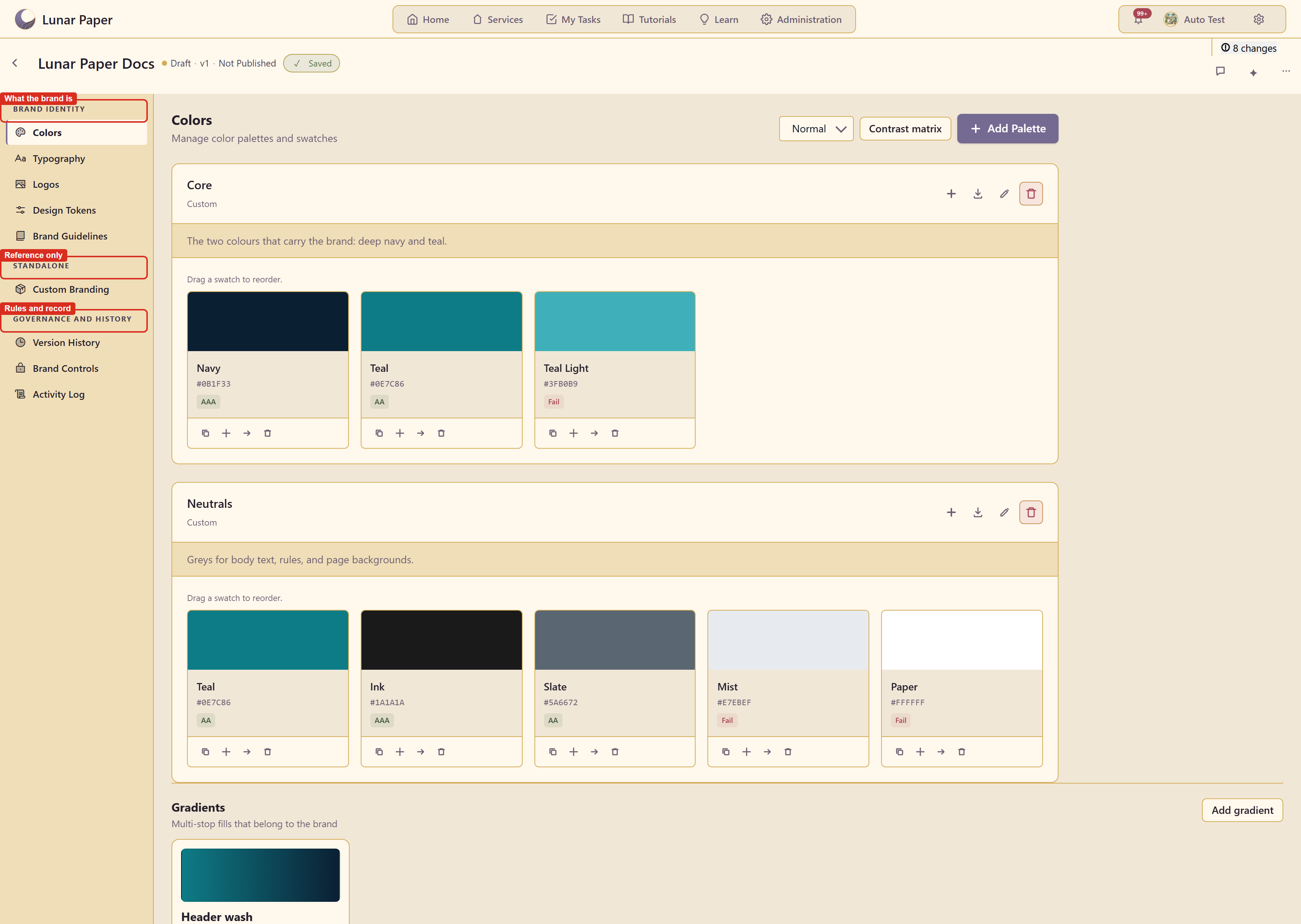
Header
Section titled “Header”
| Part | What it shows or does |
|---|---|
| Brand name | The brand being edited |
| Draft · Not Published | Publish state |
| ✓ Saved | Save indicator |
| N changes | Unsaved change count, as a button |
| Back to brands | Returns to the brand list |
| Comments icon | Opens brand comments |
| Sparkle icon | Opens the Brand AI assistant |
| Dots icon | More brand actions — edit, duplicate, set as default, the four exports, delete |
Navigation
Section titled “Navigation”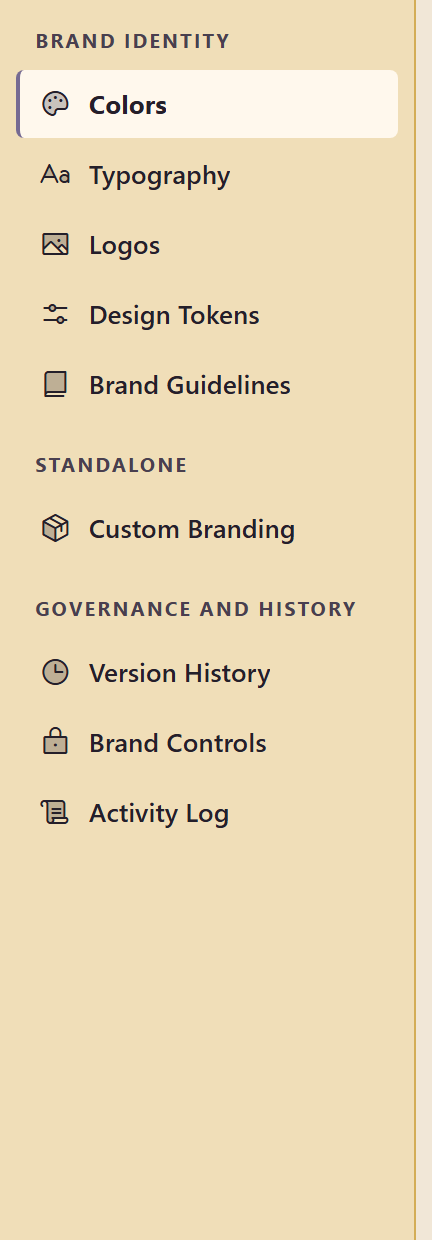
| Group | Sections |
|---|---|
| Brand identity | Colors, Typography, Logos, Design Tokens, Brand Guidelines |
| Standalone | Custom Branding, badged not integrated with other modules |
| Governance and history | Version History, Brand Controls, Activity Log |
Colors
Section titled “Colors”| Control | What it does |
|---|---|
| Add Palette | Creates a named palette |
| Colour-vision dropdown | Previews the palette under a vision deficiency |
| Contrast matrix | Grades every pair of colours |
| Palette icons | Add colour, import colours, edit palette, delete palette |
| Swatch icons | Copy, add, move, delete |
| Add gradient | A multi-stop fill with live CSS |
Typography
Section titled “Typography”Tabs for Fonts, Type Scales, and Text Styles, each with a count, and Add Font.
Upload Logo, with Light, Dark, and Transparent background previews.
Design Tokens
Section titled “Design Tokens”Add Token, a search box, category filters — All, Color, Spacing, Sizing, Border, Shadow, Opacity, Typography, Custom — and Export CSS, Export SCSS, Export JSON.
Brand Guidelines
Section titled “Brand Guidelines”Add Guideline, with category filters: All, Logo Usage, Color Rules, Typography, Imagery, Voice & Tone, Spacing, Accessibility, Other.
Custom Branding
Section titled “Custom Branding”Add Category, offering ten presets or a custom category.
Version History
Section titled “Version History”Create Snapshot, and the list of existing versions.
Brand Controls
Section titled “Brand Controls”+ Add Control for restrictions, and + Add Lock for template locks, with Forms and Documents tabs.
Activity Log
Section titled “Activity Log”Entity-type and action filters, and Export CSV.
Related
Section titled “Related”Capabilities maps each capability to its guide.