
Elements
Elements is the largest library in the rail — prebuilt components you drop in rather than draw.
Opening it
Section titled “Opening it”Click Elements in the tool rail. The panel opens beside the rail; clicking the button again closes it.
Unlike the seven canvas tools, the panels do respond to a click — the rail’s click problem affects only the tools above the divider. Troubleshooting has the detail.
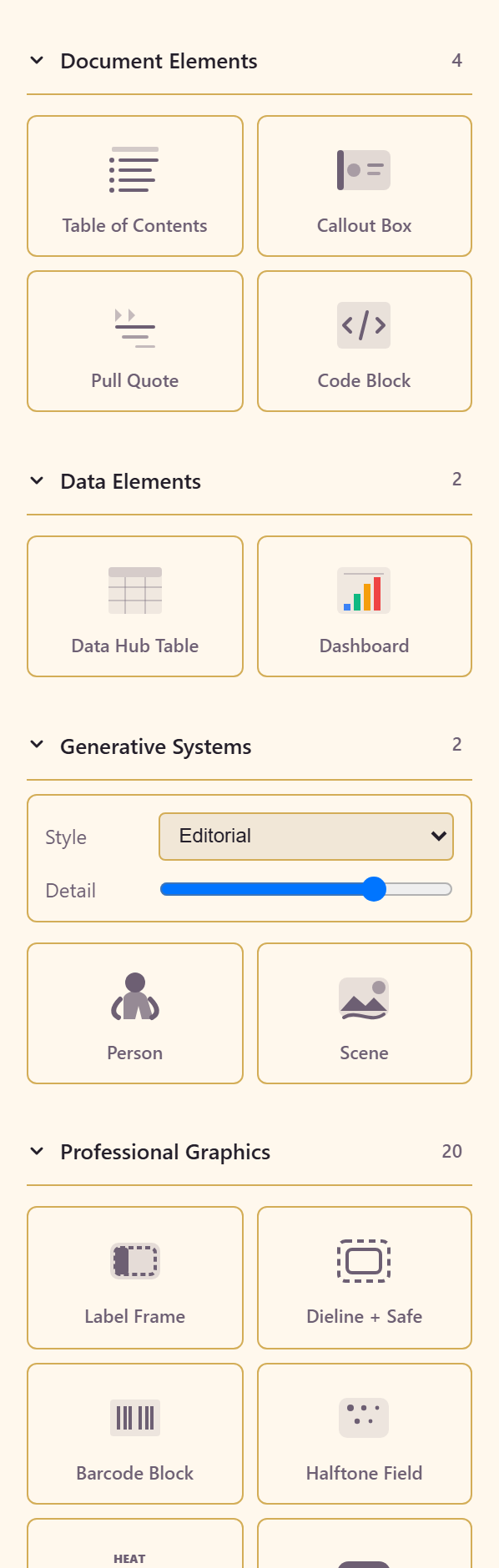
What is in it
Section titled “What is in it”| Group | Contains |
|---|---|
| Document Elements (4) | Table of Contents, Callout Box, Pull Quote, Code Block |
| Data Elements (2) | Data Hub Table, Dashboard |
| Generative Systems (2) | Person, Scene |
| Professional Graphics (20) | Label Frame, Dieline + Safe, Barcode Block, Halftone Field, Heat Scale, Flavor Band, Burst Badge, Vector Wave, Pepper Mark, Seal Stamp, Ingredient Icons, Geometric Mascot, Tile Pattern, Woodcut Badge, Interactive Map, Dimensional Vector, Particle Field, Wave Ribbon, Aquatic Scene, Illustration Scene |
| Shapes | Star, 4-Point Star, 6-Point Star, 8-Point Star, 12-Point Burst, 16-Point Burst, Badge |
The two worth knowing about
Section titled “The two worth knowing about”Data Elements pull real content: a Data Hub Table and a Dashboard connect a design to live data rather than a picture of it. That is the difference between a printed chart and one that is current.
Dieline + Safe under Professional Graphics is a packaging aid — it marks the cut line and the safe area, which is the thing most often got wrong on anything that gets printed and folded.
Related
Section titled “Related”Add elements covers using them in a layout. Shape draws primitives instead.