
Create a service
Services are created from the catalogue, not from inside another service. This covers getting there and what the creation form asks for.
Find the catalogue
Section titled “Find the catalogue”Services in the top navigation opens the catalogue of every service you can reach.
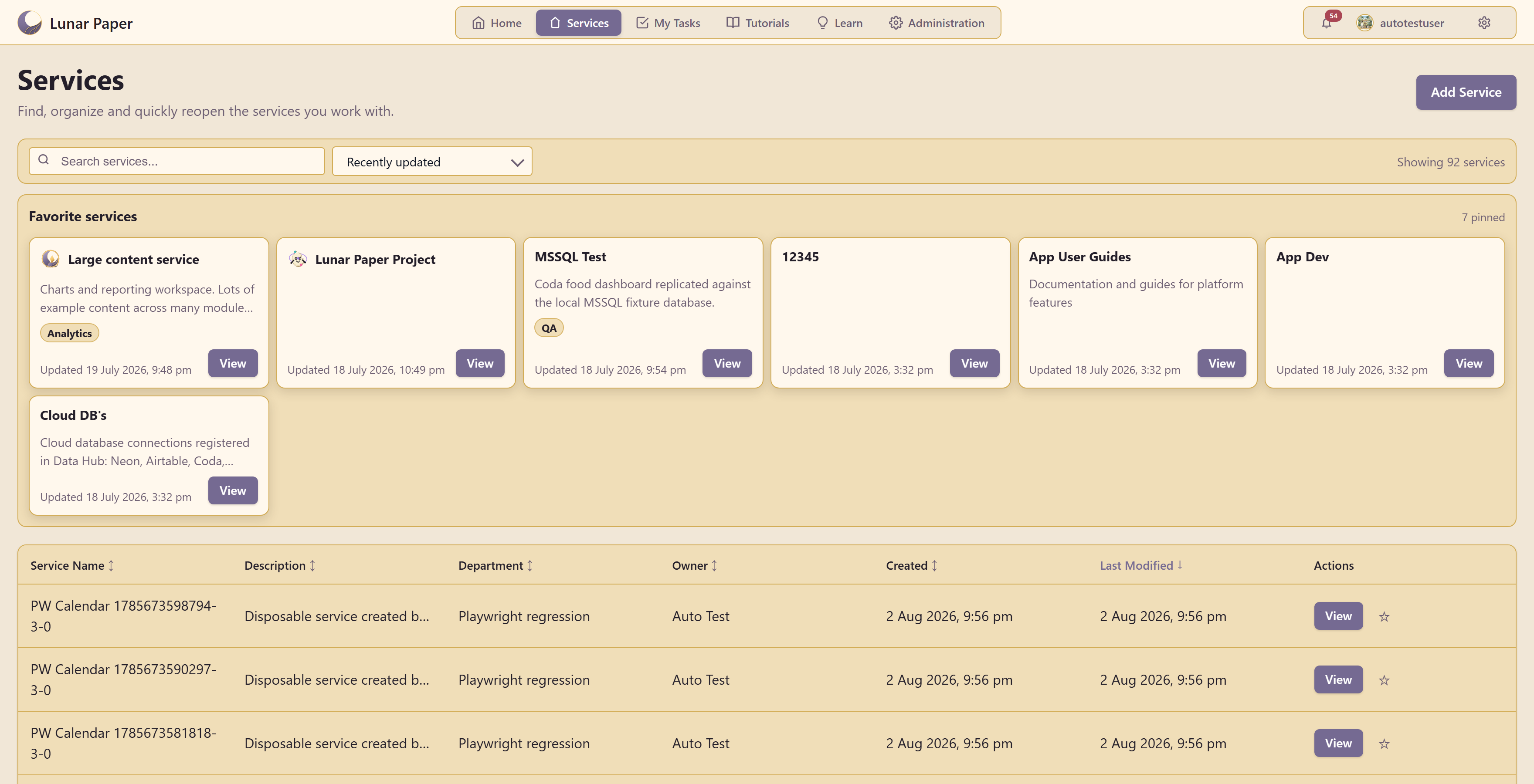
It exists to “find, organize and quickly reopen the services you work with”, and on a busy platform there will be a lot of them — the example shows 92.
Favorite services pins the ones you use, which is the difference between opening a service in two seconds and hunting for it. Pin yours early.
There is a search box, a sort control, and both a card view and a table listing service name, description, department, owner, created date, and last modified.
Before you create one
Section titled “Before you create one”A new service is a new boundary. Everything in it shares membership and a publishing ceiling, and nothing crosses to another service.
So the question to answer first is not “what am I working on?” but “who should see all of this?”. One service per team, per product, or per client generally works. One per project usually does not — you end up maintaining the same connections in several places and each artifact map shows a fragment of the real picture.
Check the catalogue before creating. Someone may already have the service you are about to duplicate, and two half-used services are worse than one shared one.
Create it
Section titled “Create it”Choose Add Service.
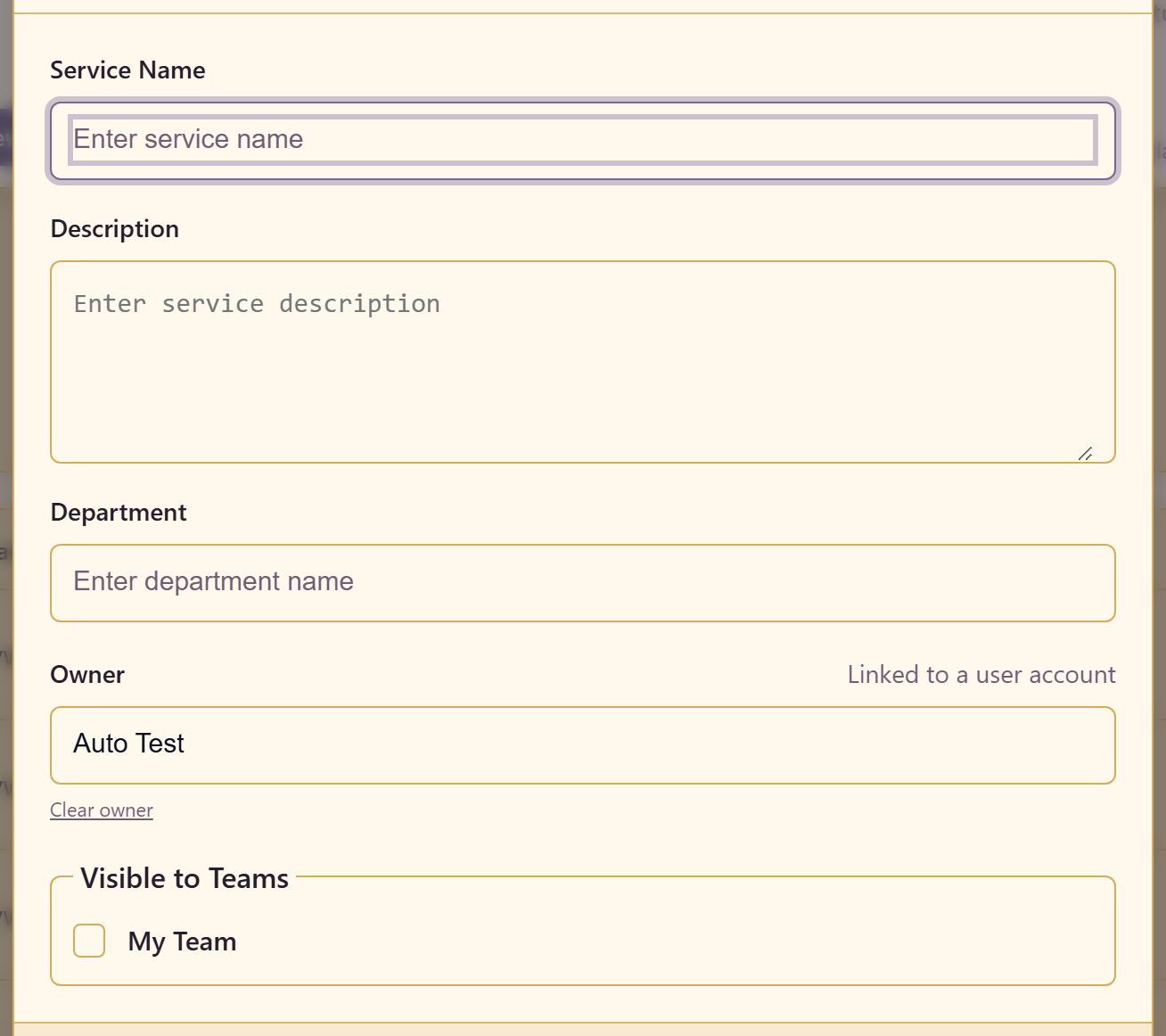
Service Name is what appears everywhere. Name it for the thing, not the moment — “Customer Onboarding”, not “Q3 Onboarding Work”.
Description is what someone reads in the catalogue to decide whether to open it. Write it for a person who has never heard of this work. It is the single field that decides whether your service gets found or quietly recreated by someone else.
Department places it in the organisation.
Owner is searchable and links to a real user account. Name one. A service without an owner is the one nobody reviews, and it will still be here in three years with nobody able to say what it is for.
Visible to Teams sets which teams can see the service from the start. This is the access decision, made at creation rather than afterwards, and linking a team is more maintainable than adding individuals later.
Then finish setting it up
Section titled “Then finish setting it up”Creating the service is the quick part. The setup that makes it usable comes next: appearance, which modules appear, and the publishing ceiling.
Set up a new service covers all of it, and doing it before people arrive saves undoing habits later.
The one thing worth doing immediately is Content Access. Setting the publishing ceiling before anyone publishes is a two-click decision; tightening it afterwards means finding and changing every item that already went out.
If you cannot create a service
Section titled “If you cannot create a service”Creating services is a platform-level action rather than something every service member can do. If Add Service is missing, ask whoever administers the platform.
Related
Section titled “Related”What a service is explains the boundary you are drawing. Keep a service tidy covers duplicating an existing service’s configuration, which is often quicker than starting from nothing.