
Acknowledge a signed order webhook
This workflow is a secure inbound-integration pattern. The matching draft is Docs 04 - Secure Webhook Order Acknowledgement (workflow 586) in service 20.
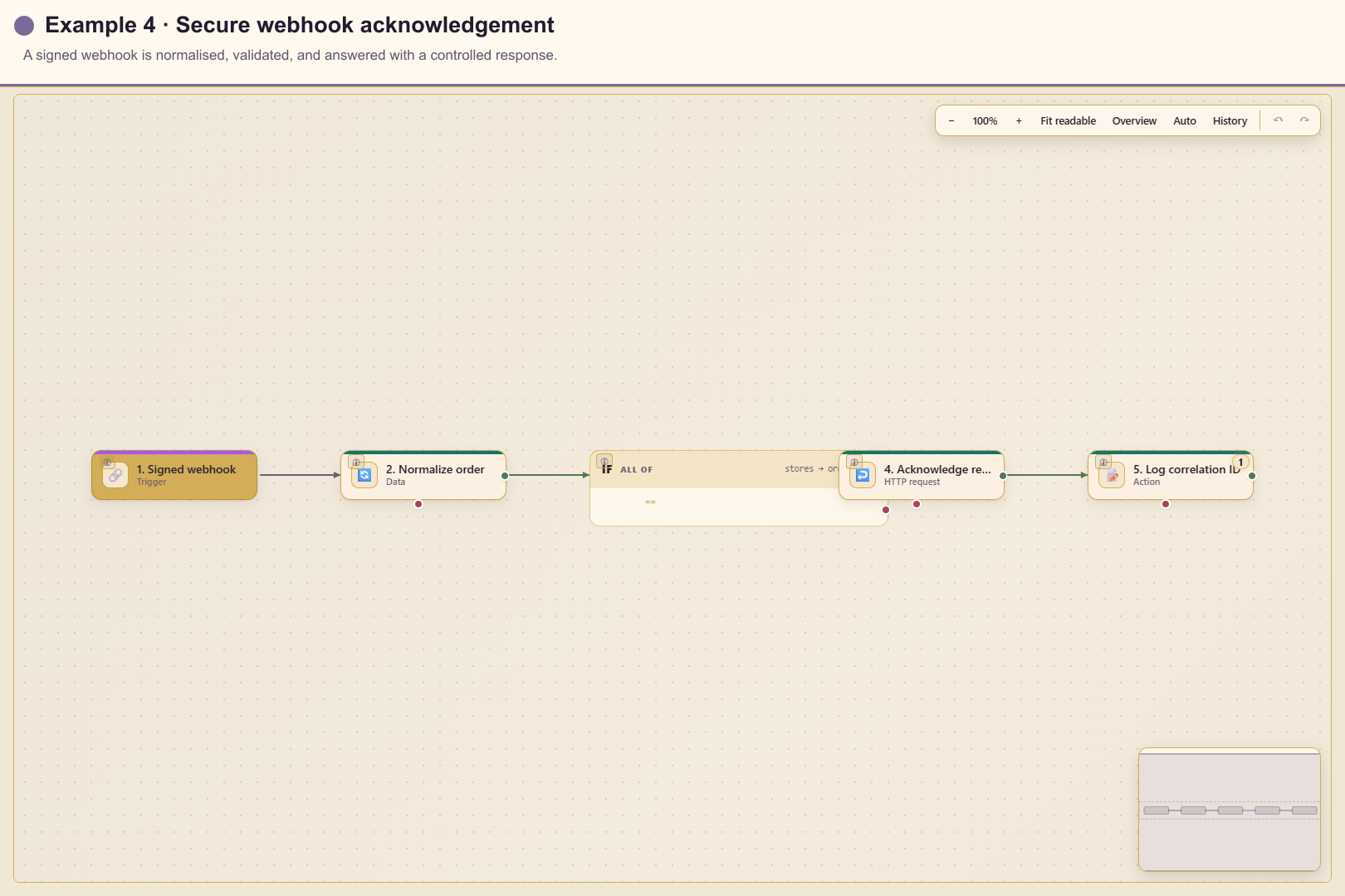
Outcome
Section titled “Outcome”An external order system signs a request. Automation accepts only a valid webhook, keeps the required fields, checks the order identifier, returns HTTP 202 with a correlation value, and logs the accepted ID.
Before you start
Section titled “Before you start”- Create a long random HMAC secret as a managed credential.
- Confirm the sender supports SHA-256 signatures and the exact signed bytes.
- Agree on request fields, response status, retry behaviour, and an idempotency key.
- Prepare synthetic valid, unsigned, incorrectly signed, malformed, and duplicate payloads.
Build the workflow from start to finish
Section titled “Build the workflow from start to finish”Create a blank workflow in service 20. Save each card before moving on, and keep the draft unpublished until the managed credential and every response path have been tested.
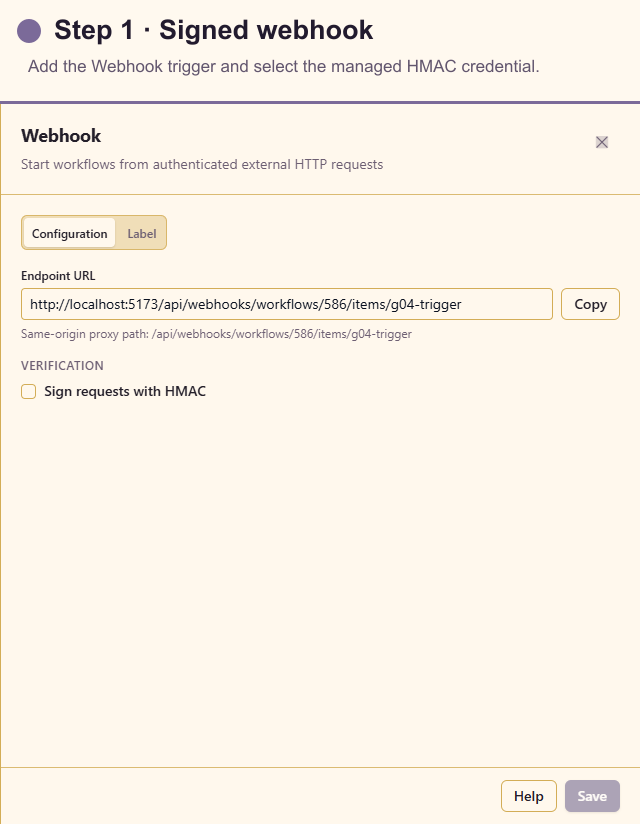
1. Add and configure the trigger
Section titled “1. Add and configure the trigger”Open Triggers and add Webhook. Enable Sign requests with HMAC, choose SHA-256, and select the managed signature credential. Copy the generated endpoint and required signature header into the sending system. The captured draft shows HMAC before it is enabled; this is a required environment-specific step, not an optional production setting.
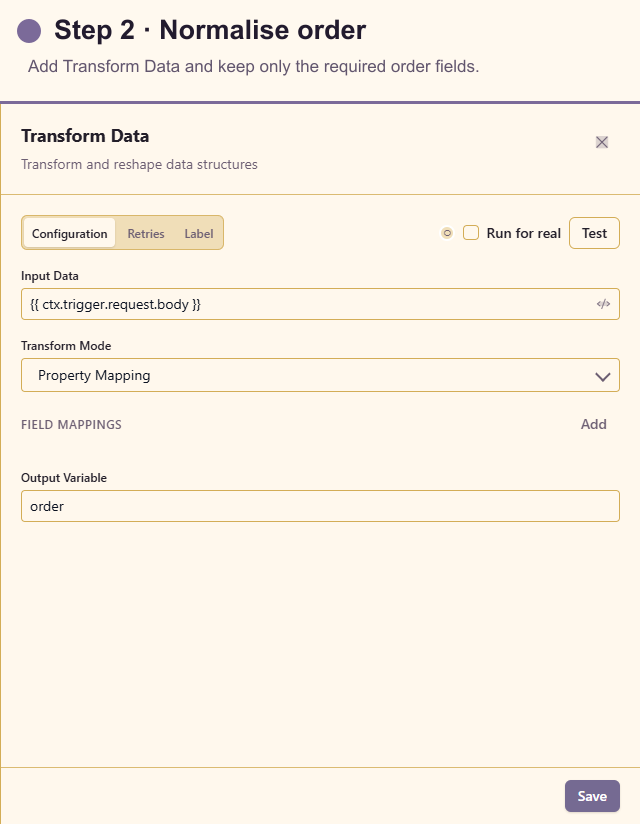
2. Add Transform Data
Section titled “2. Add Transform Data”Open Actions and add Transform Data after Webhook. Choose Pick mode, use the parsed request body as input, and retain only order_id, customer_email, and total. Keeping a small internal payload reduces accidental disclosure later.
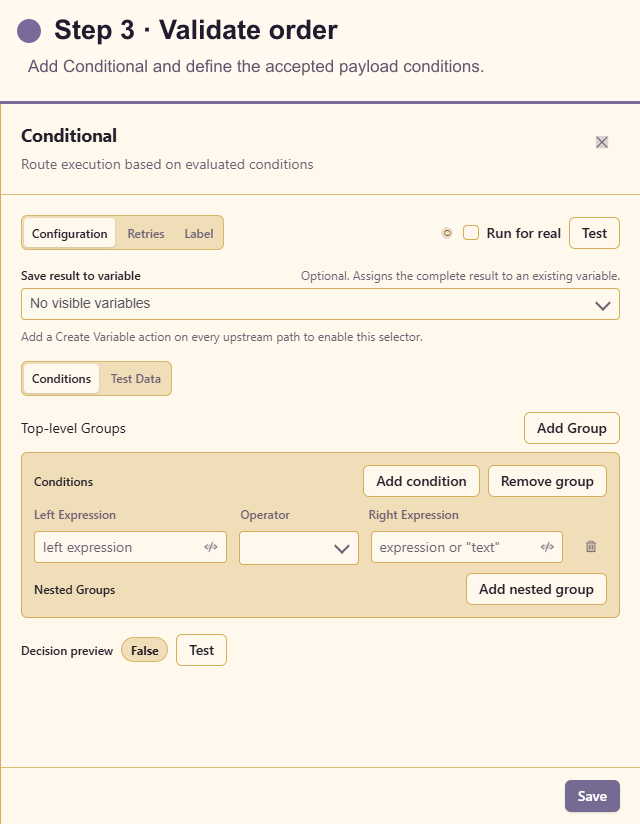
3. Add Conditional
Section titled “3. Add Conditional”Add Conditional after Transform Data. Check that the normalised order ID exists, then add any required format and amount rules. Connect false to a controlled error response or review path; never let invalid data silently continue.
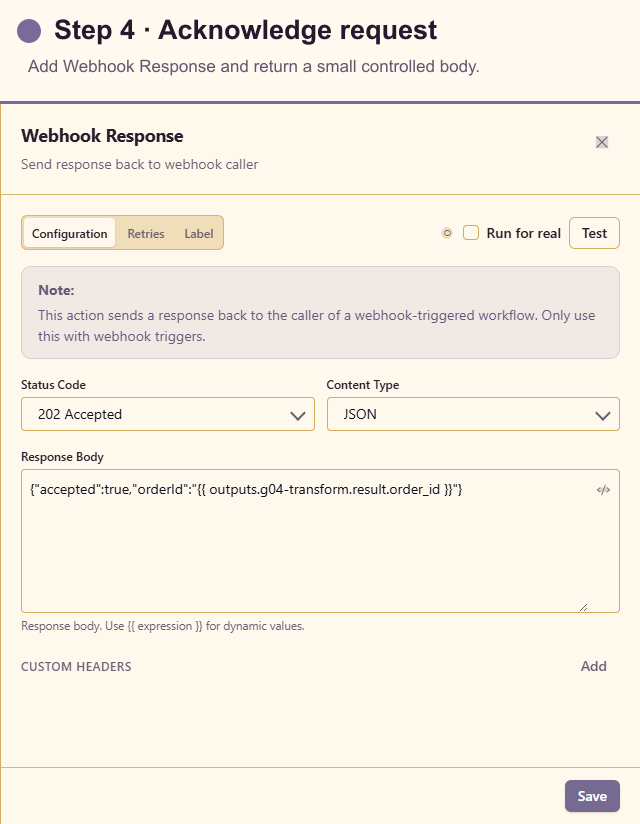
4. Add Webhook Response
Section titled “4. Add Webhook Response”Add Webhook Response on the valid path. Return status 202, set Content-Type to application/json, and send a small body with accepted and the order ID. Do not expose internal errors, stack traces, or downstream system details.
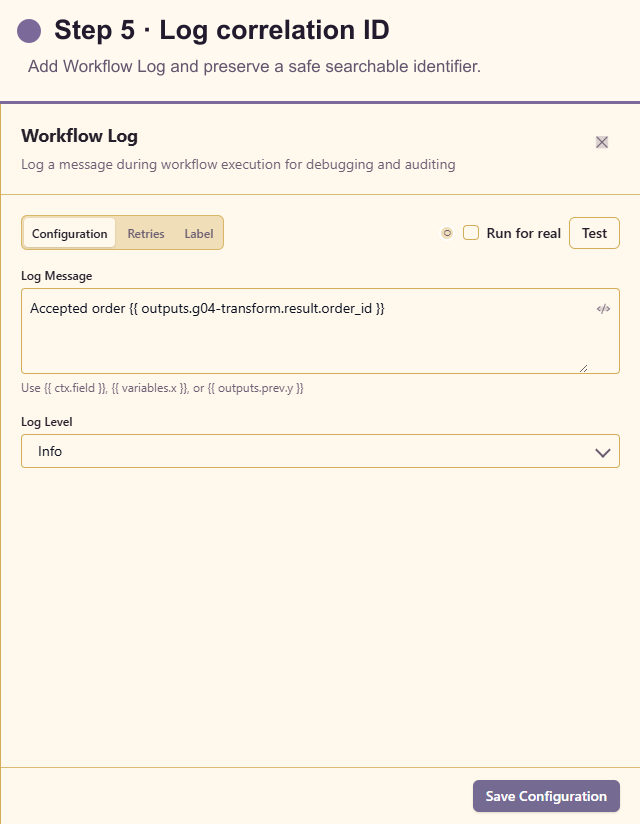
5. Add Workflow Log
Section titled “5. Add Workflow Log”Add Workflow Log after the accepted response. Record the order ID and outcome only. Keep payment data, credentials, signatures, and the full customer payload out of the log.
For systems that retry until they receive 2xx, add an idempotency check before any write so a repeated order ID cannot create duplicate work.
Test the workflow
Section titled “Test the workflow”Send a correctly signed synthetic request and inspect trigger data and the response. Repeat with a modified body using the old signature; it must be rejected before actions run. Test missing order_id and confirm the invalid path does not return the accepted response.
Confirm Run history can be searched by correlation ID without revealing the HMAC secret.
Production checklist
Section titled “Production checklist”- HMAC is enabled and uses a managed credential.
- The sender and workflow agree on the exact signature algorithm and header.
- Payload size and required fields are bounded.
- Duplicate delivery is safe.
- Every Conditional outcome returns an intentional HTTP response.
- Logs and error bodies do not expose secrets or personal information.