
Collaboration reference
Collaboration in Slideshow centers on comments, slide targets, and review status.
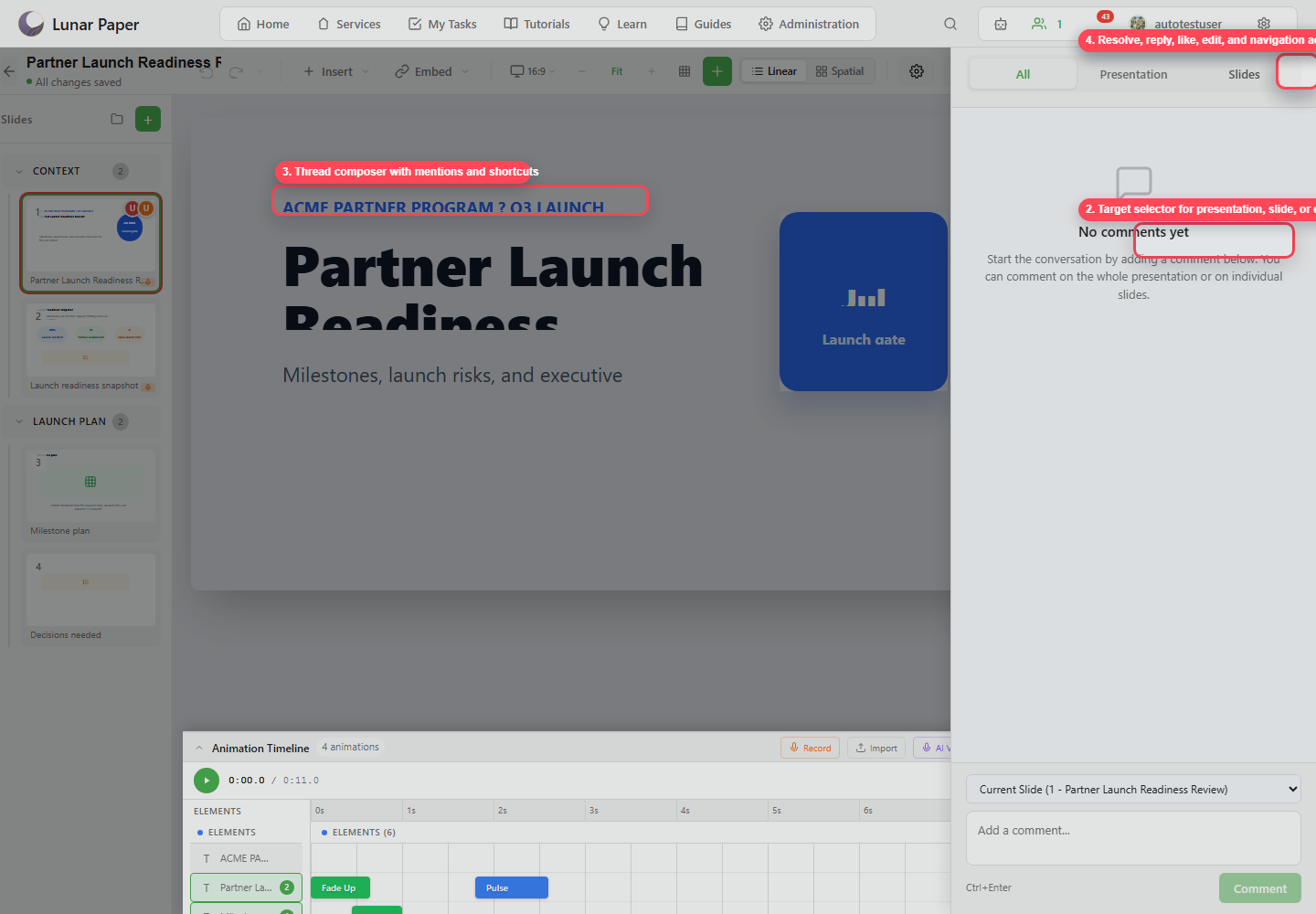
| Feature | Purpose |
|---|---|
| All tab | Shows all comment threads. |
| Presentation tab | Shows deck-level threads. |
| Slides tab | Shows slide-level threads. |
| Target selector | Chooses presentation, current slide, or another slide as the comment target. |
| Composer | Adds a new comment. |
| Mentions | Notify a teammate from the comment body. |
| Reply | Keep follow-up discussion in the same thread. |
| Like | Acknowledge without adding another message. |
| Edit / delete | Update or remove your comment when allowed. |
| Resolve / reopen | Close or reactivate a review thread. |
| Go to slide | Navigate from a thread to its slide. |
| Active users | Show collaborators present in the editor when collaboration data is available. |
Once the comments are resolved, publish a version to close the review cycle.