
Brand
A brand is the single definition of what your organisation looks like: its colours, its type, its logos, the tokens that carry those values into code, and the written rules for using them.
It sits under Creative Modules in a service, and other authoring modules draw on it rather than each holding their own copy.
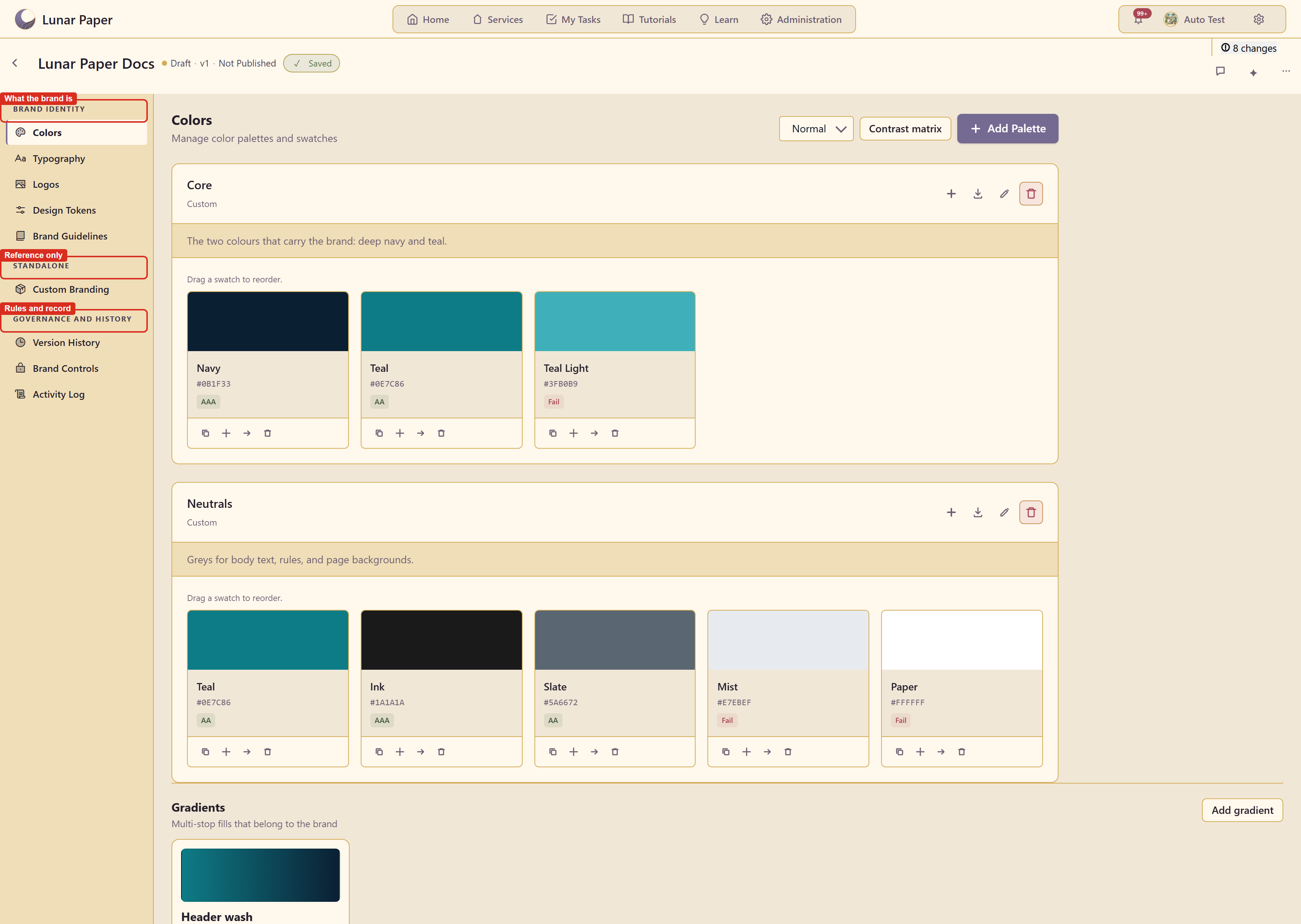
Where it lives
Section titled “Where it lives”Open a service and choose Brand under Creative Modules. A service with no brand yet offers Create Brand or Import brand kit.
How the editor is organised
Section titled “How the editor is organised”Nine sections in three groups down the left.
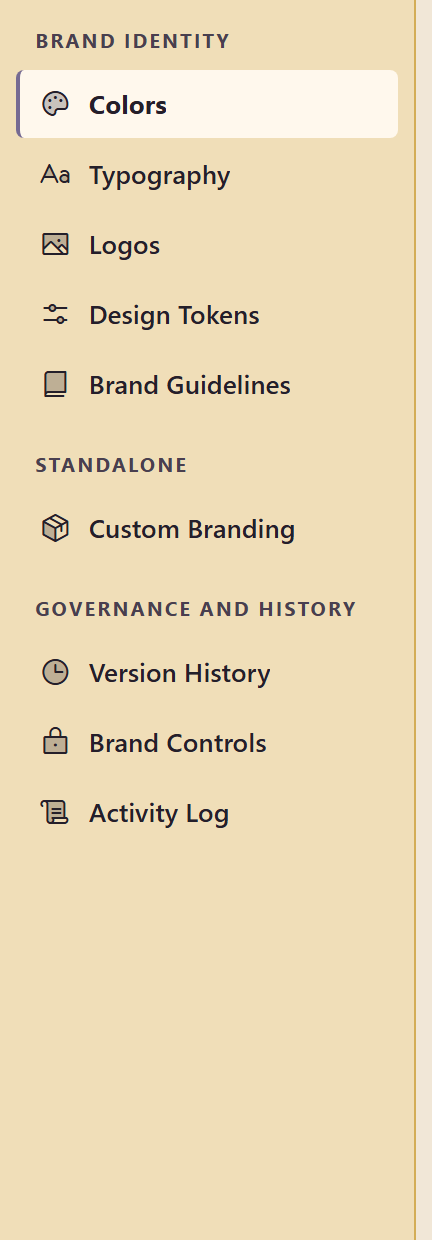
Brand identity is what the brand is: Colors, Typography, Logos, Design Tokens, and Brand Guidelines.
Standalone holds Custom Branding — office signage, vehicles, clothing, and the rest. It carries its own notice that these elements are for reference only and are not integrated with other modules.
Governance and history is how the brand is kept: Version History, Brand Controls, and the Activity Log.
The header
Section titled “The header”
The header carries the brand name, whether it is Draft or published, a save indicator, a count of unsaved changes, and three controls: brand comments, the Brand AI assistant, and More brand actions, which holds the exports.
Accessibility is built into colour
Section titled “Accessibility is built into colour”Colours are not just stored, they are graded. Every swatch shows its contrast result, the Contrast matrix grades every pair at once, and a colour-vision simulator previews the palette as people with colour vision deficiencies see it.
Where to go
Section titled “Where to go”| If you want to | Go to |
|---|---|
| Set up a brand from scratch | Quickstart |
| See everything the module can do | Feature list |
| Follow a specific task | Guides |
| Understand what a brand holds | What a brand holds |
| Stop people going off-brand | Brand controls |
| Get the brand into code | Design tokens |
| Fix something | Troubleshooting |
The example in these screenshots
Section titled “The example in these screenshots”Captures use Lunar Paper Docs, a brand in service 20 with two palettes, a gradient, two fonts, three tokens, two guidelines, and a snapshot.