
Triangle
Double-click empty space on the timeline to open the instrument picker, then choose △ Triangle.
The most physical instrument in the module. Hold the mouse button and sweep the beater into the frame.
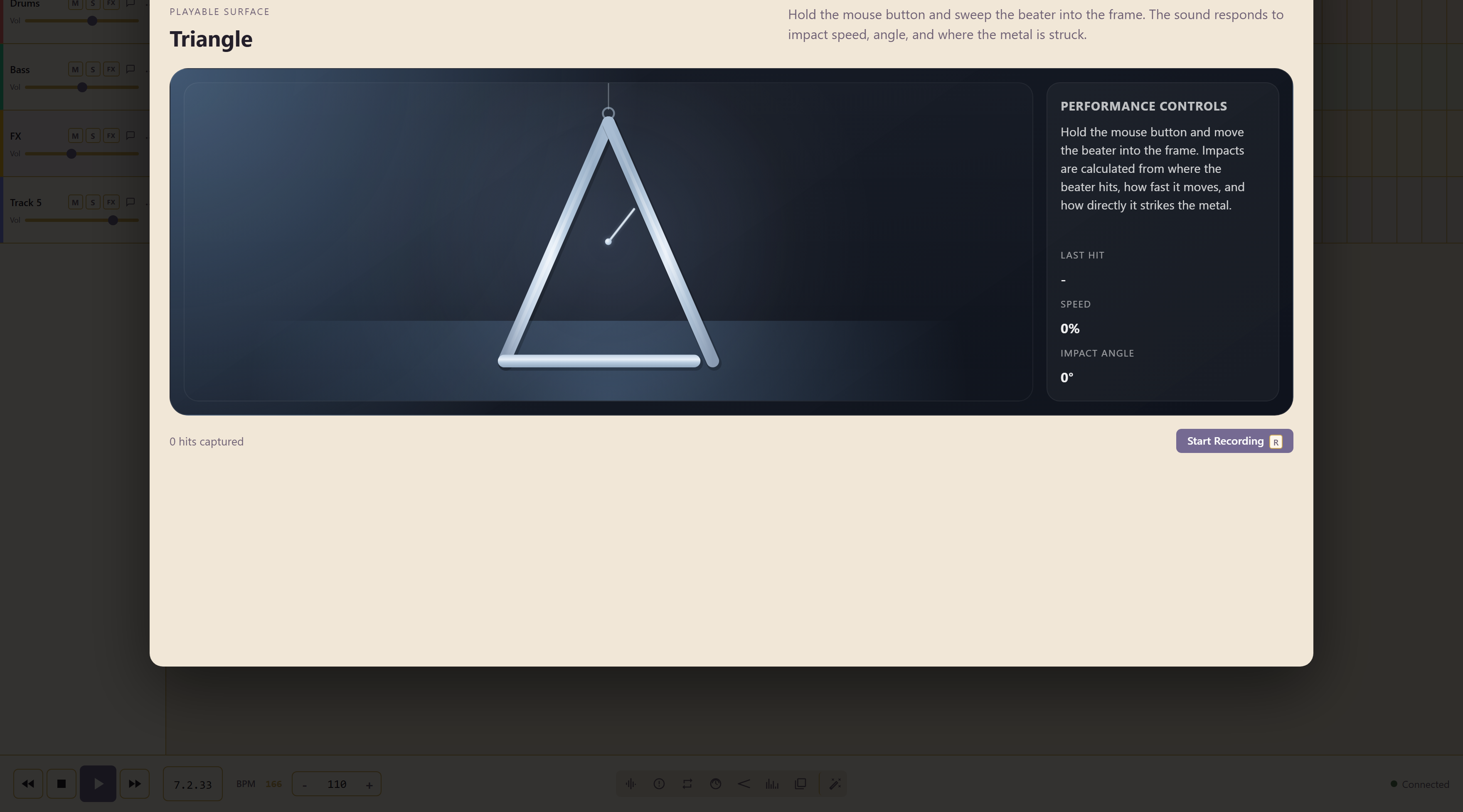
No controls, on purpose
Section titled “No controls, on purpose”There are no sliders. The sound is calculated from three things: where the beater hits the metal, how fast it is moving, and how directly it strikes.
The readout shows the last hit’s speed and impact angle, so you can see which part of your gesture produced the sound.
Three strokes worth knowing
Section titled “Three strokes worth knowing”A glancing blow at speed gives the bright ping.
A slow, square hit gives the duller stroke.
Sweeping back and forth inside the frame gives the trill.
Recording a take
Section titled “Recording a take”Start Recording, or the R key, begins the take, and the counter tracks the hits as you play. A last hit readout shows what your most recent gesture registered, which is usually the difference between a hit that sounded wrong and a hit you did not make the way you thought.
Play the shape before you record it. These instruments reward a second attempt, because the surface registers speed and position rather than just which note you pressed.
Related
Section titled “Related”Glockenspiel is the other struck metal instrument. Hand Percussion covers the rest of the percussion.