
Choose which tables to expose
Connecting a database does not make it usable. Every table arrives hidden, and enabling the right ones is a separate, deliberate step.
Where it is
Section titled “Where it is”Select a connection in the sidebar. Its tables appear in the middle column, with a count at the top and a control on each row.
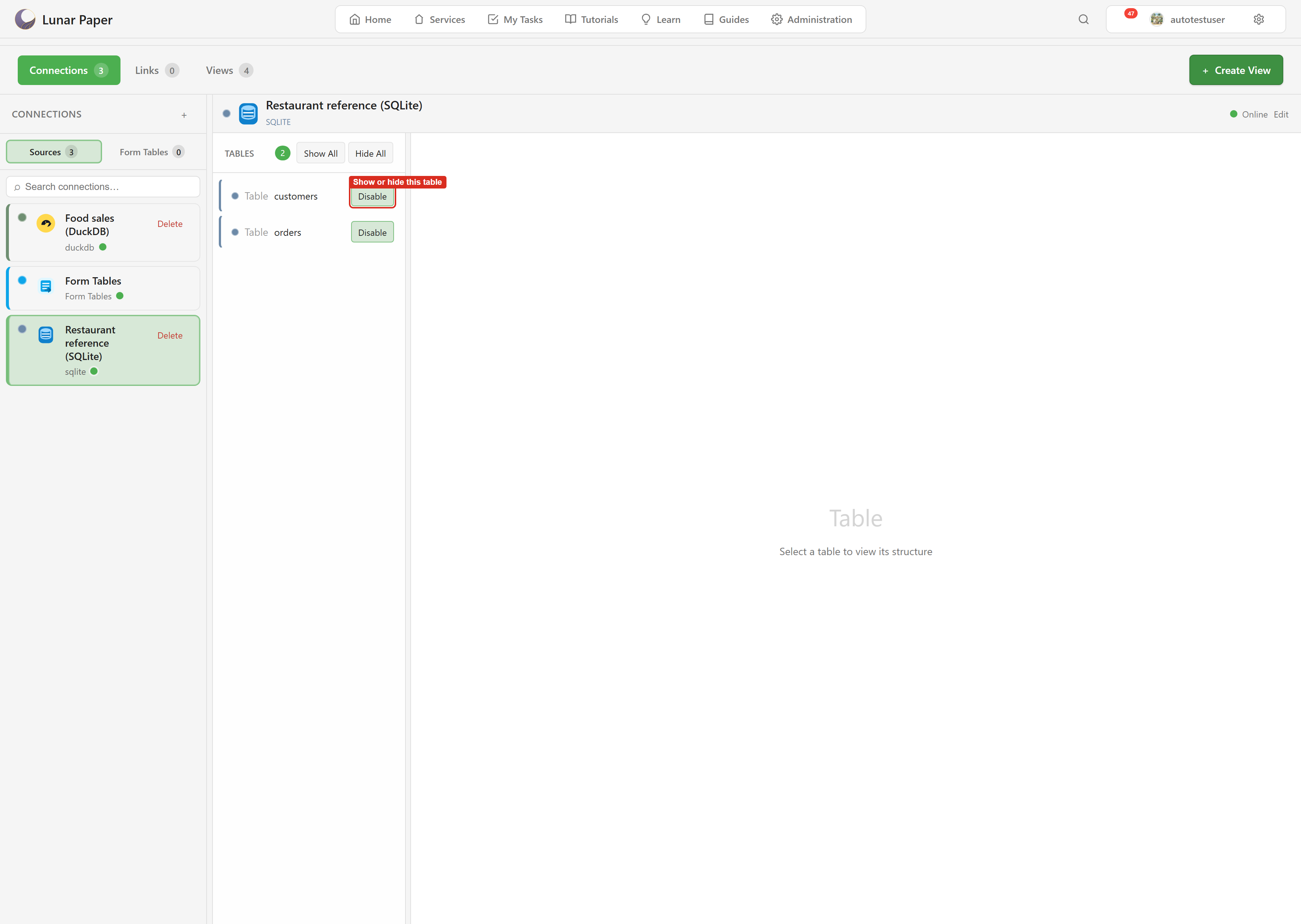
A hidden table shows Enable. An exposed one shows Disable. Show All and Hide All apply to everything at once.
What enabling does
Section titled “What enabling does”Enabling registers the table as a managed dataset for this service. That dataset is what other modules bind to — the entry a chart in Dashboards sees is a managed dataset, not a raw table.
So enabling is the switch that makes a table exist as far as the rest of the platform is concerned. Before it, no chart, export, or view can reach the table. After it, they can.
Why the default is hidden
Section titled “Why the default is hidden”A connection may point at a database with far more in it than one service should see. Payroll tables, other teams’ records, internal columns.
Making exposure explicit means connecting a database is safe on its own. The decision about what a service can read is separate from the decision to connect, and it can be made by someone different.
This is also why Show All deserves a moment’s thought. It is the right choice for a database built for this service, and the wrong one for a shared production database.
Visibility is per service
Section titled “Visibility is per service”Two services linked to the same source keep separate lists. Service A can expose three tables while Service B exposes two others from the same connection.
Which means “is this table available?” only ever has an answer within a service. Enabling a table in one service does nothing in another.
Disabling
Section titled “Disabling”Disable removes the table from the service. Anything already built on it — a view, a chart binding — will stop returning data.
Disable is not delete. The table stays in the database untouched, and enabling it again restores access.
When nothing appears after enabling
Section titled “When nothing appears after enabling”Give it a moment. Enabling triggers dataset registration, and other modules read the registered datasets rather than the live table list.
If a table is enabled and still does not appear elsewhere, Troubleshooting works through the possibilities.
Explore and export data covers what you can do with a table once it is exposed. Build a view covers shaping several into something more useful.