
Link artifacts and comments
Documents sit inside a service alongside assets, dashboards, data tables, and pages. The artifact and comment tools connect a document to that surrounding work.
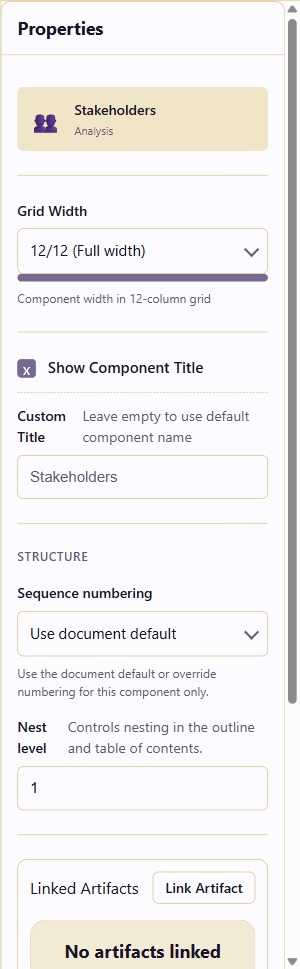
Link an artifact
Section titled “Link an artifact”Select a component and open the Properties panel. Under Linked Artifacts, click Link Artifact. Choose an artifact from the service, such as a Brand kit, a dashboard, a data hub table, or a page.
Linked artifacts appear on the component toolbar. Click the link icon to open the artifact in its own module.
Add a comment
Section titled “Add a comment”Click the comment bubble icon on a component toolbar to open the comments panel for that component. Type your note and submit. Comments are tied to the component, not the document as a whole, so reviewers can see exactly what part of the document you are referring to.
Mention teammates
Section titled “Mention teammates”Type @ followed by a team member’s name in a comment to notify them. They receive a notification and can reply in the thread.
Resolve comments
Section titled “Resolve comments”When the feedback is addressed, mark the comment as resolved. Resolved comments stay visible in a collapsed state, which keeps an audit trail.
Closing out a review
Section titled “Closing out a review”- Use reference components covers the blocks that pull a document together for its readers.
- Version history and publishing shows how to save a checkpoint before and after a round of review.
- Export a document hands the result to people outside the service.