
Comments
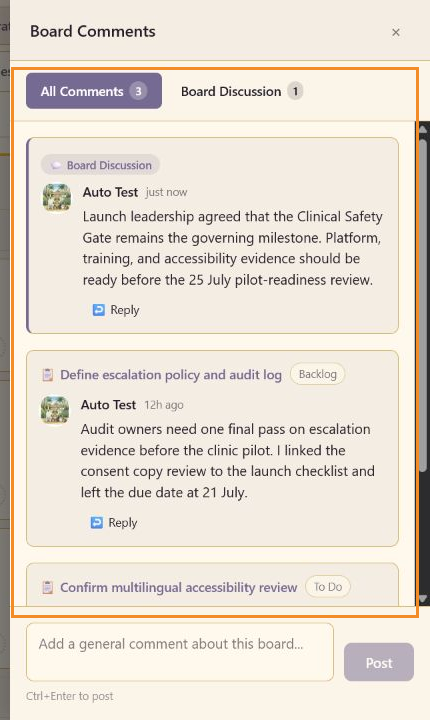
Comments keep decisions and evidence requests beside the work they affect. Board Comments combines task threads with board-wide discussion.
Task comments
Section titled “Task comments”Open a task, write in the comment composer, and select Send. The task card shows a comment count after the task is saved. Replies continue the thread without creating a separate task comment.
Board Comments
Section titled “Board Comments”Select the comment icon in the account bar at the top right of the screen. It carries the number of comments on the board you have open, and it is the same control that opens comments everywhere else in Lunar Paper.
All Comments aggregates task comments across the board and identifies each task and column. Board Discussion contains comments about the whole board. The footer composer posts a general board comment; Ctrl+Enter is shown as the posting shortcut.
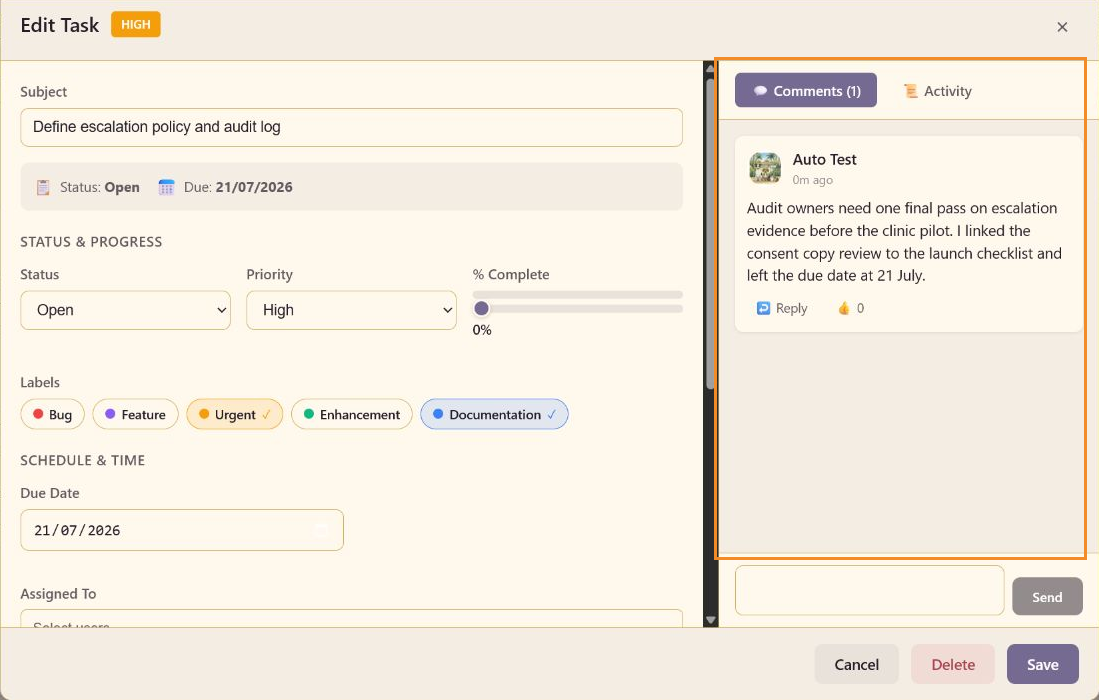
Use Activity when you need the record of edits and events rather than the discussion itself.