
Vocal Synth
Double-click empty space on the timeline to open the instrument picker, then choose 🎙️ Vocal Synth.
Type lyrics and the instrument breaks them into syllables and sings them.
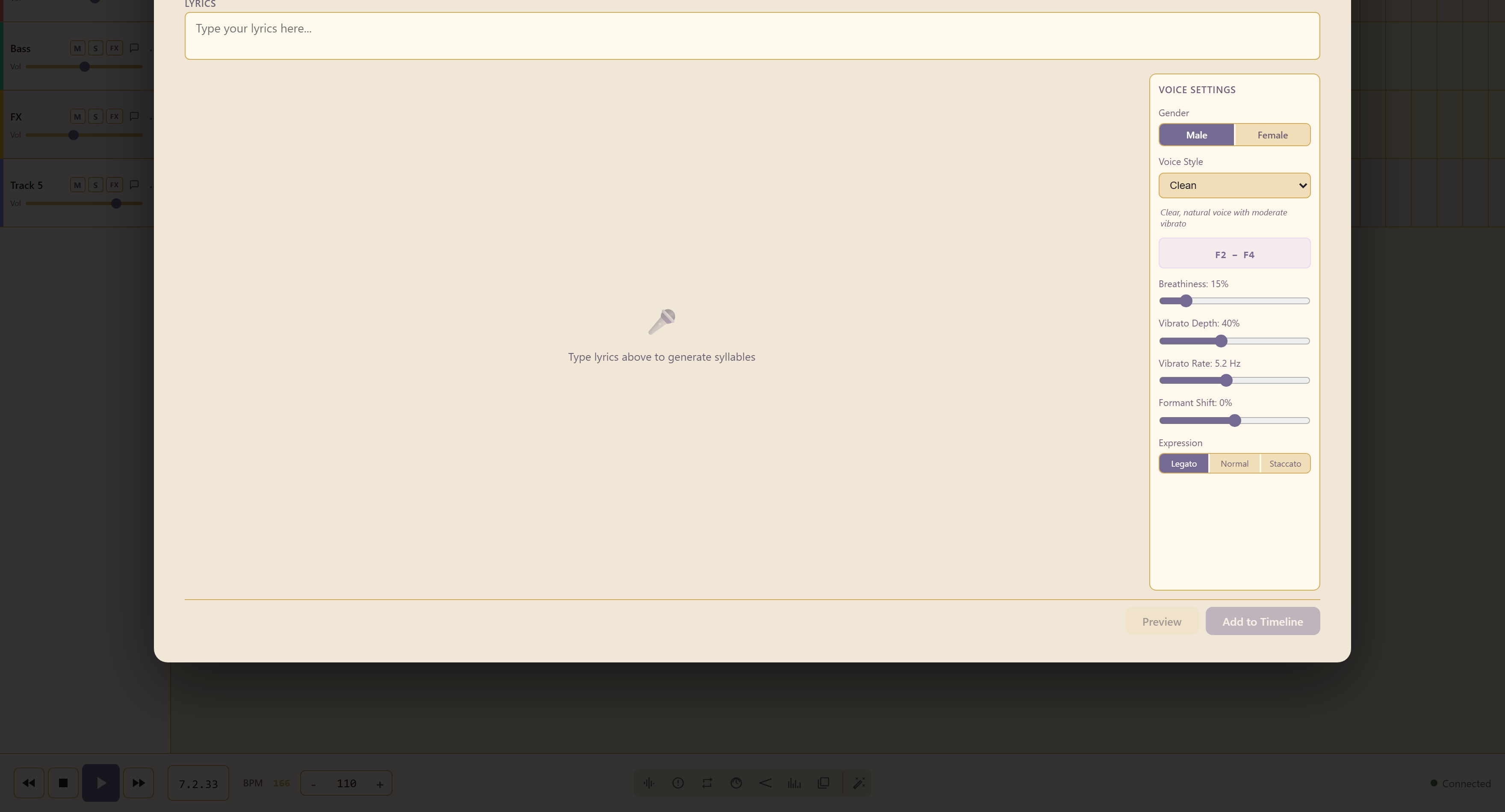
Start with the words. Everything else is a setting on top, and the syllables are what the settings apply to.
Choosing a voice
Section titled “Choosing a voice”Gender is Male or Female, and Voice Style offers twelve characters: Clean, Warm, Breathy, Powerful, Rock, Pop, Celtic, Opera, Gospel, Whisper, Choir Boy, and Robot.
Each style shows a description and its range as you select it — Clean is described as a clear, natural voice with moderate vibrato, running F2 to F4.
Read the range before you commit. A line written high will not sit inside a low voice, and the result is a strained sound rather than a transposed one.
Shaping the voice
Section titled “Shaping the voice”| Control | What it changes |
|---|---|
| Breathiness | How much air is in the tone |
| Vibrato Depth | How wide the pitch wavers |
| Vibrato Rate | How fast it wavers, in Hz |
| Formant Shift | The apparent size of the singer |
Formant shift is the one worth understanding. It moves the resonances rather than the pitch, so a small positive shift makes the same note sound like a smaller singer and a negative one a larger. It is how you get a voice distinct from the preset without changing the melody.
Expression
Section titled “Expression”Legato runs syllables together, Staccato separates them, and Normal sits between.
Preview auditions the line, and Add to Timeline commits it.
Related
Section titled “Related”Vocal Booth records a real voice, which is usually the better option when one is available.