
Track the budget
Budget tracking here is a ledger, not an accounting integration. You set a total, record what has been spent or committed against it, and the project reports the gap. Nothing flows in from finance systems, and nothing flows out.
Set the total
Section titled “Set the total”The total lives in Project Settings → General → Budget. Until it is set, the dashboard tile reads $0 spent of $0.
Record expenses
Section titled “Record expenses”Open Budget and choose + Add Expense.
| Field | Notes |
|---|---|
| Description | Required. What the money bought. |
| Category | Labor, Materials, Equipment, Travel, Software, Consulting, Overhead, or Other. |
| Amount | Required. |
| Date | When it was incurred. |
| Status | Spent (Actual), Committed, or Forecast. |
| Vendor/Source | Who it went to. |
| Notes | Anything the description cannot carry. |
Read the four numbers
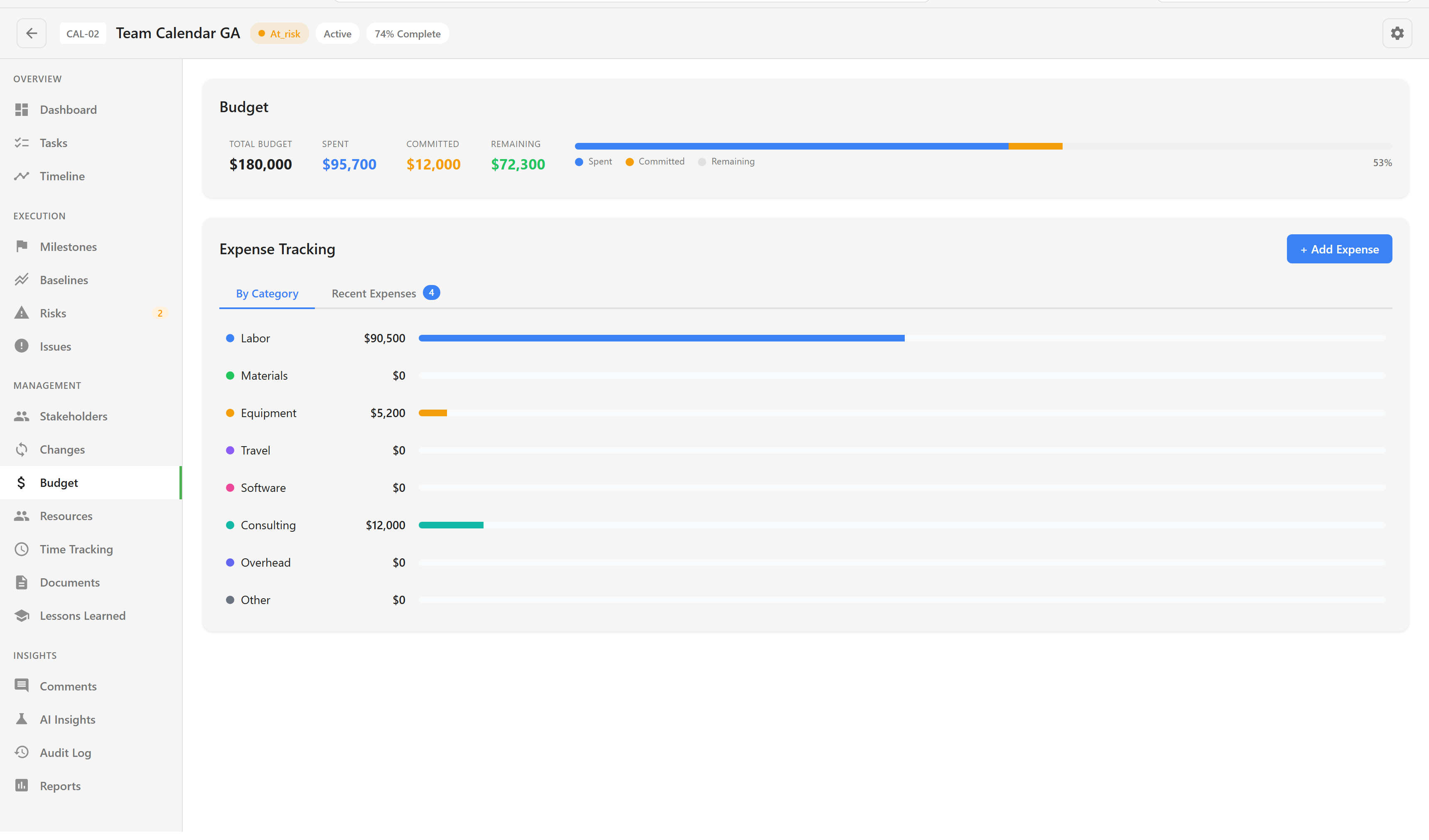
Section titled “Read the four numbers”The header gives Total Budget, Spent, Committed, and Remaining, with a bar underneath.
The status you give each expense is what separates them. Spent is money gone. Committed is money promised but not yet paid — a signed contract, an approved purchase order. Forecast is an expectation, and it is deliberately excluded from both spent and committed, so it never inflates the numbers you report.
That distinction is the point of the ledger. A project can be well under on spend and still have no room left once commitments are counted, and a total that only tracks actuals will not tell you that.
Watch the categories
Section titled “Watch the categories”By Category breaks the ledger into the eight buckets. It is most useful as a shape check: a delivery project where Consulting has quietly overtaken Labor is telling you something about how the work is actually being done.
Recent Expenses lists the ledger itself, newest first.
What it will not do
Section titled “What it will not do”Currency is fixed to US dollars on the project card regardless of regional settings. There is no approval step on an expense, no per-category limit, and no link to purchase orders or invoices.
Labour cost is not derived from allocations either. A resource can carry an hourly rate and be allocated at 60%, and none of that reaches the budget — if you want labour in the ledger, record it as an expense.
For the numbers the dashboard shows alongside budget, see Report on progress.