
Audio Creator
Audio Creator is Lunar Paper’s module for producing multi-track audio directly inside a service. It gives you a timeline-based studio with tracks, sections, a transport, a mixer, spatial panning, tempo and dynamics lanes, a spectrum analyser, presets, and an AI assistant for generative audio.
What you can do
Section titled “What you can do”The module covers the full audio production path. Start from a blank project or a template, arrange sections on a timeline, and build up tracks with mute, solo, and volume controls. From there you mix levels in the Mixer, position sounds in the Spatial panel, shape tempo and dynamics across the timeline, browse presets, and generate ideas with the AI Assistant. When the audio is ready, you save versions, publish milestones, and export the result.
Twenty-three instrument editors are available, from a breath-controlled woodwind ribbon and a keyboard-played drum kit to staff sequencers and samplers. The Instrument catalogue lists them alongside Browse Sounds, the picker’s library/import tool. Projects can be mixed in stereo, binaural, 5.1, or 7.1, and sources placed around the listener and moved over time with 3D spatial audio.
If you are new to the module, start with the Quickstart. The Feature list is everything in one place, Editor reference covers the layout, and the Guides hub lists every walkthrough by task.
Edit a recorded part
Section titled “Edit a recorded part”Instrument clips keep their recorded actions so you can reopen a take and adjust notes, hits, timing, expression, or source-audio edits. The modal header switches between Instrument and Performance; unsaved takes survive switching views. Save changes to the original clip or keep an alternate with Save as new clip.
Edit recorded performances walks through the shared workflow across all 23 instrument editors.
Where it lives
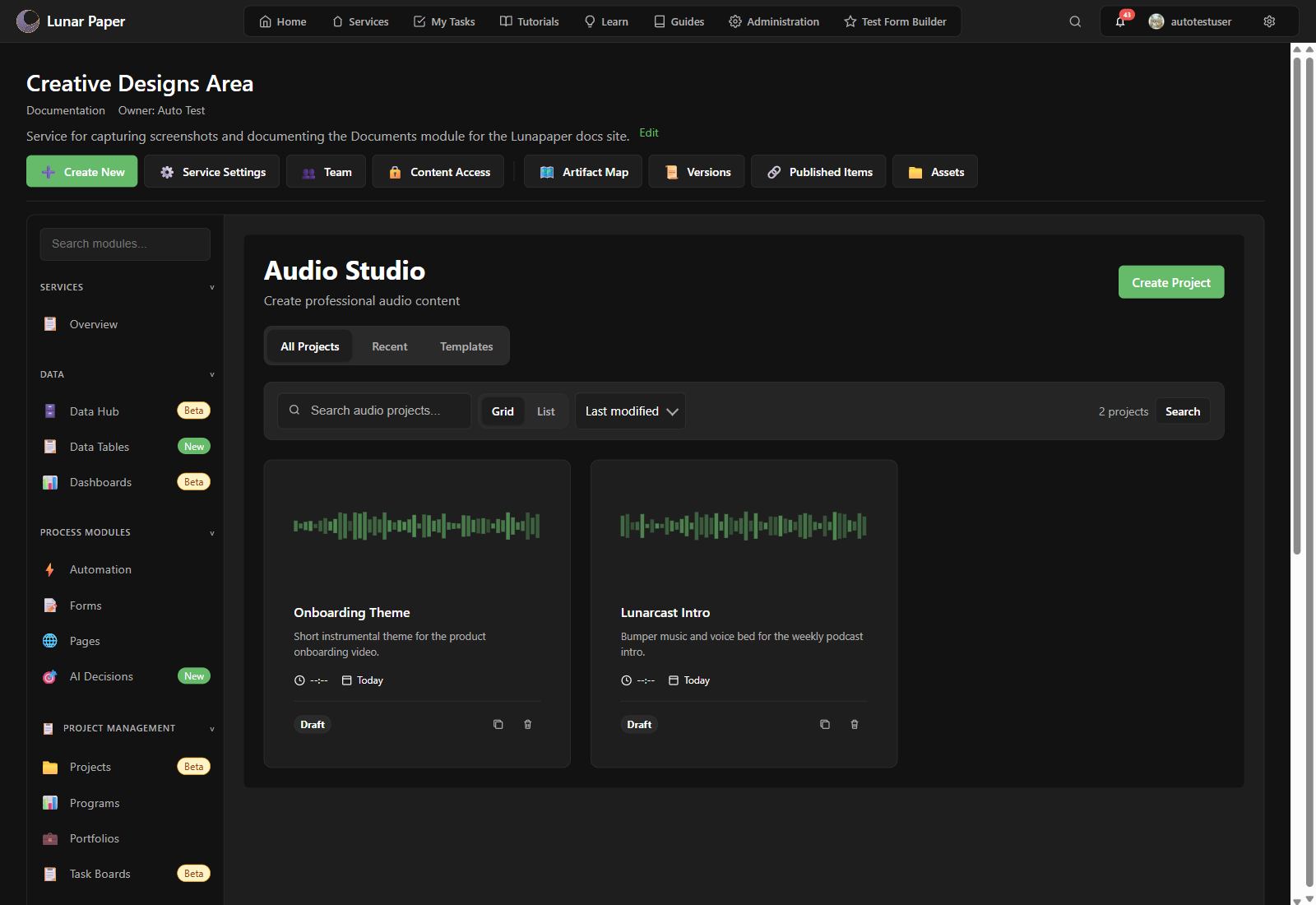
Section titled “Where it lives”Open a service, then choose Audio Creator from the Creative Modules section of the service sidebar. The module opens inside the service context, not as a standalone audio workstation.
The library view lists every project in the service. Click Create Project to pick a starting template or a blank project.
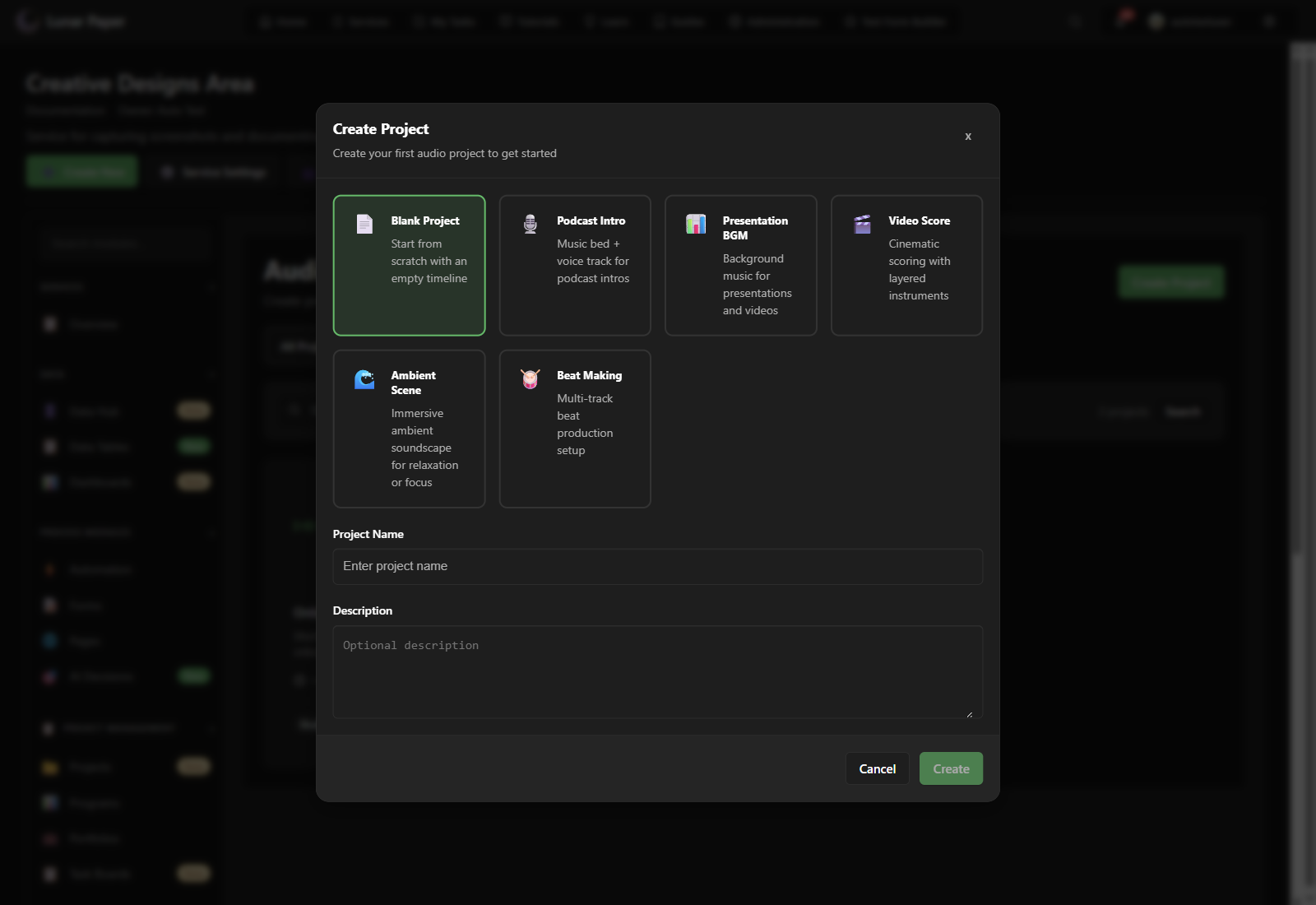
The Audio Studio editor
Section titled “The Audio Studio editor”The editor is built around a timeline:
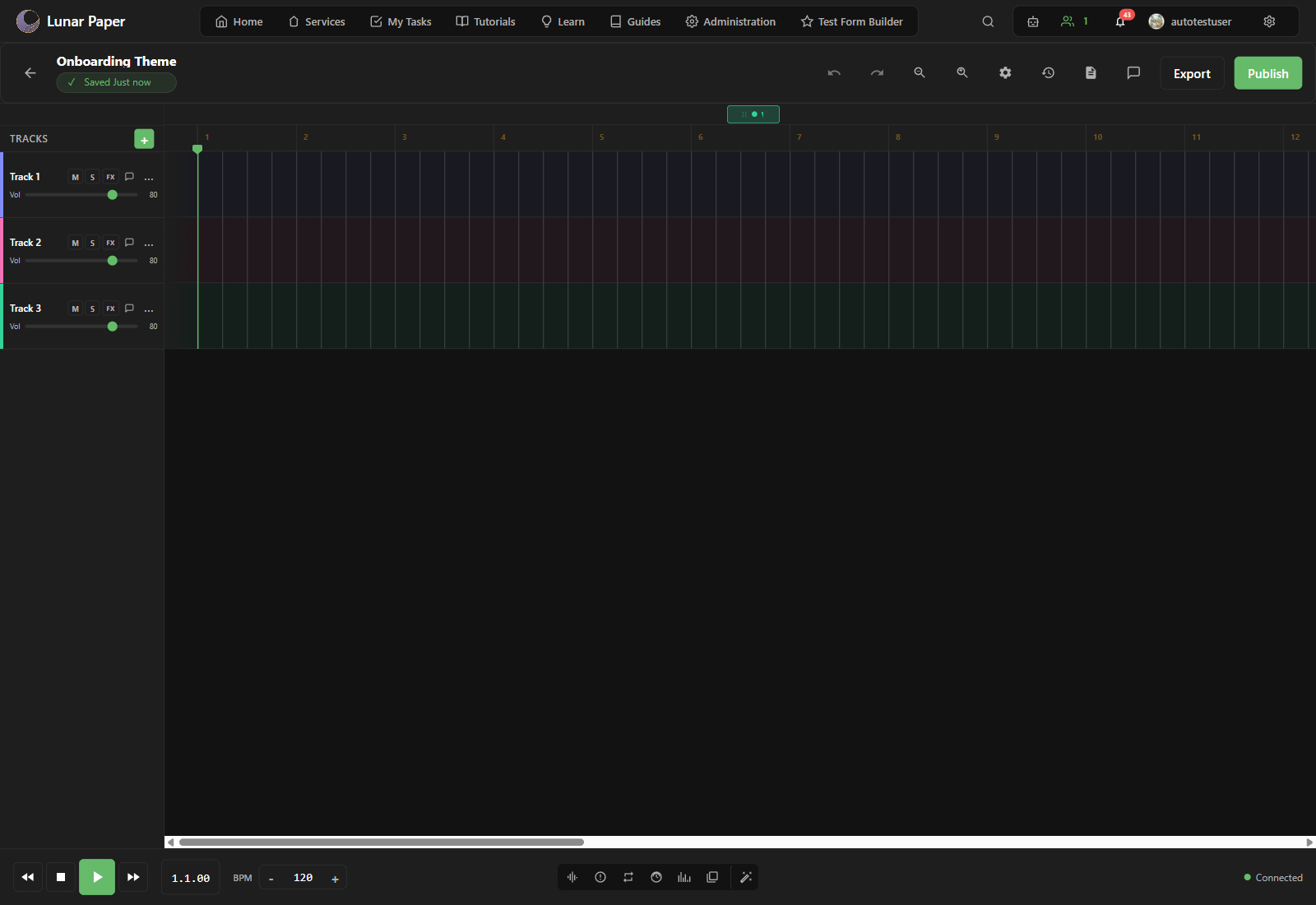
- Top toolbar. Project title, save status, undo/redo, zoom, Project Settings, Version History, Edit Log, Comments, Export, and Publish.
- Left panel: Tracks. Add tracks, rename them, mute, solo, add effects, set volume, and open track comments.
- Center: Timeline. Arrange sections such as Intro, Verse, or Chorus across a bar/beat ruler. Double-click an empty area to add a new section.
- Bottom transport bar. Play, stop, rewind, forward, a BPM control, and one-click toggles for the Mixer, Spatial, Loop, Tempo Automation, Dynamics, Spectrum, Presets, and AI Assistant panels.

For a full tour, see Editor reference.
Documentation organisation
Section titled “Documentation organisation”| Section | Use it when |
|---|---|
| Quickstart | You want one end-to-end first session. |
| Feature list | You want to know everything the module can do. |
| Guides | You have a specific task in mind. |
| Concepts (tracks and sections, mixing and spatial, workspace) | You want the “why” behind a feature. |
| Reference (capabilities, editor, instruments, licensing and attribution, keyboard shortcuts) | You need to look something up. |
| Troubleshooting & FAQ | Something went wrong. |