
Control caching
Caching decides whether a request goes to your database or is answered from something Data Hub already fetched. It is the main lever you have over how much load the platform puts on a source, and how stale what people see can be.
Two places to set it
Section titled “Two places to set it”Connection cache defaults are set on the connection, under Advanced refresh settings in the connection form. Everything on that connection inherits them.
Dataset cache settings are set per table, from Cache settings in the table explorer. A dataset either inherits from its connection or overrides it.
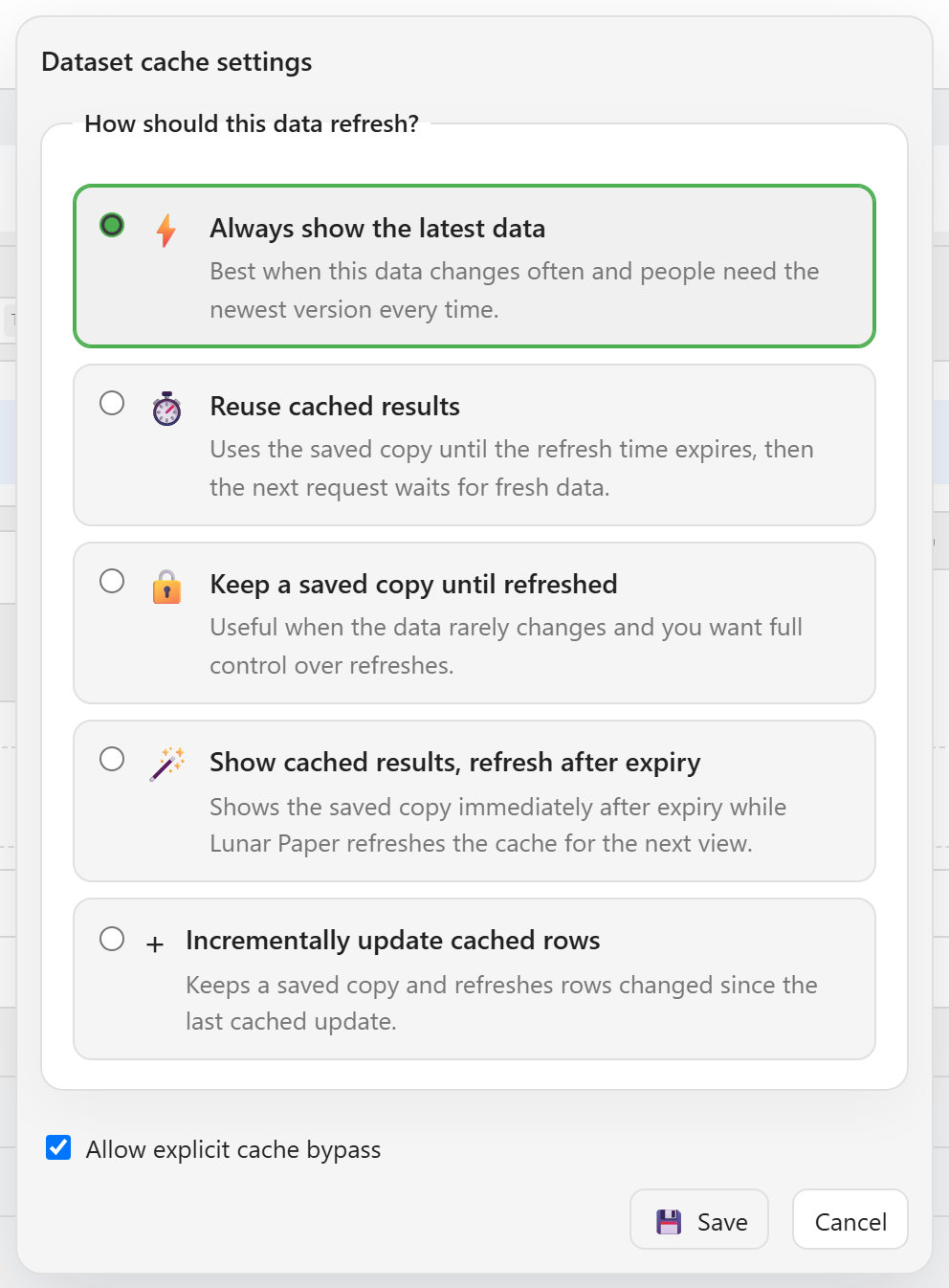
Set a sensible default on the connection and override only the datasets that genuinely differ. A per-dataset setting on everything is a maintenance problem, not a tuning strategy.
How should this data refresh?
Section titled “How should this data refresh?”The setting asks exactly that, and offers five answers.
Always show the latest data does no caching. Every request goes to the source. Best when the data changes often and people need the newest version every time, and hardest on the database.
Reuse cached results keeps the saved copy until the refresh time expires, then the next request waits for fresh data. This is the usual choice. The duration is where the judgement lives: long enough to protect the source, short enough that nobody is deciding anything on yesterday’s numbers.
Keep a saved copy until refreshed never expires on its own. Useful when the data rarely changes and you want full control over when it moves — a country list, a price band table.
Show cached results, refresh after expiry serves the saved copy immediately once it has expired, and refreshes in the background for the next viewer. Nobody waits, and the data is one request behind. Good for dashboards people leave open.
Incrementally update cached rows fetches what has changed rather than everything.
A dataset can also inherit rather than choose, in which case it follows the default from its connection.
The table explorer states the outcome in plain language above the grid — for example, always loading the latest available data for this dataset — so you can tell what a dataset is doing without opening its settings.
Refresh early
Section titled “Refresh early”For longer cache durations there is an optional early check: look for changes before the cache expires, and refresh if something moved.
Point it at an updated column — updated_at, last_modified — and a primary key column. Checking one timestamp column is far cheaper than refetching a table, so this buys you a short effective staleness with a long cache duration.
It only helps when the check really is cheap and the column really is maintained. A table whose updated_at is not reliably written will look unchanged when it is not.
A manual refresh button
Section titled “A manual refresh button”You can choose to show a Refresh button on the dataset, which lets people bypass the cache when they need to be certain.
Worth enabling for anything where someone might reasonably ask “is this up to date?” — it gives them an answer without needing you.
Choosing a duration
Section titled “Choosing a duration”Start from how the data is used rather than how often it changes.
If someone acts on a number within minutes, cache in minutes. If a figure is reviewed weekly, hours is fine. If it feeds a report nobody reads until Monday, a day costs nothing.
The failure to avoid is caching an operational number for hours because the underlying table is slow. That trades a visible problem for an invisible one — a fast dashboard that is quietly wrong.
Related
Section titled “Related”Explore and export data covers the Refresh control, which ignores the cache for one request. How data becomes available explains which sources are queried live and which are synced.