
AI-assisted editing
You can drive the editor through the AI Assistant, which issues structured actions against a project: adding layers, generating tweens, swapping palettes, mirroring variants, and more. Used well, it handles the mechanical work and you follow up with a manual cleanup pass. The full action vocabulary and prompting guidance are in the AI actions reference.
This page covers edits to what’s already on screen. To have the assistant build a whole animated scene across a timeline, see Generate a multi-frame animation with AI.
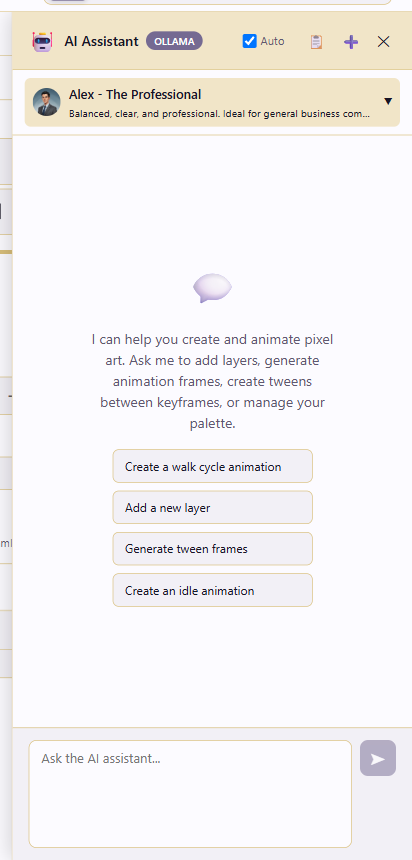
Open the assistant
Section titled “Open the assistant”Click AI Assistant at the top-right of the app chrome. The assistant works against the project currently open in the editor.
Write specific prompts
Section titled “Write specific prompts”Be specific. State the structure you’re targeting (layer name, frame index, palette, tag), the change you want, and where (coordinates, color values). Vague prompts produce vague results, while structured prompts produce deterministic ones you can review.
A few concrete examples, by category:
Layers: “On layer body, frame 3, set the outline pixels to #1a1a2a. Leave the fill untouched.”
Frames and animation: “Duplicate frames 1–4 as frames 5–8. Then generateTween Hybrid EaseInOut between frame 4 and frame 8 on layer body.”
Tags: “Add an animation tag attack_2, frames 9–14, Forward, color red.”
Palette: “Lock the palette. Add a 5-step ramp from #3a86ff to #e63946. Sort by hue.”
Variants: “Create variation fire. Load the fire preset palette into it. Hide layer ice_overlay, show layer fire_overlay.”
Mirrored variants: “Generate mirrored variants of frames 1–6 (facing right) so I get the facing-left walk. Add tag walk_left over the mirrored range.”
Review AI output
Section titled “Review AI output”Treat AI output as a draft. Review the canvas or timeline, undo errors with Ctrl+Z (every AI action is undoable), and clean up silhouettes, palette drift, and timing by hand. Only save or publish once you’ve reviewed.
Anti-patterns
Section titled “Anti-patterns”The failures follow a pattern. “Make it look better” gives you an undefined result, so name the actual change (“increase contrast on layer shading by darkening the shadow ramp one step”). “Add animation” leaves the frame plan to the assistant, so spell it out (“duplicate frame 1 four times, then on layer legs shift the left leg right by 2 px each frame”). One giant multi-step prompt touching layers, frames, palette, and tags at once is hard to review, so split it into ordered single-concern prompts.
A few rules cover most of it. Address things by name, not index, because “layer body” survives reorders and “layer 2” doesn’t. Give explicit coordinates for pixel edits, since setPixels with [x, y, color] triples is deterministic. Name tags and variations the way you’ll export them. Finally, review before you publish.