
Submissions and analytics reference
Published delivery
Section titled “Published delivery”The published renderer validates page transitions and submission. Files use guarded form-upload endpoints, Rich Text uses the shared editor and sanitizer, and Signature provides a typed alternative to drawing.
Completion actions run only after the response has been stored successfully. A completion page never appears ahead of persistence.
Response table
Section titled “Response table”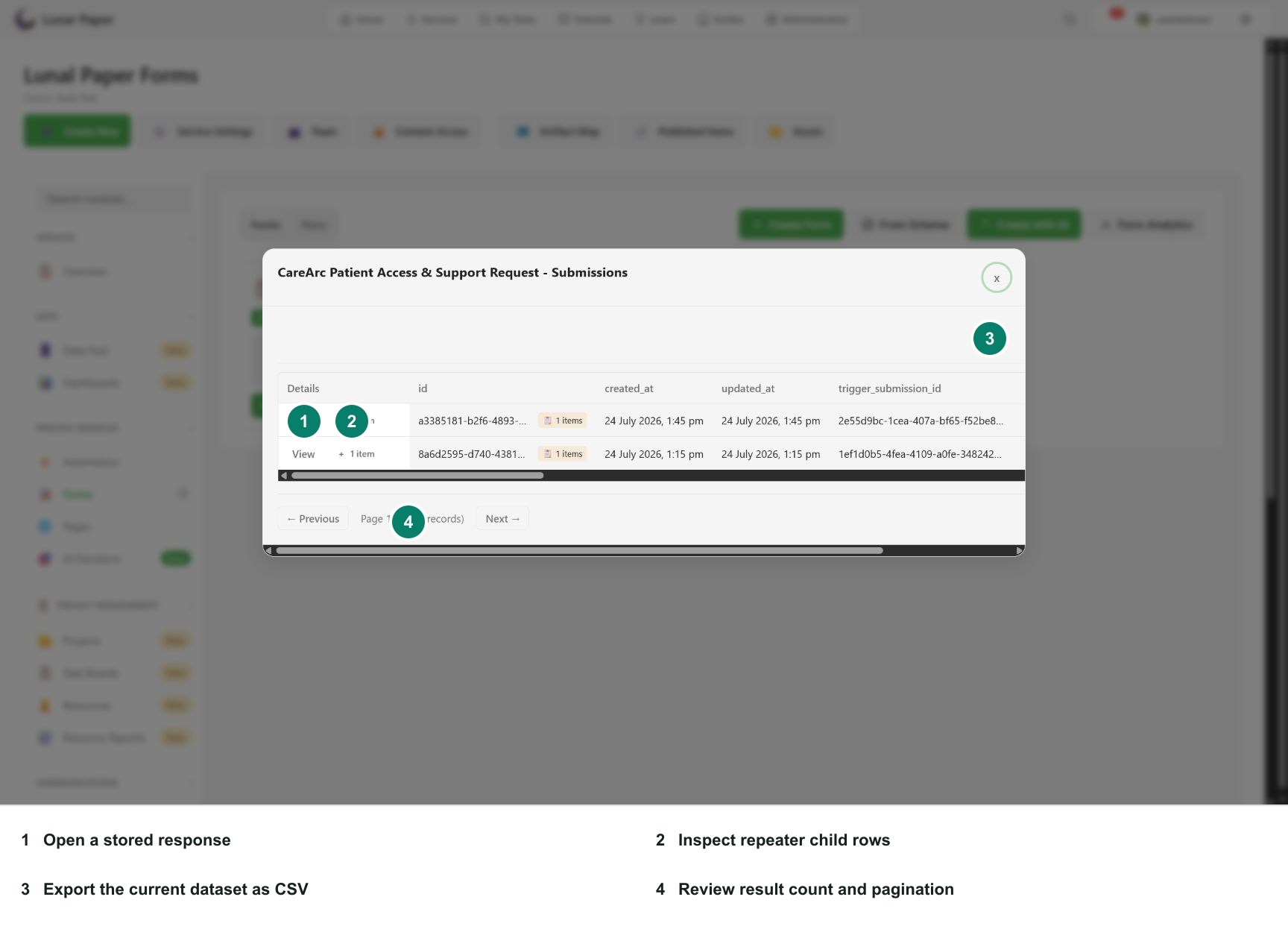
The submissions table includes:
- Details actions;
- response ID;
- created and updated times;
- trigger submission ID when applicable;
- signature/file metadata;
- form version;
- one column per stored parent field;
- repeater item counts;
- pagination.
Details actions
Section titled “Details actions”View opens a read-only submitted-form renderer. The repeater item-count action opens related child rows. Guarded file and signature links require authorized access.
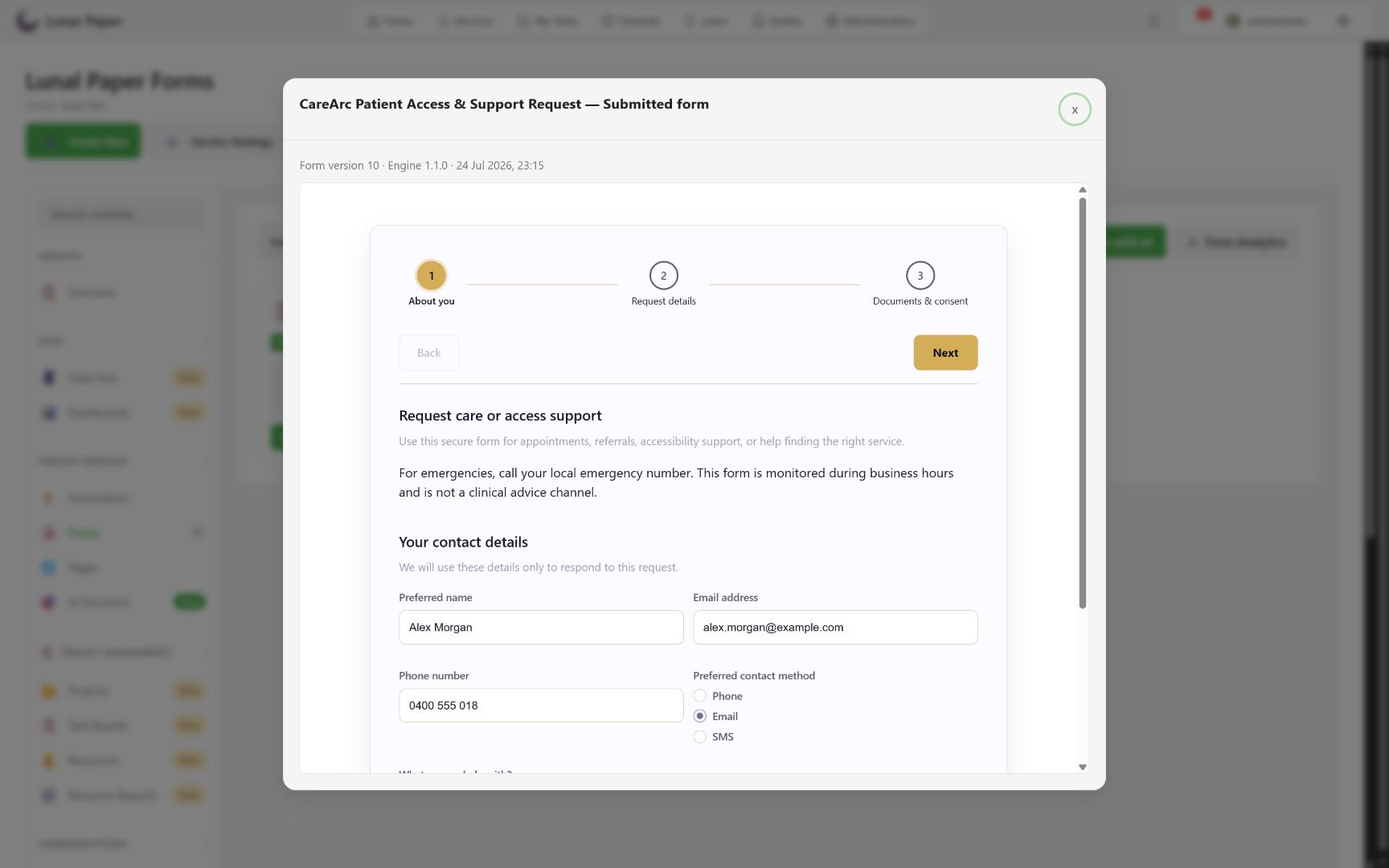
Submitted playback identifies the form version and engine and disables respondent controls, so a historical answer is read in the structure that accepted it.
CSV export
Section titled “CSV export”Export CSV downloads the response dataset shown in the submissions view. Repeaters are relational child data, so review them separately rather than flattening them into the parent rows and losing information.
Submission actions
Section titled “Submission actions”Engine 1.1.0 supports ordered post-storage actions. Available presentation actions include showing the completion page and offering another response.
Analytics
Section titled “Analytics”| Metric/area | Meaning |
|---|---|
| Forms | Forms in the current service/filter scope. |
| Views | Recorded published-form view events. |
| Submissions | Recorded analytics submission events. |
| Completion Rate | Completed submissions relative to tracked starts/views. |
| Avg Time | Average tracked completion time. |
| Submissions Over Time | Period trend. |
| Top Performing Forms | Ranked submissions and completion. |
| Needs Attention | Forms with low completion. |
Stored response counts and analytics events are collected along different paths. Use the response table as the authoritative source for whether a response was stored.
To work through review, replay, export, and analytics as a task, follow Review submissions and analytics.